
How to Create a Trading Bot Without Coding (and Test It Before It Trades)
How to create a trading bot without coding: compare visual builders, AI builders and TradingView webhooks, then test it with this checklist before it trades.
By Tessera Trades · Updated · 9 min read
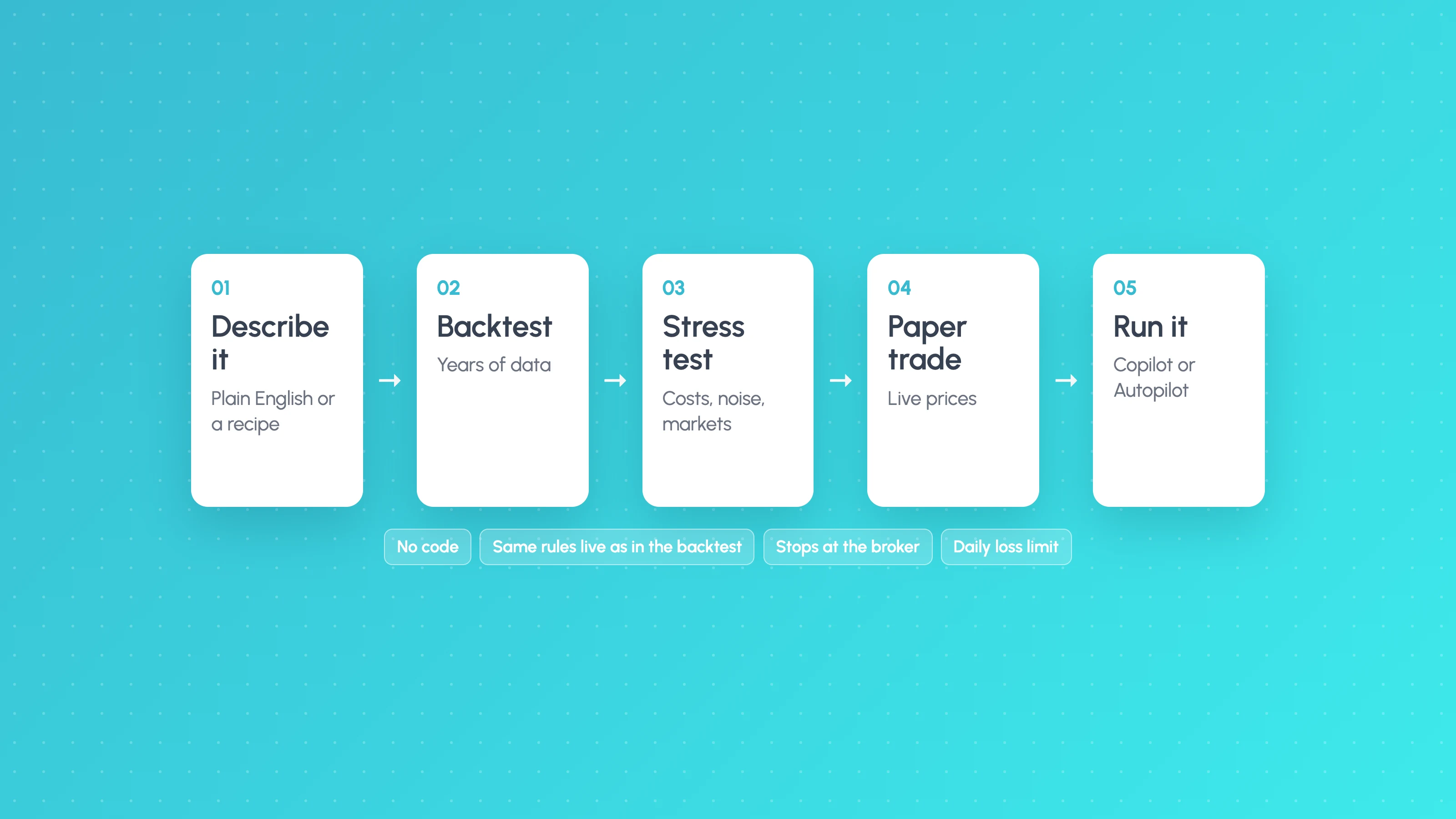
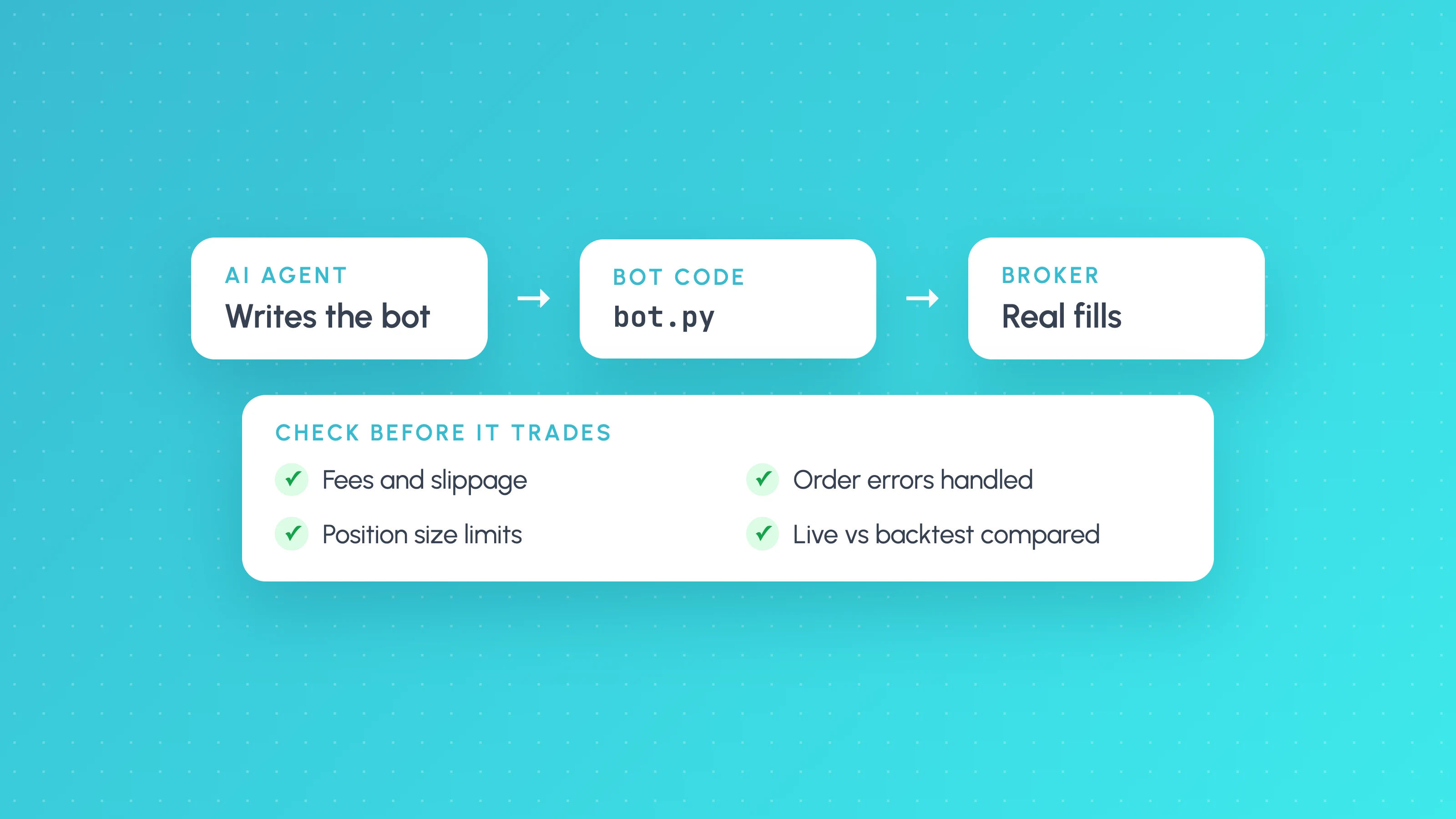
To create a trading bot without coding, use a no-code builder to set your entry, filters, stop, target and position size from menus or plain English, backtest the result with realistic costs, then connect it to a broker that the tool supports. The building is the quick part. The part that decides whether the bot is any good is the testing in between: costs, unseen data, and a paper run that proves the live bot takes the same trades as the backtest.
There are four common routes to a no code trading bot. This guide explains each in general terms, what to check whichever you choose, and how Tessera does it.
A bot runs your rules faster and more consistently than you can. It does not make a losing strategy profitable. Backtests and paper results are not future results, leveraged forex and CFDs are high risk, and what the bot does with your money is your responsibility.
The four ways to make your own trading bot without code
| Route | How you build it | How it places trades | Main thing to watch |
|---|---|---|---|
| Visual builder | Pick conditions and actions from menus or blocks | Runs on the tool's servers, connected to a supported broker or exchange | Whether the backtest and live engine are the same code |
| AI strategy builder | Describe the strategy in words; the AI turns it into rules | Depends on the tool | Whether the AI's rules match what you meant |
| TradingView plus webhooks | Use or adapt a Pine Script strategy, then set alerts | An alert sends a message to a bridge service that places the order | Repainting, missed or delayed alerts, fill differences |
| AI writes code for you | ChatGPT, Claude or similar writes a script | You host and run it yourself | You are now running code you cannot read |
Visual builders
Visual builders let you assemble a strategy from blocks: "when the 20 EMA crosses above the 50 EMA, and RSI is above 50, buy; stop at the recent swing low". Most include a backtester and a way to run the bot live.
They are the most direct way into no code algo trading. The questions to ask are about what sits underneath. Does the backtest include spread, commission and slippage? Does the live bot run the same logic as the backtest, or a separate engine? Which brokers can it trade on?
AI strategy builders
An AI trading strategy builder lets you describe the idea in your own words, and sometimes attach a chart, then turns that into rules and a backtest. This is fast, and it is helpful if you know what you want but not how to express it in a builder's menus.
The risk is translation. The AI may fill gaps in your description with its own assumptions: a time zone, a stop placement, what "breakout" means. Always read back the rules it produced before you look at the results. Also be careful with repeated prompting: asking for "a better version" twenty times is a fast way to overfit, as covered in how to test an AI-generated strategy.
TradingView plus webhooks
Many traders already have a Pine Script strategy on TradingView. The usual route is to create an alert on it and have TradingView send a webhook, an HTTP message, to a third-party bridge that places the order with your broker. TradingView's own help page notes that webhook alerts need two-factor authentication on your account, and that requests taking longer than three seconds are cancelled (TradingView: About webhooks, as of November 2026).
This route works, but it adds moving parts: the alert, the bridge, and the broker, each with its own failure points. It also inherits Pine's repainting risks. How to automate a Pine Script strategy covers it in detail.
AI writes the code
You can ask Claude, ChatGPT or a coding agent to write a full bot in Python. That is coding with an assistant rather than no-code, and you take on hosting, API keys, error handling and testing yourself. If you go this way, read what Claude Code trading bot tutorials leave out first.
How to choose
Ask four questions, in this order:
- Can it trade where I trade? A great builder that does not support your broker is no use. Check the live broker list, not just the data list.
- Is the backtest honest? It must include costs and be explicit about how it handles a candle that hits both stop and target.
- Does the live bot run the same rules as the backtest? If the live engine is different code, your backtest is testing something else.
- What stops it? Daily loss limit, maximum position size, a kill switch. If you cannot set these, do not run it with real money.
The checklist for any bot, before it trades
Use this whichever tool you choose. Every item is something that commonly goes wrong.
Rules
- [ ] I can write every rule down with no judgement left: entry, filter, stop, target, size, session, maximum trades per day.
- [ ] I have read the rules back in plain English, and they match what I meant.
- [ ] The time zone for sessions and the daily reset is correct.
Backtest
- [ ] Spread, commission, slippage and swap are included.
- [ ] A candle that hits both stop and target is handled conservatively.
- [ ] There are at least 100 trades, and at least 30 in any slice I act on. See backtest sample size.
- [ ] Expectancy after costs is positive with room to spare. A 0.05R edge with 0.08R of costs is a loss.
Validation
- [ ] It held up on a period it was not built on. See out-of-sample testing.
- [ ] It survives double costs and removing the best few trades.
- [ ] I know the drawdown it could plausibly have, not just the one in the backtest. See Monte Carlo backtesting.
- [ ] I have not tried so many versions that the winner is likely luck. See is my backtest overfit.
Live
- [ ] It has paper traded long enough to match backtest trades on the same days.
- [ ] Risk per trade, maximum position, daily loss limit and trading hours are set.
- [ ] I know how to pause it and close everything.
- [ ] Every trade is logged and reviewed against the backtest.
A quick worked example of why the sizing items matter. Say you risk 1% per trade on a $5,000 account, so $50. A 45% win rate strategy can easily lose 8 in a row over a few hundred trades. That is $400, 8% of the account, from an ordinary streak. At 0.5% risk the same streak costs $200, 4%. The strategy is identical; only the size changed.
Common mistakes with no-code bots
- Testing the idea, then trading a different version. Changing a setting live "just a little" means you are now running an untested bot.
- Trusting a short backtest. Three months of results on a strategy that trades twice a week is about 25 trades. That says almost nothing.
- No costs, or default costs. Builder defaults may not match your broker. Put in your own spread and commission.
- Skipping paper trading. It is the only step that checks the live bot matches the tested one.
- Turning off the limits after a good week. Limits are for the week that goes wrong.
For the bigger question of whether bots work at all, do AI trading bots work reviews the public live evidence, which is mostly sobering.
Build it in Strategy Lab, run it on Launchpad
Tessera splits the job into two parts that share the same rules.
Strategy Lab is where you build and test, on every plan including Free. You can build in three ways and mix them:
- TES, the AI strategy coach. Describe the strategy in your own words and attach up to 2 chart screenshots. TES builds it and runs the backtest, a parameter search, a strategy search and the robustness, account and other-markets tests. It proposes every change and you confirm it, and it can explain individual trades.
- The recipe composer. Choose a setup, optional filters, sessions, entry style and exits, with 12 starter packs. A plain-English "If/Then" readout shows how the recipe is read, which is the check the rules item on the list above asks for.
- Custom rules with 21 indicators, for anything the composer does not cover.
Every backtest includes commission, slippage, spread and swap, and runs the validation checks automatically: an unseen period with a verdict, first half versus second half, the last 12 months, concentration, cost fragility and a multiple-testing warning. The robustness report card adds Monte Carlo, cost stress and an other-markets test.
Launchpad runs those same Strategy Lab strategies, on Standard, Plus and Pro plans. After each candle closes, it re-runs the strategy's rules, so the live bot is not a separate translation. You can run it on Paper (live prices, nothing sent to a broker), in Copilot mode (you approve or reject each signal in the app or by Telegram), or on Autopilot inside your limits. Live trading is on cTrader or Liquid Brokers, on demo or live accounts. It does not run on MetaTrader or other platforms, and TradingView alerts cannot start it.
Risk limits are required: % risk or fixed lot, a maximum position size, a daily loss limit, maximum open trades and trades per day, and trading hours, all checked when the signal fires and again before the order is sent. There is a pause, a stop and a kill switch. Launchpad also compares live results against the backtest's expected range, so you can see when the bot is drifting from what you tested. If cTrader is your platform, see how to build a cTrader trading bot without coding. Plans and prices are on the pricing page.
If you're still choosing a tool, our comparison of the best no-code backtesting software covers data, validation and price for eight options.
Frequently asked questions
- Can I create a trading bot without coding?
- Yes. Visual builders and AI strategy builders let you set rules from menus or plain English, then backtest and run them on supported brokers. You still need exact rules and proper testing, because a no-code bot can lose money as easily as a coded one.
- What is the best no code trading bot builder?
- The best one for you is the one that supports your broker, includes costs in its backtest, runs the same rules live as in the backtest, and lets you set hard risk limits. Check those four things before comparing features.
- Can AI build a trading strategy for me?
- An AI strategy builder can turn your description into rules and run a backtest quickly. It cannot tell you in advance whether the strategy will make money. Read back the rules it produced, and test them on unseen data before trusting the result.
- Is a no code trading bot safe?
- It is as safe as its rules and limits. Set a small risk per trade, a maximum position size and a daily loss limit, paper trade it first, and know how to stop it. Never give a bot withdrawal permissions on an exchange or broker account.
- How much money do I need to start a trading bot?
- There is no fixed amount, but start on demo or with money you can afford to lose. Size by risk per trade, for example 0.5% of the account, so the amount at risk scales with the account and an ordinary losing streak stays survivable.
Keep reading
 Algo trading
How to Build an Algo Trading Strategy: From Idea to Rules to Running Bot
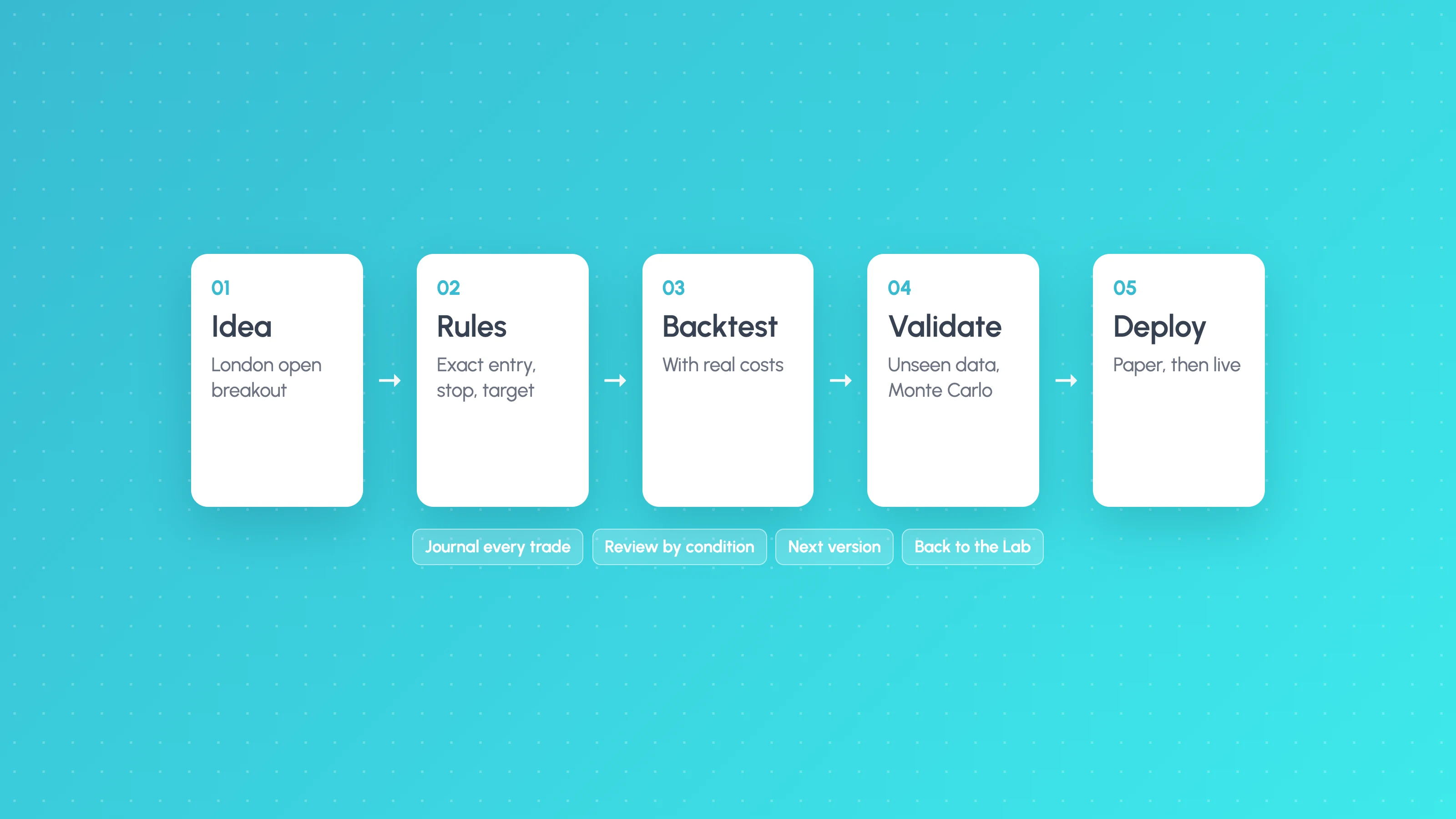
How to build an algo trading strategy: turn an idea into exact rules, backtest with costs, validate, paper trade, deploy with limits, then review and improve.
 AI and Pine Script
Do AI Trading Bots Actually Work? What the Live Results Show (2026)
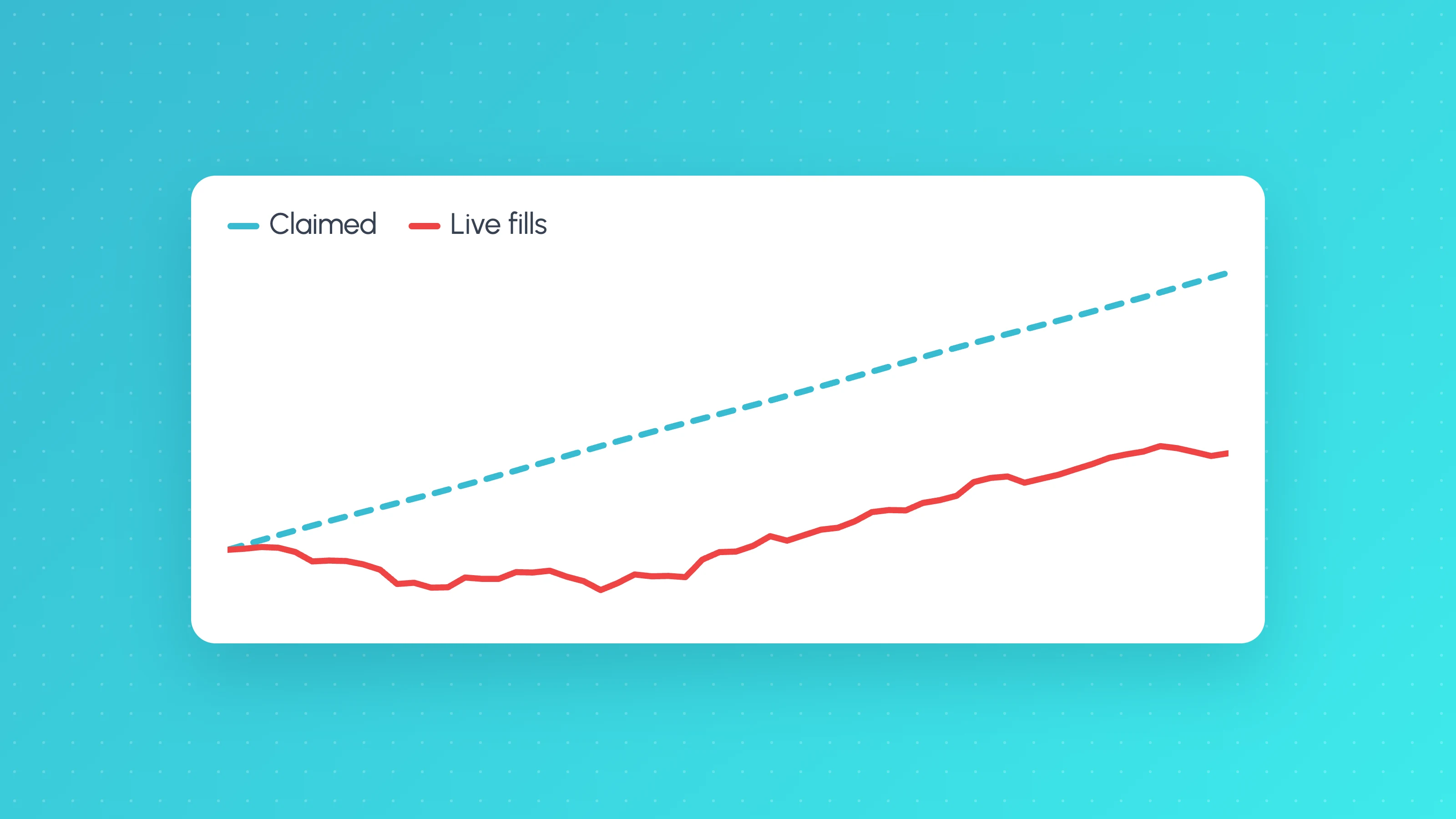
Do AI trading bots work? In public live tests most lost money, and regulators warn about AI bot scams. See the evidence and how to judge any bot's record.
 AI and Pine Script
Claude Code and OpenClaw Trading Bots: What the Tutorials Leave Out (and How to Check Yours)
Claude Code can often build a trading bot in an afternoon, but it can't tell you if it has an edge. What tutorials skip, and how to check yours.