Tessera

Looking for an TradeZella Alternative?Test Rule Changes on Your Own Trades

TradeZella is strong on replay, playbooks and PropFirm Sync. Tessera runs counterfactual tests on your real fills and exports the result to TradingView as Pine.

The best TradeZella alternative depends on the job. If you want tick replay and PropFirm Sync, stay with TradeZella. If you want to test a rule change against the trades you already took, then push that rule to TradingView, Tessera is built for it. Pricing starts at $19 a month.

TradeZella is a polished all in one journal: trade replay, playbooks, PropFirm Sync and the Zella AI agents. Tessera is a performance lab that sits on your closed trades. You get the journal and statistics you expect, plus reports, a counterfactual simulator, Trade Review to chart your fills, and policies you can push to TradingView as Pine. If your broker is not on the list, Custom CSV lets you map once and reuse the template.

Quick answer: TradeZella vs Tessera

TradeZellaTessera
Best atReplay, playbooks, prop firm dashboards, AI session agentsReports, simulator, policy, TradingView Pine on closed trades
Journal and statsExcellent structured review loopFull journal stack (log, notes, statistics, charts)
AIZella AI plus agents, credit capped by planTES reads prepared report statistics, no free roaming chatbot
Entry price$35 a month (Essential)$19 a month (Standard)
Free trialNoneNone on self serve access
Choose whenTick replay or PropFirm Sync is non negotiableYou want to test rules on real fills, one change at a time, then export

In plain English: we show you the numbers on the trades you already took, then let you test a rule change, one at a time, before you change how you trade.

TradeZella pricing and features below are indicative as of September 2026, taken from their public pricing and product pages. Always confirm on TradeZella's site before you buy.

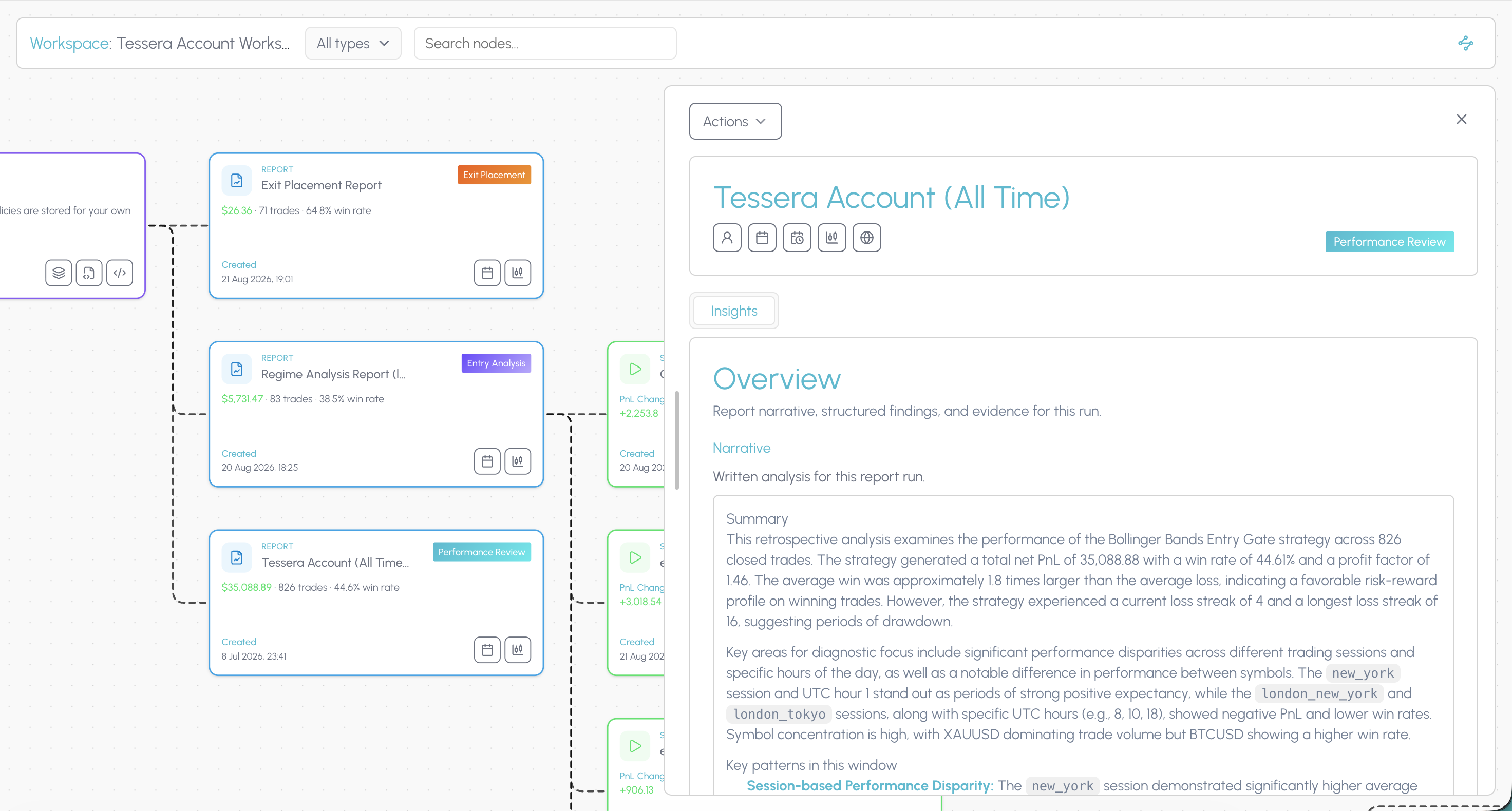
Tessera Entry Analysis report showing a London session condition slice above and below the 50 period SMA

What TradeZella does well

TradeZella earns its reputation as a review habit product. Tick and session style trade replay, playbooks and emotional tagging, education through Zella University, and AI agents that tag trades, review sessions and draft game plans are genuine strengths. Prop firm tracking is a clear fit for traders juggling evaluations. Broker coverage runs past 500 platforms.

For many discretionary day traders that loop is exactly right, and a fair reason to stay if those tools are your weekly rhythm.

Why traders look for a TradeZella alternative

The common triggers:

Price. The July 2026 increase moved Essential to $35 a month and Pro to $59 a month. The features most people want sit on Pro, so the real cost of the product is around $708 a year on monthly billing.

No free plan and no free trial. You commit before you log a trade. Tradervue and TradesViz both have free tiers.

You want to test a rule change on trades you already took, a single rule or a combined set, one change at a time, rather than replay or open ended parameter scraping.

You write TradingView Pine and want policies you can merge into a strategy or export as a standalone indicator.

You want AI that reads the numbers rather than inventing a coaching narrative, and that is not metered by monthly credits.

The product leans US stocks and futures. Forex and CFD traders often find the workflow built around someone else.

Your broker export is awkward and you need a reusable Custom CSV mapping.

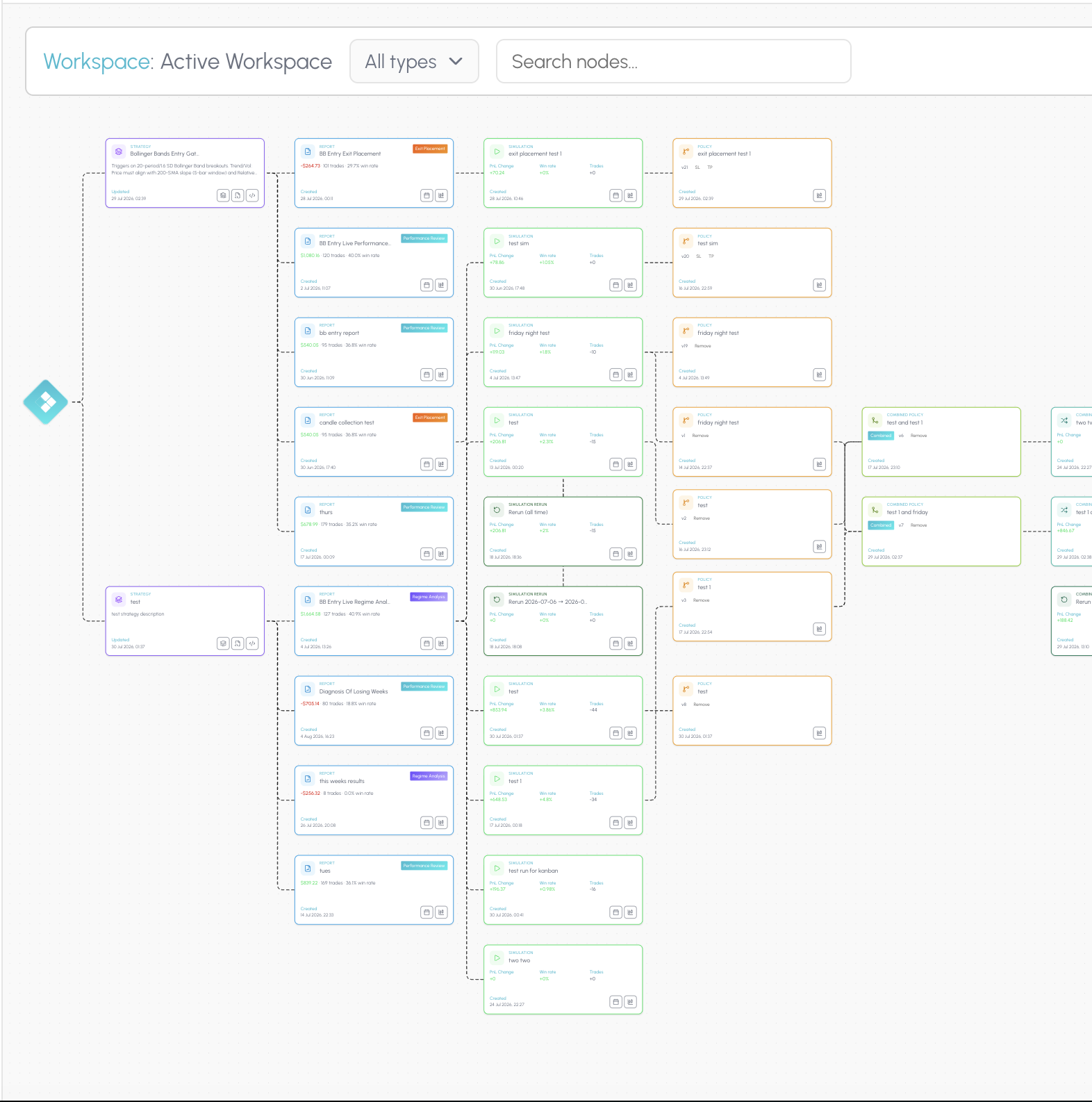
The connected workspace

TradeZella spreads replay, playbooks, dashboards and AI agents across the product. Tessera's connected workspace is built so you get a full overview in one place: your trade data, the reports you ran on it, the simulations that tested a rule change, and the policies that came out the other side.

The hub shows every strategy, report, simulation and policy you have built, without rotating through disconnected pages. Open a workspace canvas and those artefacts become a node graph linked by what produced what. When a London filter improves your cohort, you can still see the Entry Analysis that surfaced it, the simulation that proved it, and the Pine policy you exported.

That is how you track whether a change actually held up, not just whether one replay session felt better. Explore the workspace.

Journaling and statistics: parity first

A TradeZella alternative still has to be a real trading journal. Tessera includes:

  • Journaling. Notes and setup screenshots on trades, plus notes on reports, simulations and policy executing accounts.
  • Statistics. PnL, win rate, expectancy, sessions, symbols, timing and risk.
  • Imports. Dedicated broker paths where available, otherwise Custom CSV with a saved mapping template.
  • Charts. Trade Review to chart your fills. After a report pick or a simulation, preview exactly which trades that policy covers.

You get what you need to log and measure. The tools that make Tessera different sit on top of that stack.

TradeZella vs Tessera: feature comparison

FeatureTradeZellaTessera
JournalingPlaybooks, notebook, emotion tags, structured daily reviewTrade log notes and setup screenshots, notes on reports, simulations and executing accounts
Statistics and analyticsBroad dashboard reports and filtersStatistics, dashboard, Performance, Entry and Exit reports
Visual trade reviewTick and session centric trade replayTrade Review charts fills, and shows which trades a policy covers after a pick or simulation
Trade import500 plus brokers, API and CSVNative broker paths plus Custom CSV, map once and reuse
AIZella AI plus agents for tagging, session review and game plans, credit limits by planTES writes a narrative from prepared report statistics, not a free form chatbot
Idea testing and what ifManual and automated backtesting, scenario replaySimulator applies filters and SL or TP distance to the same closed cohort
TradingView and rules exportImport and chart workflowsPolicy Pine merges into a strategy or exports as a standalone indicator
Connected workspaceReplay, playbooks and dashboards across separate product areasConnected workspace: hub overview plus canvas linking strategies, reports, simulations and policies
Prop firm toolsPropFirm Sync and related widgetsNo PropFirm Sync. Import or Custom CSV, then discipline through policies you forward test
Free tierNoneNone

TradeZella alternative pricing compared

TradeZella (indicative, Sept 2026)Tessera
PlansEssential $35, Pro $59, Ultra $99 a monthStandard $19, Plus $39
Annual billing$26, $44 and $74 a month equivalent ($315, $531, $891 a year)See pricing
What is includedFeatures and AI credits vary by tierSame product features on both plans. Plus raises report and simulation caps
Free trialNoneNone on self serve dashboard access

TradeZella raised prices on 14 July 2026, its first increase since launch in 2022, and added the Ultra tier at the same time. Confirm current figures on their site before you switch.

Tessera does not gate core tools behind a higher plan. Standard and Plus run the same feature set, and the difference is how many reports and simulations you can run.

Test one entry filter on your own trades

Run a free Entry Analysis report, then simulate dropping one group of trades from the history you already took.

How the Tessera workflow fits together

Tessera is a connected product suite on your closed trades: journal and statistics, focused reports, a simulator, policies, and Pine export, kept together on one workspace.

Trade Log

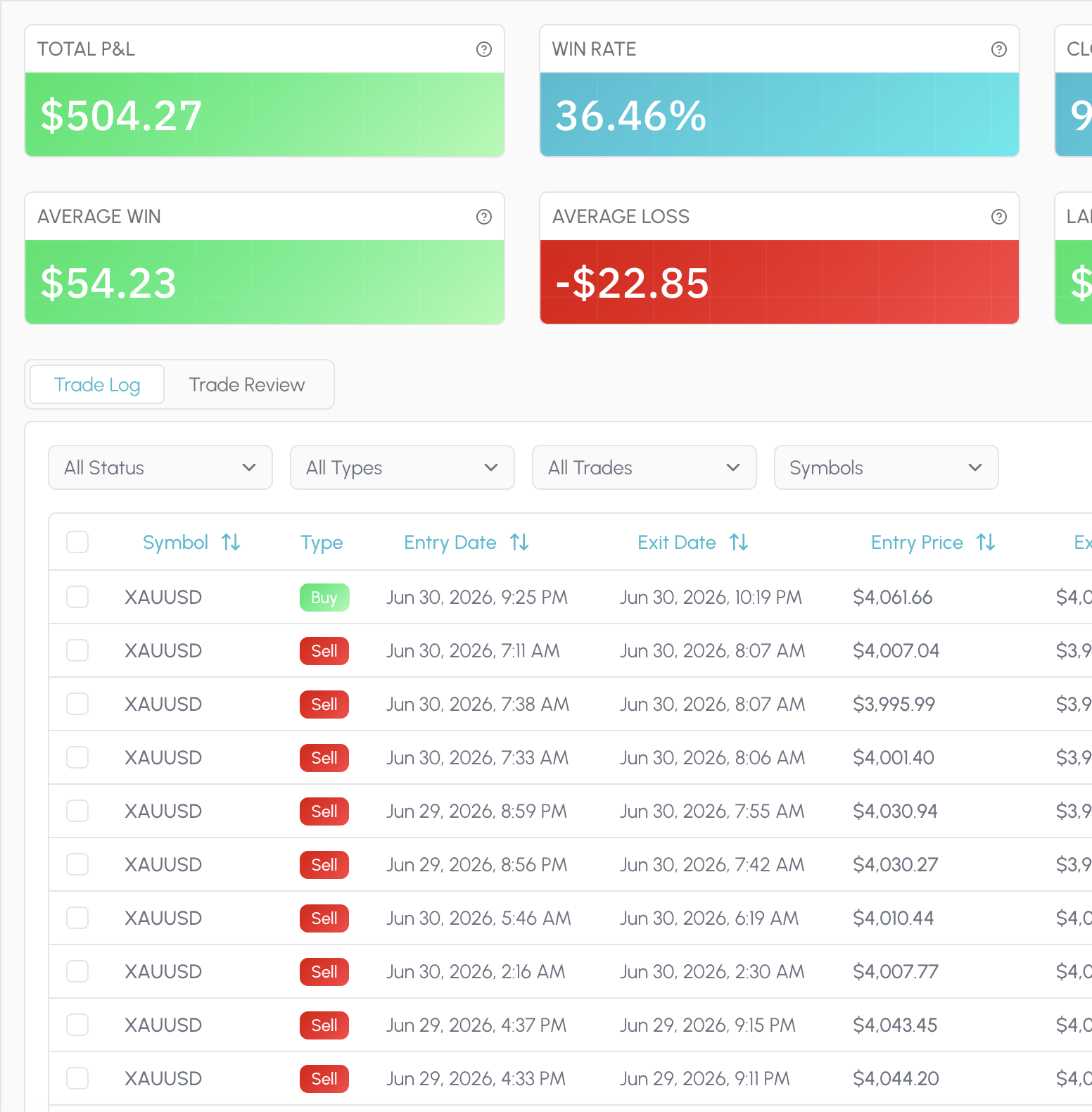
Every fill lives in one place: synced from a broker or imported once through Custom CSV with a mapping you can reuse. Attach a market snapshot and a short note when the trade still matters, not as a mood ritual, but as context for later review.

That same history feeds everything else in Tessera. Statistics, reports, simulations and policies all read the closed trades you already took, so you are not stitching exports together every Sunday.

  • Sync supported brokers in one click
  • Map a CSV once, reuse the template
  • Snapshot the chart state at the fill
  • Optional notes, no mood checklist
  • Same fills power every later view
  • Review without a Sunday spreadsheet merge
Tessera Trade Log with notes and setup context on closed trades

Statistics

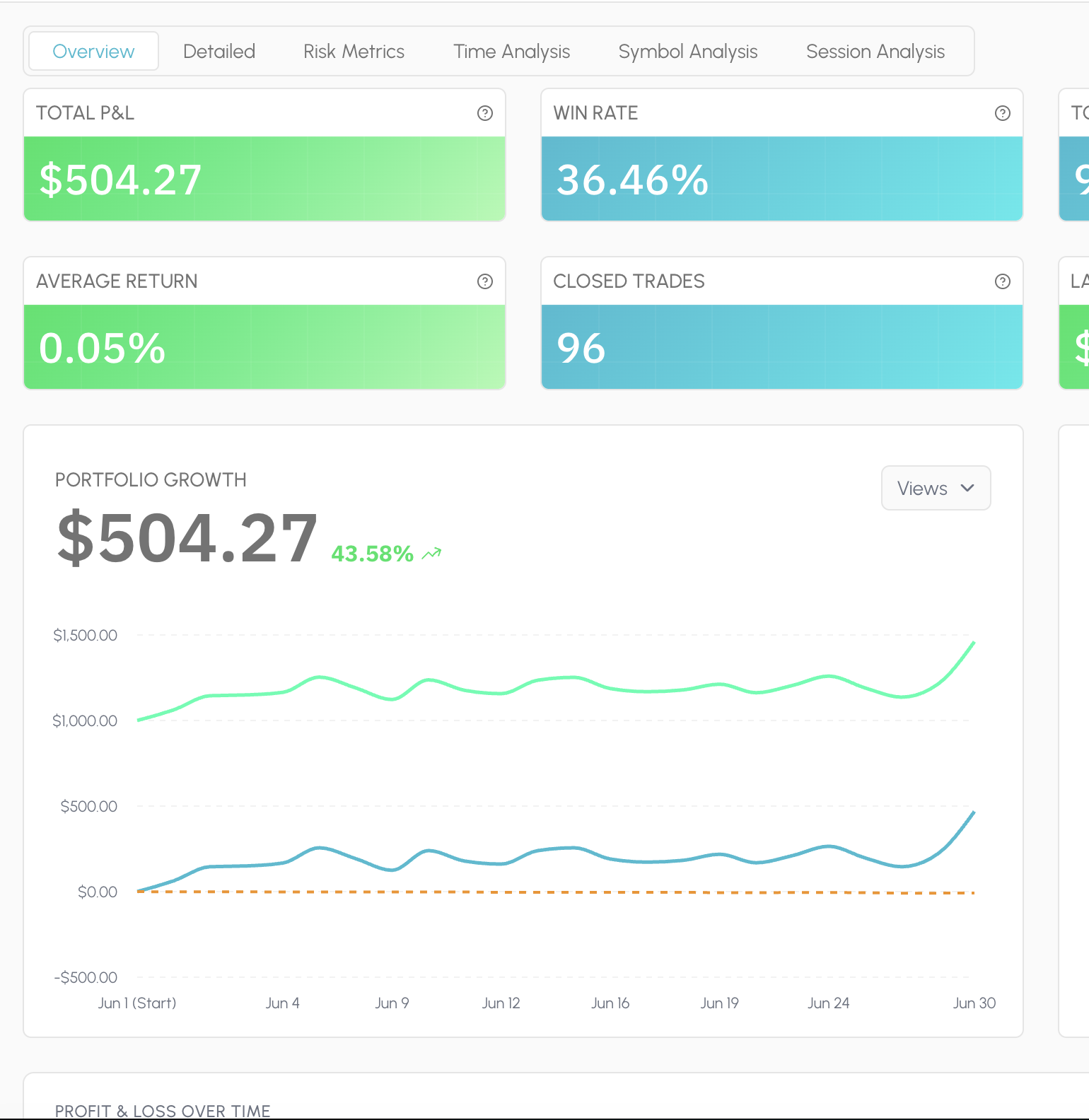
Statistics is the always-on read of your book: PnL, win rate, expectancy, drawdown, sessions, symbols, timing and risk, laid out so you can scan a period and move on. Filter the window and the charts follow the trades you selected.

There is no proprietary Tessera score and no composite grade that flattens your account into someone else's ideal profile. The dimensions stay checkable. When you need a deeper cut than the dashboard, you leave Statistics and run a focused report.

  • P&L, win rate, expectancy, drawdown
  • Cut by session, symbol, and timing
  • Filter a period; charts follow
  • Standard metrics you can audit
  • No proprietary composite score
  • Hand off to a report when you dig in
Tessera Statistics dashboard showing session and symbol metrics

Reports

Reports answer a specific question on the same closed history. Performance Review for how a strategy or period actually behaved. Entry Analysis for which conditions at entry separated winners from losers. Exit Placement for whether stops and targets were doing their job.

Condition slices surface the pattern in plain terms: session, trend, volatility, distance to a level, indicator state. You leave with a cohort you can name, not a vague sense that "New York was bad." That cohort is what you take into Trade Review and the simulator next.

  • Which entry conditions actually paid
  • Whether your stops earned their keep
  • Session, trend, and volatility slices
  • Distance-to-level cohorts you can name
  • A finding you can take into the sim
  • Built on fills you already took
Tessera Entry Analysis report with condition slices

Trade Review

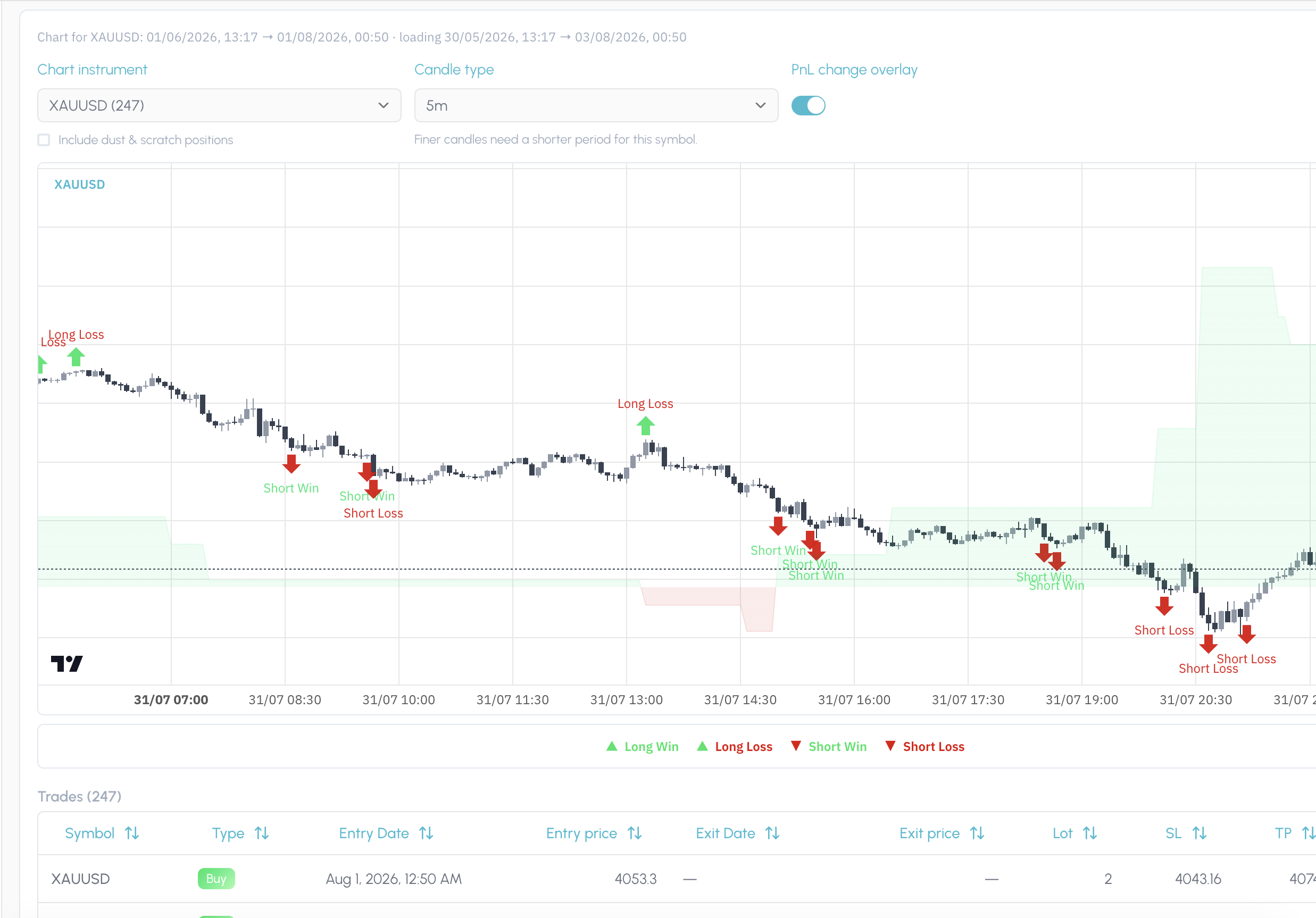
Trade Review puts your fills back on the chart in the price action and regime they happened in. After a report pick or a simulation, it also shows exactly which trades that finding or policy covers, so you are not guessing from a table of ticket IDs.

Use it to confirm the story before you change a rule. If the slice looks wrong on the chart, you catch it here. If it looks right, you have visual proof of the cohort you are about to test.

  • See each fill on the live candles
  • Regime and context at the entry
  • Highlight every trade in a report pick
  • Preview which fills a sim would touch
  • Catch a bad slice before you change rules
  • Visual proof before you save a policy
Tessera Trade Review charting the fills covered by a finding

Simulator

The simulator asks what would have happened if you had traded the same closed history under a different rule. Keep or drop entries by the conditions present when you took them: session, trend, volatility, indicator state. Or leave the entries alone and vary stop loss and take profit distance.

Run one change at a time so you can see what moved. Compare the filtered cohort against the original. If the result holds up, you are ready to save it as a policy rather than leaving the insight in a screenshot folder.

  • Drop entries by session or condition
  • Test wider or tighter SL / TP distance
  • Hold everything else fixed
  • Compare filtered vs original cohort
  • Counterfactuals on your real fills
  • Promote a result into a policy
Tessera simulator cohort comparison after an entry filter

Policies

A policy is a versioned rule attached to a strategy: the keep filter, the veto, the exit distance that survived a simulation. It is not a note in a journal and not a half-remembered habit from last month's review.

When something holds up, you save it, name it, and keep it on the strategy so you can return to it, combine it with other policies, and re-test the stack. The point is a rule you can defend, not a feeling that you should "be more selective in New York."

  • Keep filters and veto rules, versioned
  • Exit distance saved on the strategy
  • Name the rule so you can find it again
  • Stack policies and re-simulate together
  • Return to last month's tested change
  • A rule you can defend, not a feeling
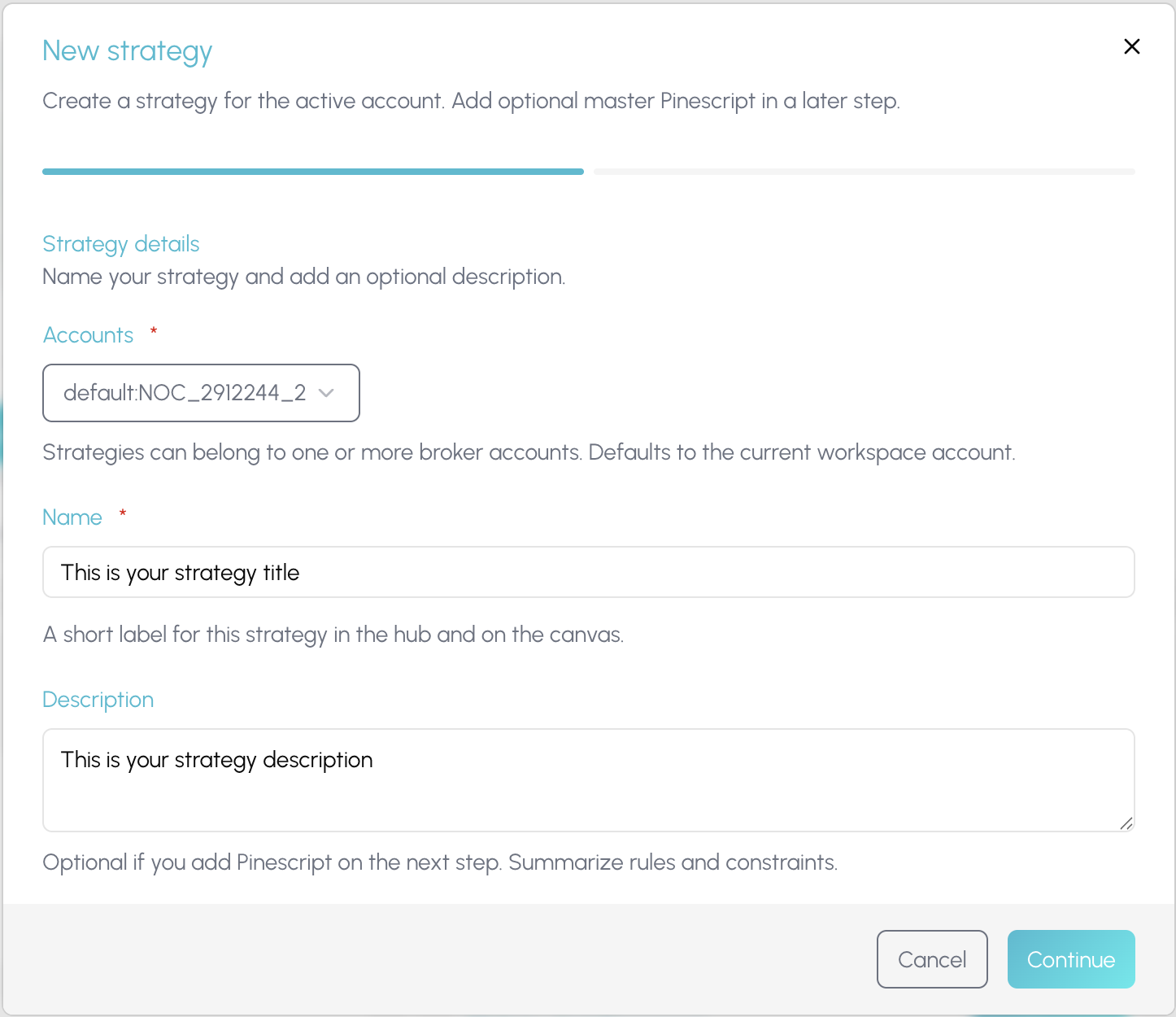
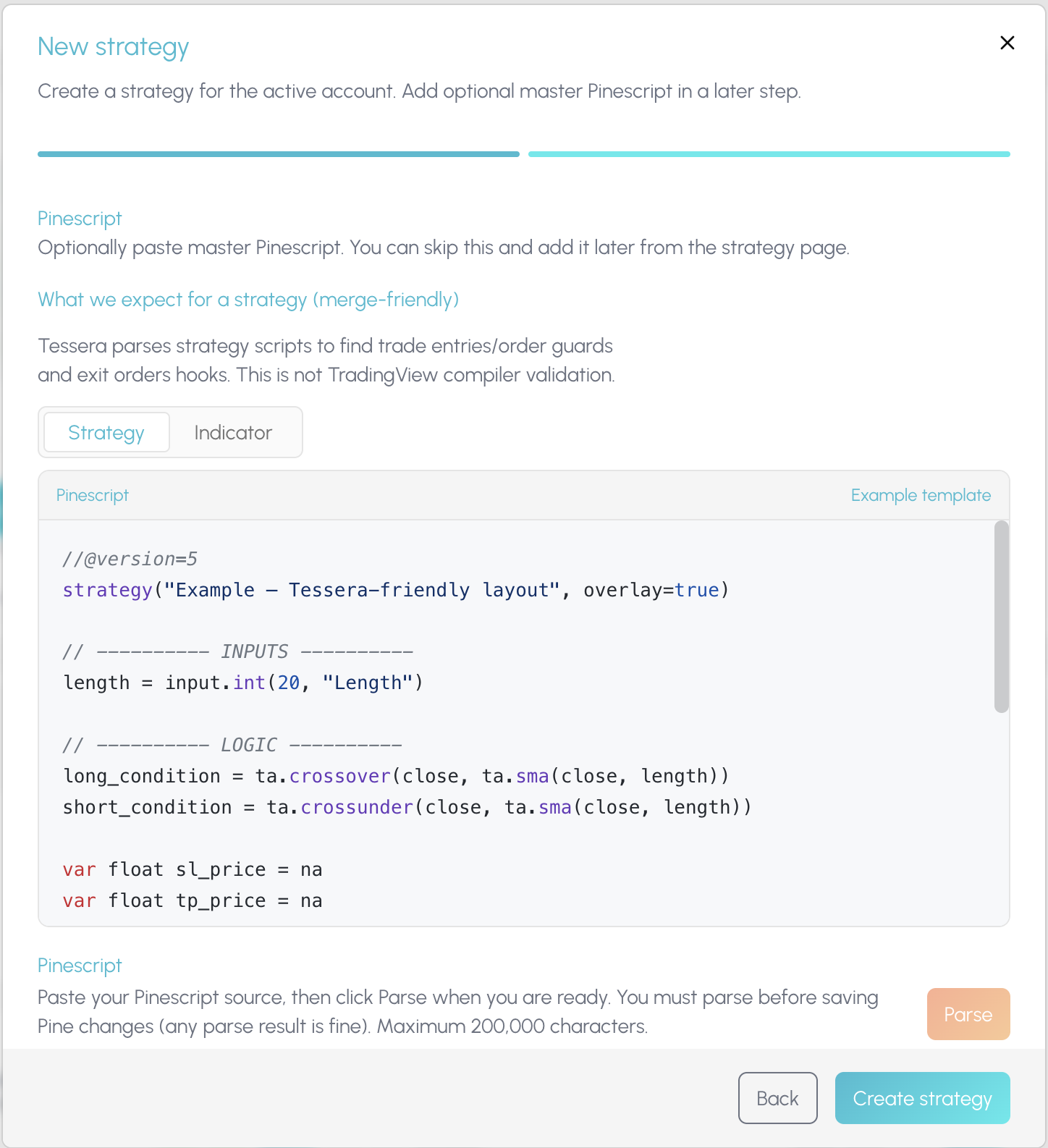
Creating a strategy and policy in Tessera

Policy Pine

Once a policy is worth forward testing, Policy Pine composes it into TradingView. Merge the rule into a copy of your existing strategy script, or export it as a standalone indicator you paste onto the chart yourself.

Tessera does not auto-push to your TradingView account. You stay in control of what hits the chart. The composed Pine is the bridge from a tested cohort back into live forward testing, with the experiment trail still sitting in Tessera.

  • Merge a tested rule into your script
  • Or export a standalone TV indicator
  • You paste; nothing auto-deploys
  • Forward test on TradingView candles
  • Keep the experiment trail in Tessera
  • Bridge from cohort to live chart
Composing a Tessera policy into TradingView Pine

Connected workspace

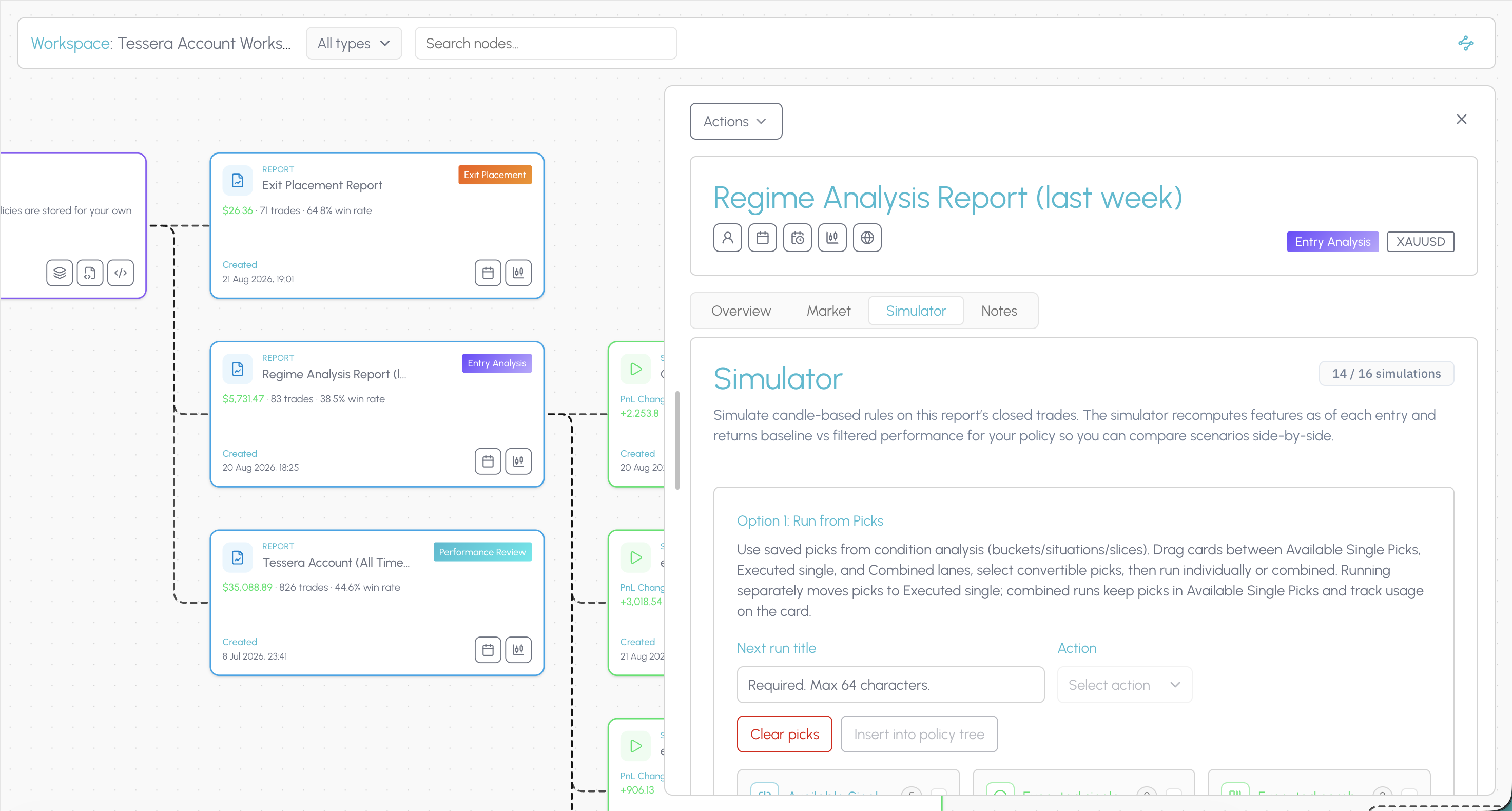
The connected workspace is where the suite stops being a list of tools. The hub shows every strategy, report, simulation and policy you have built. Open a canvas and those pieces become a node graph linked by what produced what.

When a filter improves a cohort, you can still see the Entry Analysis that surfaced it, the simulation that tested it, and the policy you exported, on the same trail. That is how you know whether a change held up across your process, not only whether one review session felt better.

TES can narrate a prepared report when you run one. Tessera does not ship a dedicated tilt score or an automated weekly scan of your whole journal. Findings are hypotheses, not conclusions. Forward test before you commit size.

  • See every strategy, report, and sim in one hub
  • Open a canvas where artefacts link by lineage
  • Trace a policy back to the report that found it
  • See the sim that proved a change
  • Know whether a rule held up over time
  • Stop hopping tabs for the full picture
Tessera connected workspace canvas linking strategies, reports, simulations and policies

Ready to try Tessera for free?

Connect your trade log, run focused reports, and test one rule change at a time on trades you already took.

Other TradeZella alternatives worth knowing

We would rather you picked the right tool than the one on this page. The realistic shortlist in 2026:

ToolRoughlyPick it when
TraderSync$29.95 to $79.95 a monthYou want the closest like for like swap. Around 700 broker connections, Cypher AI on every tier, replay and backtesting on the higher plans
TradervueFree tier (30 trades a month), $29.95 or $49.95 a monthYou want respected, granular statistics such as MFE, MAE and exit efficiency, and a free way to start
Edgewonk$197 a yearYou want behavioural analysis and a one off annual licence. Its what if tool changes exits on past trades. Desktop only
TradesVizFree tier, paid plans aboveYou are an analytics maximalist and want charting volume above all else
Tessera$19 or $39 a monthYou want to test rule changes on real fills, then export the rule to TradingView as Pine

Edgewonk is the closest thing to Tessera's simulator on that list, so the honest distinction matters. Edgewonk asks what a different exit would have done. Tessera asks what a different rule would have done, applies filters and exit distance to the same closed cohort, saves the result as a policy, and composes the Pine so you can forward test it on TradingView.

TradeZella alternative for forex and CFD traders

TradeZella is built around US stocks and futures first. If you trade FX or CFDs, the sessions, symbols and risk framing in Tessera work the same way for you as for anyone else, and session filters are a first class object in reports and the simulator. London and New York overlap analysis is a normal Monday, not a workaround.

TradeZella alternative for prop firm traders

Tessera does not replace PropFirm Sync dashboards. If you want an alternative for how you improve rather than only how you track challenges, import prop account fills through a supported broker or Custom CSV, review the same statistics and reports, and encode risk or session rules as policies you forward test on TradingView. Use TradeZella or the firm's own portal for live rule meters. Use Tessera when the question is what you should change in your process.

Switching from TradeZella to Tessera

  1. Export your trades from TradeZella. Use the export option in the trades view to pull a CSV of your closed trades.
  2. Map the file once. Import it through Custom CSV. Match your columns to Tessera fields and save the mapping as a template.
  3. Connect your broker for anything new. Use a native path where one exists so the log stays current without a monthly export.
  4. Run your first report. Entry Analysis on the full history gives you condition slices in a few minutes.
  5. Test one change. Take the strongest slice into the simulator, keep everything else fixed, and see what the same trades would have returned.
  6. Save and export. Store the result as a policy and compose the Pine so the rule is on your chart while you forward test.

You can keep both running through a notice period. Nothing here requires you to cancel first.

Tessera simulator comparing a filtered London cohort against the original closed trade history

Choose Tessera if

You are rules based or systematic and want to verify or reject ideas on real history with the simulator

You use TradingView and need a bridge from live fills back into script rules through Policy Pine

You want TES as a reader of statistics, not a free roaming coach

You need Custom CSV when a broker path is missing

You want journaling, statistics, the simulator and Policy Pine in one loop

You want a connected workspace that links your data, testing and the results of your changes in one overview

Prefer TradeZella if

Polished tick and session replay is how you learn

PropFirm Sync dashboards are central to your week

AI session agents that journal the day for you are non negotiable

Playbooks and emotional tagging are the spine of your review habit

You need the widest possible broker list on day one

TesseraFAQs

Your questions, answered

View all FAQs

Other Alternatives

TradeZella is a trademark of its respective owner. Tessera is not affiliated with, endorsed by or sponsored by TradeZella. Comparisons reflect publicly available information as of 2 September 2026 and may change.

Ready to test a rule change on your own trades?

Run a free Entry Analysis report, simulate one filter on your closed history, and see whether the cohort improves before you change how you trade.