


Fills first
Closed trades, side, duration, and result stay easy to scan. Your log is a timeline of outcomes you can audit against your rules, not a diary of how the session felt.
Take the trade. Log the trade. See the trade. Tessera's trade log is a trading journal for algo and systematic traders: a clear record of what your strategy took (fills, context, and optional notes), built to feed review, statistics, and workspace work without ceremony.
Trade logging should be fast enough that you actually keep it up. Capture the trades you took, show them clearly, and keep the detail you need to review later, not a second process that competes with doing the work.
On each trade you can attach a market snapshot and write a short note. That is the core loop. The same history then powers chart review, statistics, and the reports and simulations you run in workspace.
Some journals are built for mood tags and reflection prompts. Tessera is built for execution and market context: what was traded, under what conditions, and with what result. For an automated strategy that is what matters, and for manual trades, optional notes keep the setup on record. If you need a feelings worksheet first, other tools do that better.
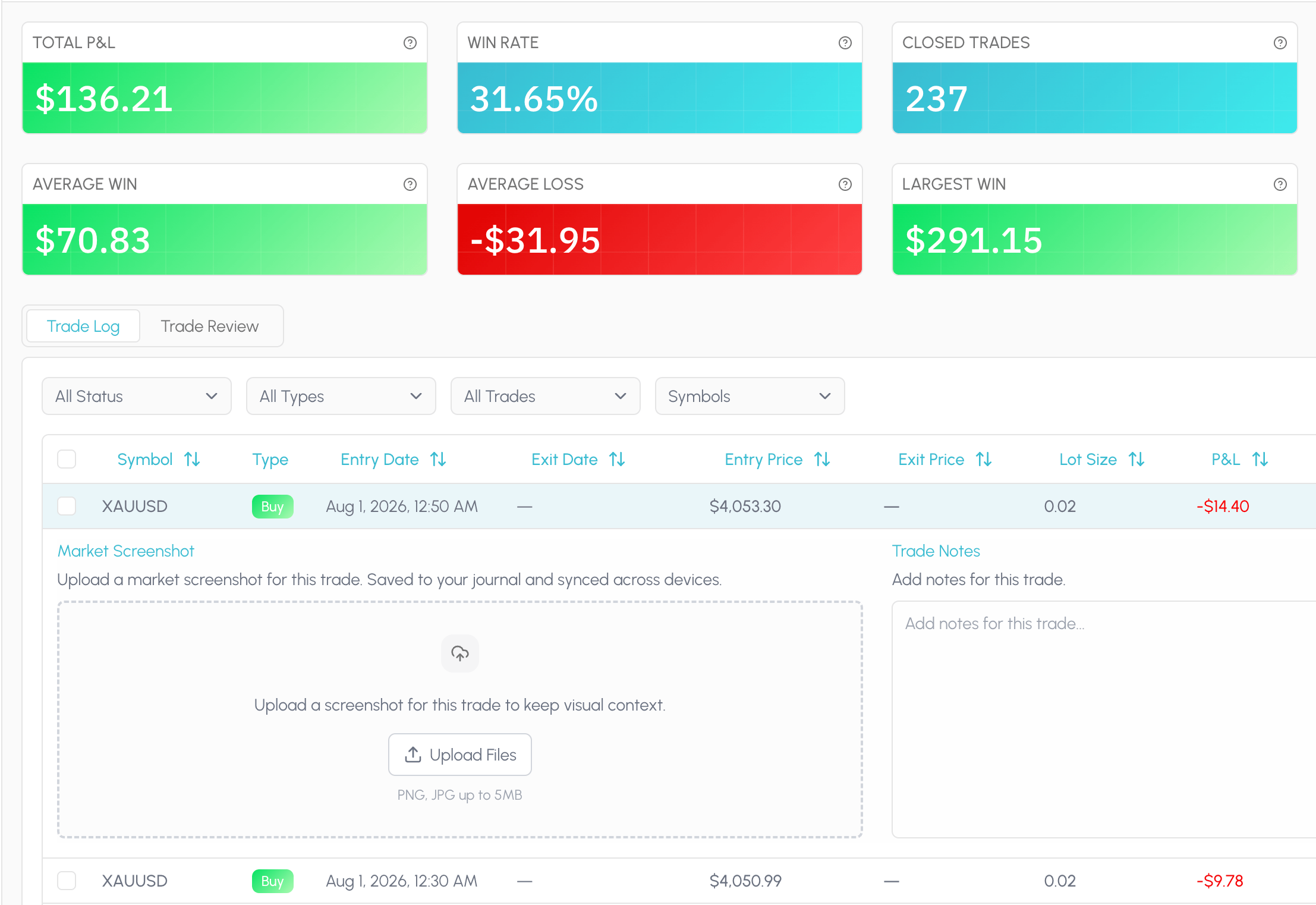
Capture, label, and review trades with the fields that connect to statistics and workspace, without a long journal ritual.
Closed trades, side, duration, and result stay easy to scan. Your log is a timeline of outcomes you can audit against your rules, not a diary of how the session felt.
Attach a market snapshot so the chart state at the trade is still there when you review weeks later. Regime and conditions travel with the fill instead of living in your memory.
Optional notes hold the setup, the miss, or the rule you broke. No required checklists. Write what will matter the next time you open the trade.
Supported brokers connect straight into Tessera. Sync with a click and see your latest trades inside the log, no spreadsheet gymnastics required.













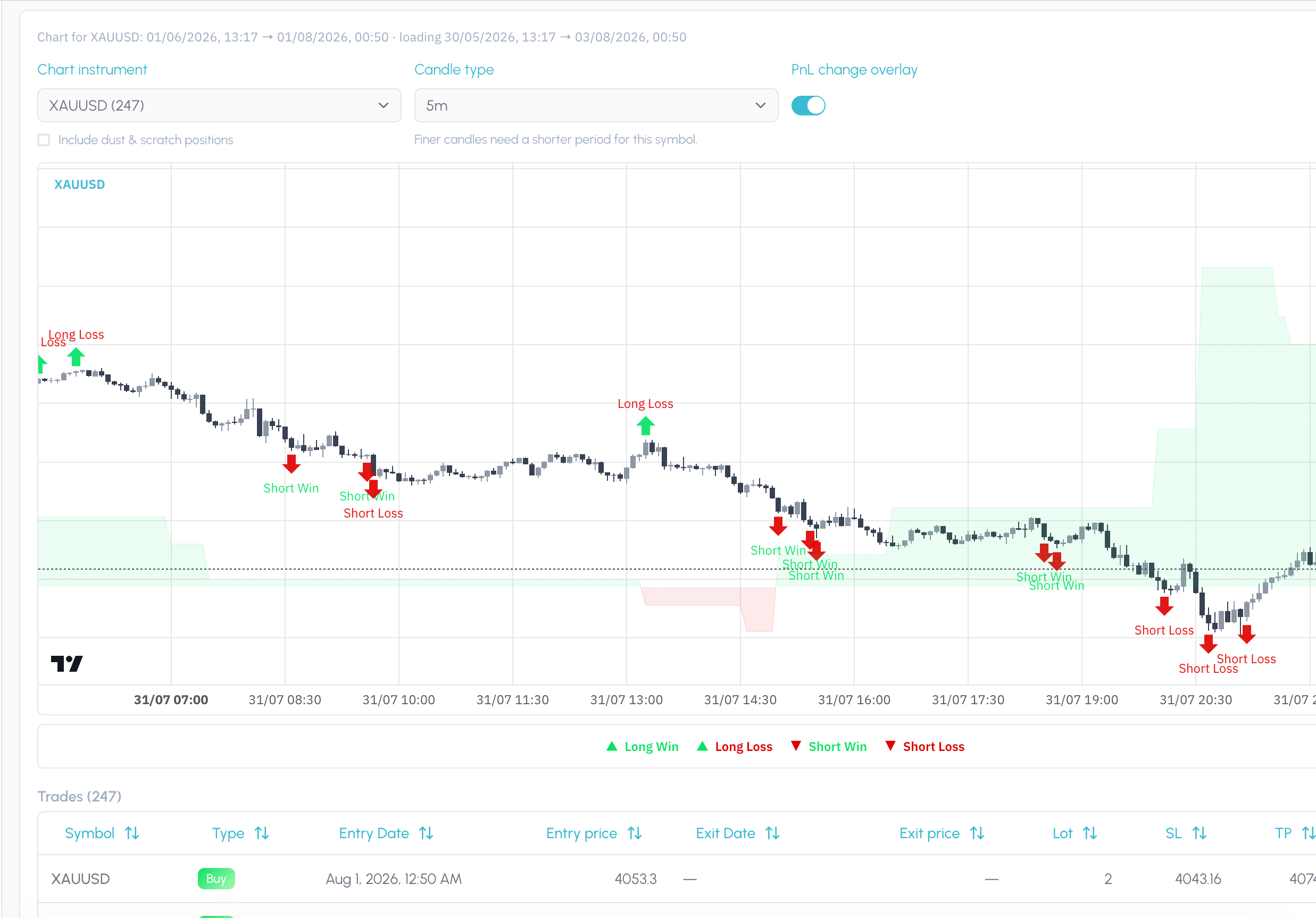
Trade review is about seeing fills on the candles and price action that actually happened: the market as it was, not a reconstructed story after the fact.
Read the trade itself: type, how long it ran, and the regime the market was in when you took it. Move across instruments and timeframes without leaving the chart.
A PnL overlay tracks how your result moved across the date range you are looking at. The trade, the conditions, and the outcome stay on one screen.
How to get trade history out of TradingView, MetaTrader 5 and Hyperliquid, ready to import.
 TradingView backtests
9 min read
Export TradingView Strategy Tester results as CSV or XLSX: where the download buttons are, which plan you need, the 9,000 trade limit and what columns mean.
 Platforms and exports
10 min read
Export an MT5 Strategy Tester report to Excel (or CSV via Excel), read the deals, orders and positions, and break EA results down by session and volatility.
 Platforms and exports
10 min read
Export your Hyperliquid trade and funding history to CSV, get past the row limits with the API, and work out real PnL after fees and funding, by session.
 Trading journals
13 min read
7 trading journals compared on bot, EA and backtest imports, including LuxAlgo's free journal, TradeZella, Edgewonk and TraderSync. Which fits how you trade.
 Trading journals
11 min read
The best trading journal for TradingView depends on what you log: broker fills, paper trades or Strategy Tester results. See which journals import each.
 TradingView backtests
10 min read
Why a TradingView strategy works in backtest but not live: costs, fill assumptions, repainting, gaps, data, alert delays and overfitting, with a check for each.
Sync brokers, keep a durable record, and review on the chart, then use the same history in statistics, reports, and workspace.