

Hyperliquid Trading Journal: Import Your Fills and Track Real PnL by Session
To get Hyperliquid trades into Tessera, export your Trade History as a CSV from app.hyperliquid.xyz and upload it on the Hyperliquid import. There is no wallet or API sync, so you export again when you have new fills. Tessera pairs your fills into round trips, uses Hyperliquid's closed PnL for each close, and shows expectancy, profit factor and drawdown broken down by hour, weekday, session and volatility.
Export regularly if you trade often: Hyperliquid's downloadable history is capped (on the order of 10,000 rows), so waiting too long can push older fills out of reach.
Checked against the Tessera help centre · Updated
- Live sync
- No, file import only
- File import
- trade history CSV
- Markets
- Crypto
- Good to know
- Re-import a newer file for new fills.
How to export and import your Hyperliquid trades
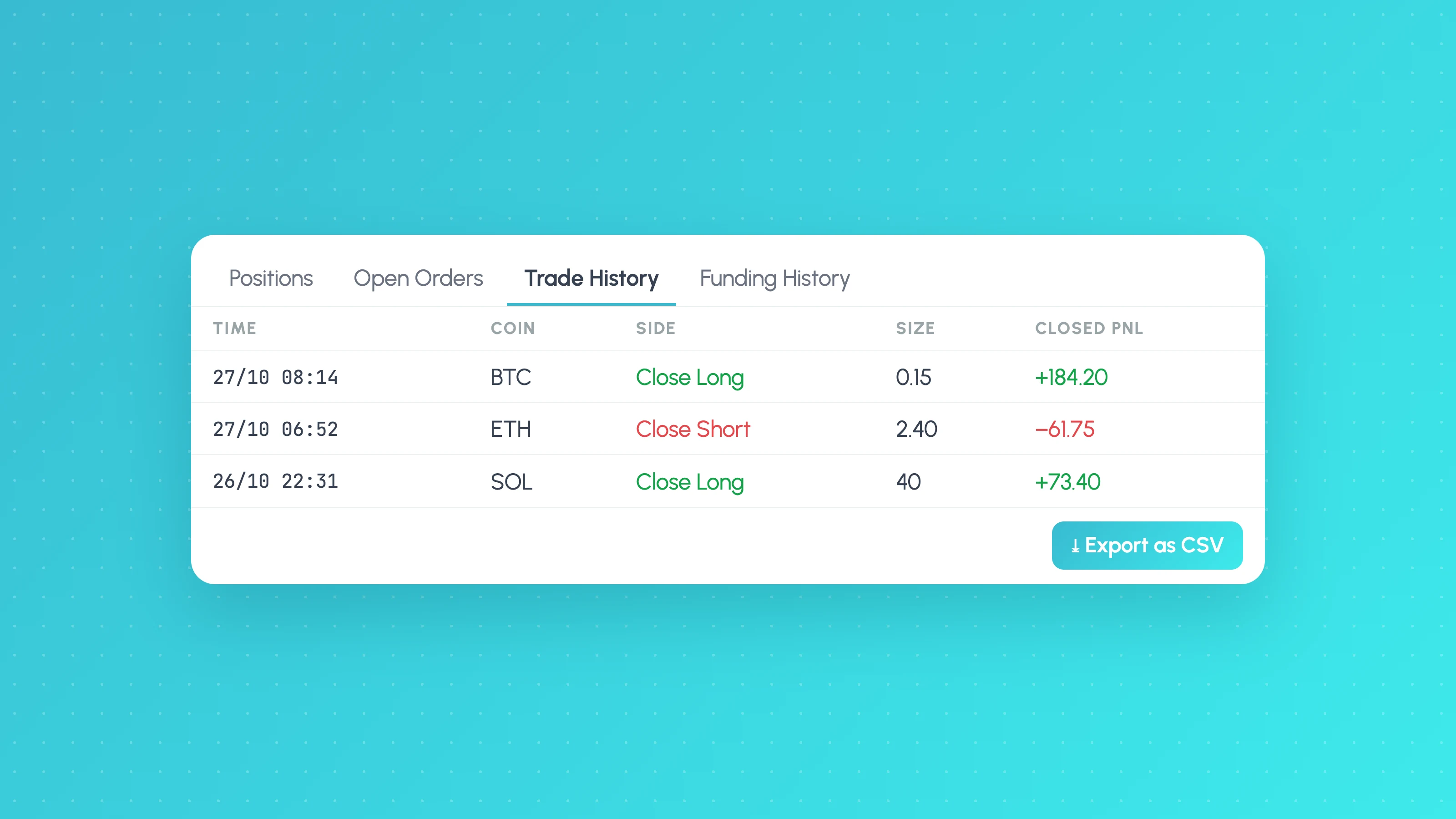
The full export walkthrough, including the API route for longer histories and how to deal with the row cap, is in our guide to Hyperliquid trade history export. In short: connect the wallet you traded with, open Trade History (not Funding History) and click Export as CSV.
Check the file has fill columns such as time, coin, direction, price, size and closed PnL.
Import the file into Tessera
These are the steps from the Tessera help centre, as of November 2026.
- Choose Hyperliquid, then CSV import.
- Enter an account name: how this wallet should appear in Tessera.
- Set the timezone (an IANA name such as
Etc/UTCorEurope/London) to match the time column in the export. Check one fill against the time shown in the Hyperliquid app if you are not sure. - Upload the Trade History CSV and import.
What Tessera reads from the file
- Fills. Each row is a fill, not a trade. Tessera pairs open and close fills per coin, first in, first out within each side, to rebuild round trips.
- Direction (Open Long, Close Long, Open Short, Close Short), which tells Tessera whether a fill adds to or reduces a position.
- Closed PnL on the closing fills, which Tessera uses as realised P&L.
- Coin, price, size and time for each fill.
- Asset class: always crypto on this import.
Funding History, deposits and withdrawals are separate files and are not part of the import. A funding-only CSV cannot stand in for Trade History.
What you can analyse
- Core statistics: win rate, expectancy, profit factor, average win and loss, and drawdown. See trading expectancy for how to read the first one.
- 24/7 sessions. Crypto never closes, but liquidity does not stay flat. P&L by hour and by Asia, London and New York session shows whether your bot earns its keep in the busy overlap or bleeds through the quiet hours.
- Weekends. Weekday breakdowns include Saturday and Sunday, which is often where thin books, wider spreads and sudden moves change a strategy's results.
- Volatility and market regime. Trades grouped by the conditions at entry, using historical crypto candles, so you can see whether the strategy needs trend and movement or prefers ranges.
- MAE and MFE. How far each trade went against and in favour of you, where candle data covers the coin and period.
- Rule simulator. Replay the trades you took on real candles with an hour filter or a different stop or target, and compare the result before you change the bot.
Limitations
- CSV only. There is no wallet or API sync for Hyperliquid in Tessera.
- Funding is not included. Funding payments come in a separate Funding History file, which Tessera does not import, so P&L in Tessera is trading P&L before funding. For strategies that hold positions for days, work out funding separately; the export guide shows how.
- Row caps on Hyperliquid's side. If you wait too long between exports, older fills can fall outside the downloadable window.
- Perps lane. The import is built for Hyperliquid perpetuals. Spot and HIP-3 markets may need checking after import, and coins outside Tessera's instrument registry may need mapping or a support request.
- Trading P&L only. Portfolio growth shows cumulative trading P&L, not a wallet balance.
- Plan. The Free plan imports the last 30 days of trades for one broker account into the trade log. Full history, statistics, reports and the simulator need a paid plan, from $39 a month. The free Entry Analysis report needs no paid plan.
Switching from TradeZella, TraderSync or Edgewonk
Journals built for stocks and futures often have no Hyperliquid import at all, so traders end up reformatting the CSV by hand. In Tessera the Trade History export goes straight in.
The bigger difference is what you get from it. Tessera is built for automated and systematic traders: results by market condition and hour, with the sample size behind each figure, and a simulator for testing a filter on the trades you already took. Read the full comparisons: TradeZella alternative, TraderSync alternative and Edgewonk alternative.
Frequently asked questions
- Is Tessera a Hyperliquid PnL tracker?
- Yes, for trading PnL. Import your Trade History CSV and Tessera tracks realised P&L per trade, with cumulative P&L, drawdown and breakdowns by hour, weekday and volatility. Funding payments are not included, so it is not a full wallet tracker.
- Does Tessera connect to my Hyperliquid wallet?
- No. There is no wallet or API connection. You export a CSV from the Hyperliquid app and upload it, and Tessera never needs your keys.
- How do I export my Hyperliquid trade history?
- Open Trade History under the chart on app.hyperliquid.xyz and click Export as CSV. Our Hyperliquid trade history export guide covers the filters, the row limits and the API route.
- Why do I have more rows than trades?
- Each row is a fill. One market order can fill against several resting orders, and building or closing a position over several clicks adds more. Tessera pairs the fills back into round trips.
- Can I analyse a Hyperliquid trading bot?
- Yes. A bot's fills export the same way as manual trades. Hour and weekday breakdowns are usually the first place a bot's weak spots show up.
Related guides
 Platforms and exports
Hyperliquid Trade History Export: CSV, API and Real PnL (2026)
Export your Hyperliquid trade and funding history to CSV, get past the row limits with the API, and work out real PnL after fees and funding, by session.
 Trading metrics
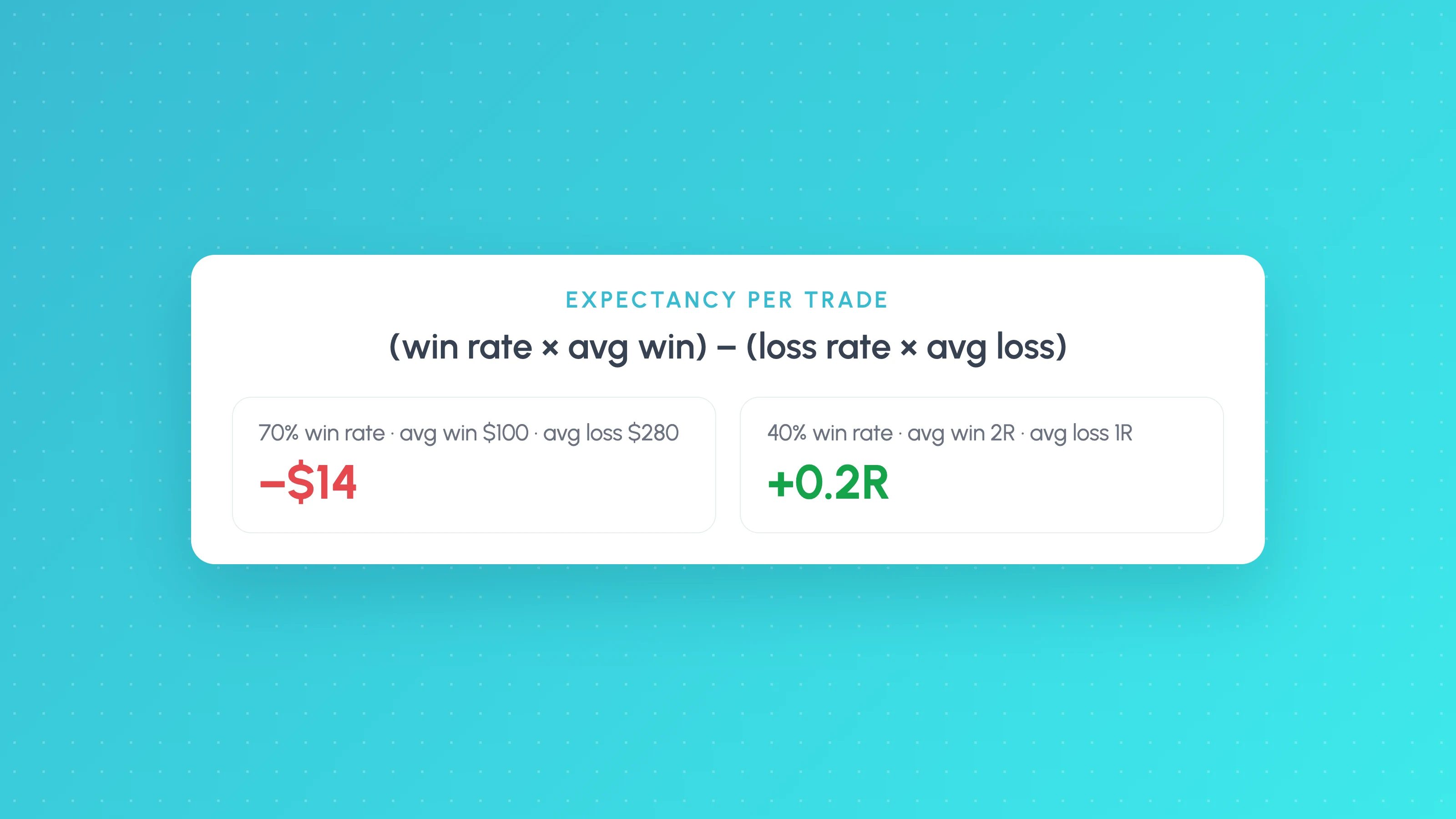
Trading Expectancy Formula: In Currency and R, With Examples
Expectancy = win rate x average win minus loss rate x average loss. Worked examples in currency and R, why 70% win rates lose, and spreadsheet formulas.
 Trading metrics
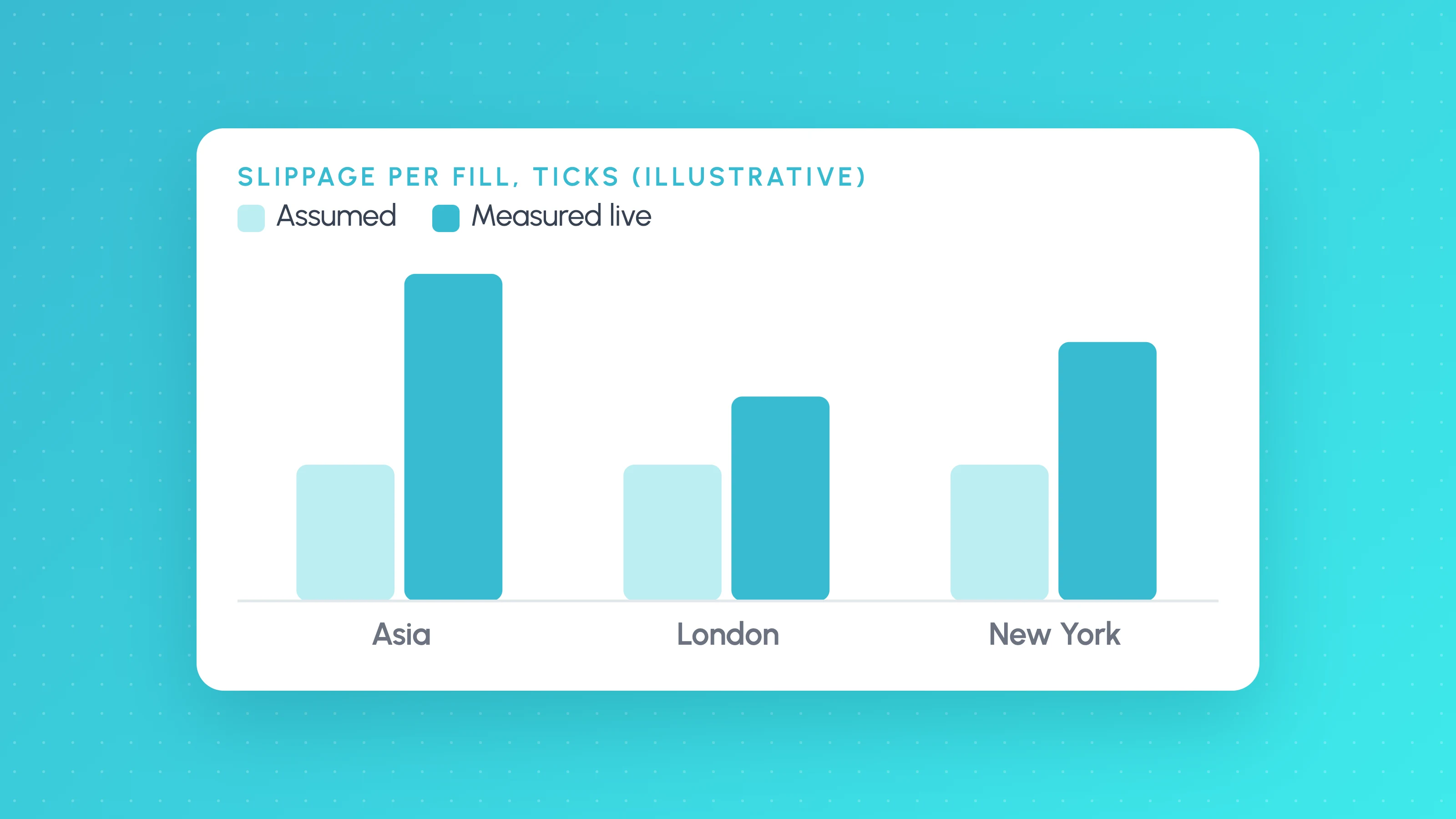
How Much Slippage Should You Assume in a Backtest? (and How to Measure It on Live Fills)
How much slippage in algo trading? Start at 1-2 ticks per side on liquid futures, more for stops and news, then measure real fills to replace the guess.
Other platforms
- Binance trading journalLive sync and file import · Crypto
- cTrader trading journalLive sync and file import · Forex, Futures, Crypto, Stocks
- Interactive Brokers trading journalLive sync and file import · Stocks, Options, Futures, Forex
- MetaTrader 5 trading journalFile import · Forex, Crypto, Indices
- NinjaTrader trading journalFile import · Futures
- OANDA trading journalLive sync and file import · Forex
- Tradovate trading journalFile import · Futures
- All supported platformsIncluding MT4, TradingView and Custom CSV