


3Commas alternative
3Commas Alternatives: 6 Trading Bot Platforms Compared
Six trading bot platforms compared on price, bots, exchanges and how well you can test a strategy before it trades. Checked 19 November 2026.
Read comparisonPionex bots are free but only trade on Pionex. Five platforms that run bots on the exchange you already use, compared on price, bot types and backtesting. Checked 24 November 2026.
Reviewed on TrustPilot
By Hristo Skulev · Updated
Short answer: Pionex is an exchange, not a bot platform you plug into another exchange, so every alternative here connects to an account you already hold. If you want to know a strategy holds up before a bot trades it, try Tessera: it backtests over years, checks the result on data it was never tuned on, and runs it on Binance, Hyperliquid, cTrader or Liquid Brokers. If you want the same grid and DCA bots Pionex has, but on Binance, OKX or another exchange, WunderTrading (free plan), Bitsgap and 3Commas are the closest swaps.
Prices and features below were checked on each vendor's own site on 24 November 2026, in US dollars before tax, monthly billing unless stated. Several vendors were running Black Friday offers that day, which we've left out because they change often, so check current pricing before you buy. We make Tessera, so read this with that in mind.
| Platform | Price from | Free option | Bots | Where it trades | Backtesting |
|---|---|---|---|---|---|
| Pionex (for reference) | Bots free. Spot fees 0.05%, futures 0.02% maker and 0.05% taker | Free | Grid, DCA, rebalancing, TWAP, arbitrage, futures grid, signal and more | Pionex's own exchange only | Not checked |
| Tessera | Free plan. Bots from $39 a month | Free plan, no card | Rule-based strategy bots, built in plain English or without code | Binance (spot and futures), Hyperliquid, cTrader and Liquid Brokers, plus paper | Years of history, then checked on an unseen period |
| 3Commas | $20 a month ($15 billed yearly) | Free trial | DCA, grid, signal bots and a trading terminal | Crypto exchanges, including Binance, Coinbase, OKX, Kraken and Bybit | DCA and grid bots |
| Bitsgap | $29 a month | Free plan (demo bots), 7-day trial of Pro, no card | Grid, DCA, BTD, COMBO, LOOP and QFL bots | 17 crypto exchanges | Up to 30, 180 or 365 days by plan |
| WunderTrading | Free plan. Paid from $15 a month | Free plan, plus a 7-day trial of Pro | Signal (TradingView), DCA, grid and market neutral bots | 18+ crypto exchanges, including Hyperliquid | Backtesting on grid and DCA bots |
| Cryptohopper | $29 a month ($24.16 billed yearly) | 3-day trial | Trading, copy, manual, market making and arbitrage bots | 10 crypto exchanges, including Binance, Coinbase Advanced, Kraken, KuCoin and OKX | Backtesting and Strategy Designer on every plan |
Pionex is a crypto exchange with its bots built in. On the spot side it lists a grid bot, a DCA bot (Martingale), a rebalancing bot, TWAP, a spot-futures arbitrage bot, margin, reverse and infinity grid bots, Smart Trade, trailing buy and sell, and stop limit orders. On the futures side it adds futures grid, futures DCA, COIN-M futures grid, cross margin futures grids, a signal bot and Moon bots.
You don't pay a subscription. You pay Pionex's trading fees, which were 0.05% maker and taker on spot, 0.02% maker and 0.05% taker on futures, and 0.1% on leveraged tokens when we checked on 24 November 2026, with lower rates for VIP accounts.
Your money has to sit on Pionex. The bots only trade on Pionex, so you have to move funds off Binance, Coinbase, Hyperliquid or wherever you already trade.
Withdrawals depend on verification. Pionex's fee page sets the daily withdrawal limit by identity verification level, and an unverified account can't withdraw at all.
Preset bots, not your strategy. Grid and DCA bots are good at a few things, mostly sideways or dip-buying markets. If you have your own entry and exit rules, you need a platform that can run them.
Little evidence before you start. We couldn't find long-history backtesting for Pionex bots on its public pages, so it's hard to know how a setting would have done over a full cycle.
Crypto only. Pionex doesn't connect to forex brokers, cTrader or MetaTrader.
Tessera is built around one question: does this strategy actually hold up? Describe it in plain English to TES, the AI strategy coach, or build it without code in Strategy Lab. It backtests on years of data with costs included, then checks the result on an unseen period, with Monte Carlo, price noise, cost stress, other markets and prop firm challenge rules.
When it holds up, Launchpad runs it on paper, then on your own Binance (spot and futures), Hyperliquid, cTrader or Liquid Brokers account, with every trade synced back to the journal. In Copilot you approve each trade in the app or on Telegram, and in Autopilot it trades inside your own limits: risk per trade, maximum size, daily loss limit, maximum trades and trading hours. A stop and a target are attached to every order. Your money stays on your exchange or broker, not with Tessera.
You don't have to start from a blank page. The crypto trading strategies in the strategy library are backtested on USDT pairs, each with its rules, every trade and a prompt to rebuild it in Strategy Lab. They came out of a search of 344,081 strategy variants.
Where it falls short of Pionex: it isn't free to run bots (Launchpad starts at $39 a month), there are no grid, DCA, rebalancing or arbitrage bots, two crypto venues rather than many, and no mobile app. It runs rule-based strategies: entries and exits from setups like breakouts, moving averages, oscillators and price action.
Best for: traders who want a backtest they can trust before real money goes in, and who want bots on Binance, Hyperliquid or a forex broker rather than on Pionex. The Free plan includes 15 backtests a week. The strategy, the settings and the risk are yours, and a backtest is not a guide to future results.
3Commas has DCA, grid and signal bots, SmartTrade and a multi-exchange trading terminal, and it can run TradingView alerts as orders. It connects to the major crypto exchanges, including Binance, Coinbase, OKX, Kraken and Bybit, through API keys.
Starter is $20 a month ($15 billed yearly) and covers spot on one exchange. Pro is $50 ($38 billed yearly) and adds futures, and Expert is $140 ($105 billed yearly). There's a free trial. 3Commas moved every user to its v2 platform in September 2026; see our 3Commas alternatives page and Tessera vs 3Commas for the detail.
Best for: Pionex users who like DCA and grid bots but want them on Binance or another major exchange.
Bitsgap is the closest match to Pionex's grid bots, with grid, DCA, BTD, COMBO, LOOP and QFL bots across 17 crypto exchanges. Backtests cover up to 30 days on Basic, 180 on Advanced and 365 on Pro, and futures bots start on Advanced.
Basic is $29 a month, Advanced $69 and Pro $149, with a discount for yearly billing. There's a free plan with demo bots and a 7-day trial of Pro, no card needed.
Best for: grid traders who want the same style of bot on their own exchange, with a backtest of up to a year.
WunderTrading has signal bots that turn TradingView alerts into orders, plus DCA, grid and market neutral bots, across more than 18 crypto exchanges.
There's a free plan with one signal, one DCA and one grid bot, so you can keep paying nothing, as on Pionex, while trading on your own exchange. Paid plans are $15 (Basic), $39 (Pro) and $79 (Premium) a month, up to 25% less billed yearly, with a 7-day trial of Pro. If you trade on Hyperliquid through WunderTrading, Premium is included with no subscription, and a 0.035% builder fee applies to each trade instead.
Best for: Pionex users who want free bots without moving money to a new exchange.
Cryptohopper is a long-running cloud bot with a marketplace of strategies and signals, copy bots, paper trading and a Strategy Designer with backtesting on every plan. Hero adds AI strategies, market making and arbitrage.
Explorer is $29 a month, Adventurer $69 and Hero $129, about 17% less billed yearly, with a 3-day free trial of Explorer. Copy bots are a separate subscription. Our Cryptohopper alternatives page covers its limits in more detail.
Best for: traders who want to copy others or buy strategies rather than build them.
If you're happy keeping funds on Pionex and you mainly run grid or DCA bots, it's hard to beat on cost: no subscription, low trading fees and a wide range of preset bots, including futures grid and arbitrage. Moving to a paid platform only makes sense if you want your own exchange, your own strategy or better evidence before you trade.
Most of Pionex's bots are grid or DCA bots. A grid bot buys and sells inside a price range and does best when price moves sideways. A DCA bot adds to a position as price falls and sells on a bounce. Both can sit through a long trend in the wrong direction. Grid bot vs DCA bot explains how each one makes and loses money.
A rule-based strategy enters and exits on conditions you define, such as a breakout or a moving average cross, with a stop and a target on every trade. That's what Tessera runs. If that's how you want to trade, the crypto trading strategies page is a good place to start. More on why testing matters in is my backtest overfit?.
You want bots on your own Binance, Hyperliquid, cTrader or Liquid Brokers account.
You want to see years of backtested trades, and a check on unseen data, before a bot goes live.
You have your own entry and exit rules, or want to start from a tested strategy rather than a preset bot.
Grid, DCA or arbitrage bots are how you trade.
You don't want to pay a subscription.
You want a mobile app.
Describe your strategy in plain English and Strategy Lab backtests it on years of data, with costs, Monte Carlo and an unseen period. Free plan, no card.
Tessera is a connected product suite on your closed trades: trade log and statistics, focused reports, a simulator, rules, and Pine export, kept together on one workspace.
Every fill lives in one place: synced from a broker or imported once through Custom CSV with a mapping you can reuse. Attach a market snapshot and a short note when the trade still matters, not as a mood ritual, but as context for later review.
That same history feeds everything else in Tessera. Statistics, reports, simulations and rules all read the closed trades you already took, so you are not stitching exports together every Sunday.
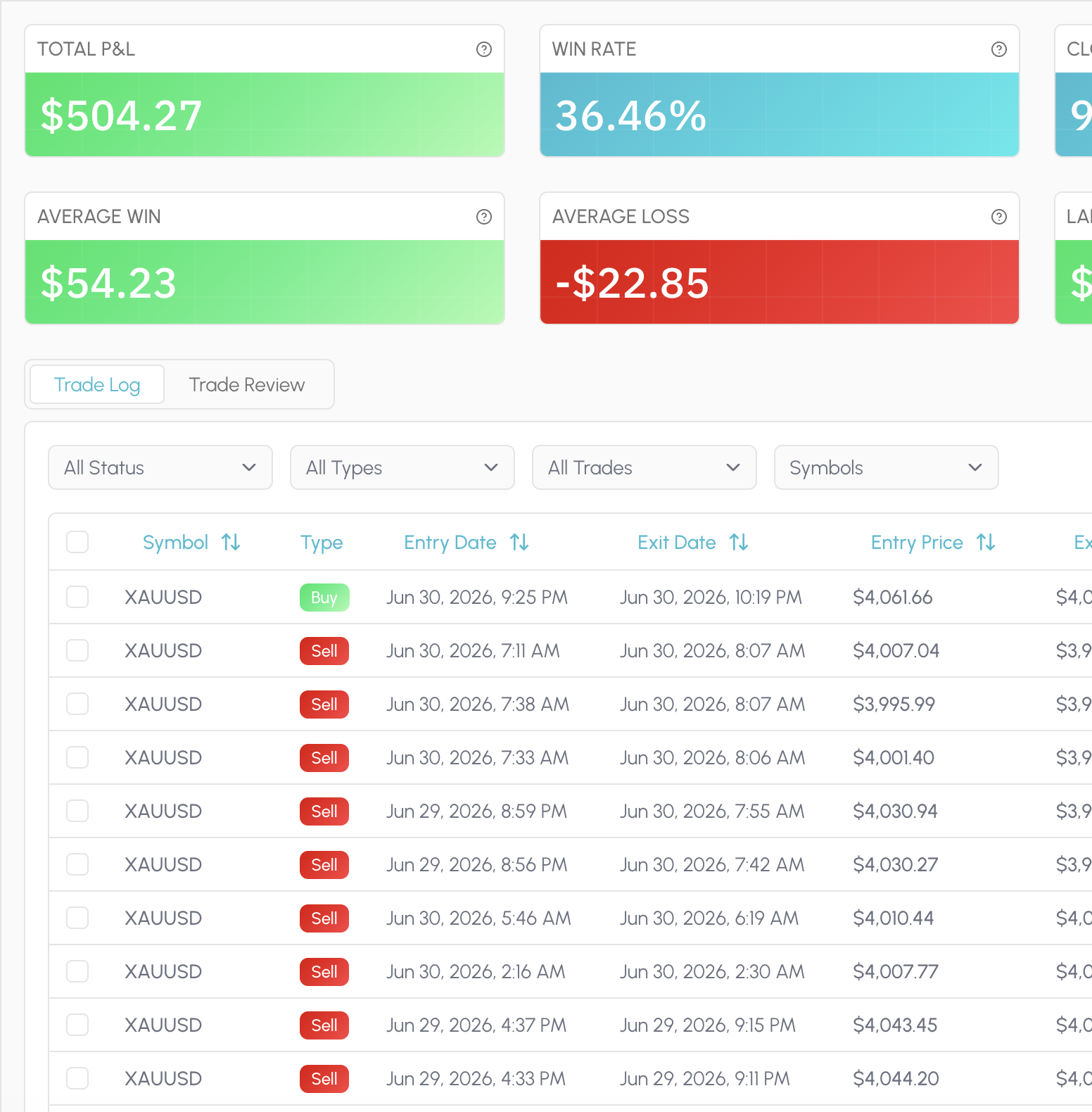
Statistics is the always-on read of your book: PnL, win rate, expectancy, drawdown, sessions, symbols, timing and risk, laid out so you can scan a period and move on. Filter the window and the charts follow the trades you selected.
There is no proprietary Tessera score and no composite grade that flattens your account into someone else's ideal profile. The dimensions stay checkable. When you need a deeper cut than the dashboard, you leave Statistics and run a focused report.
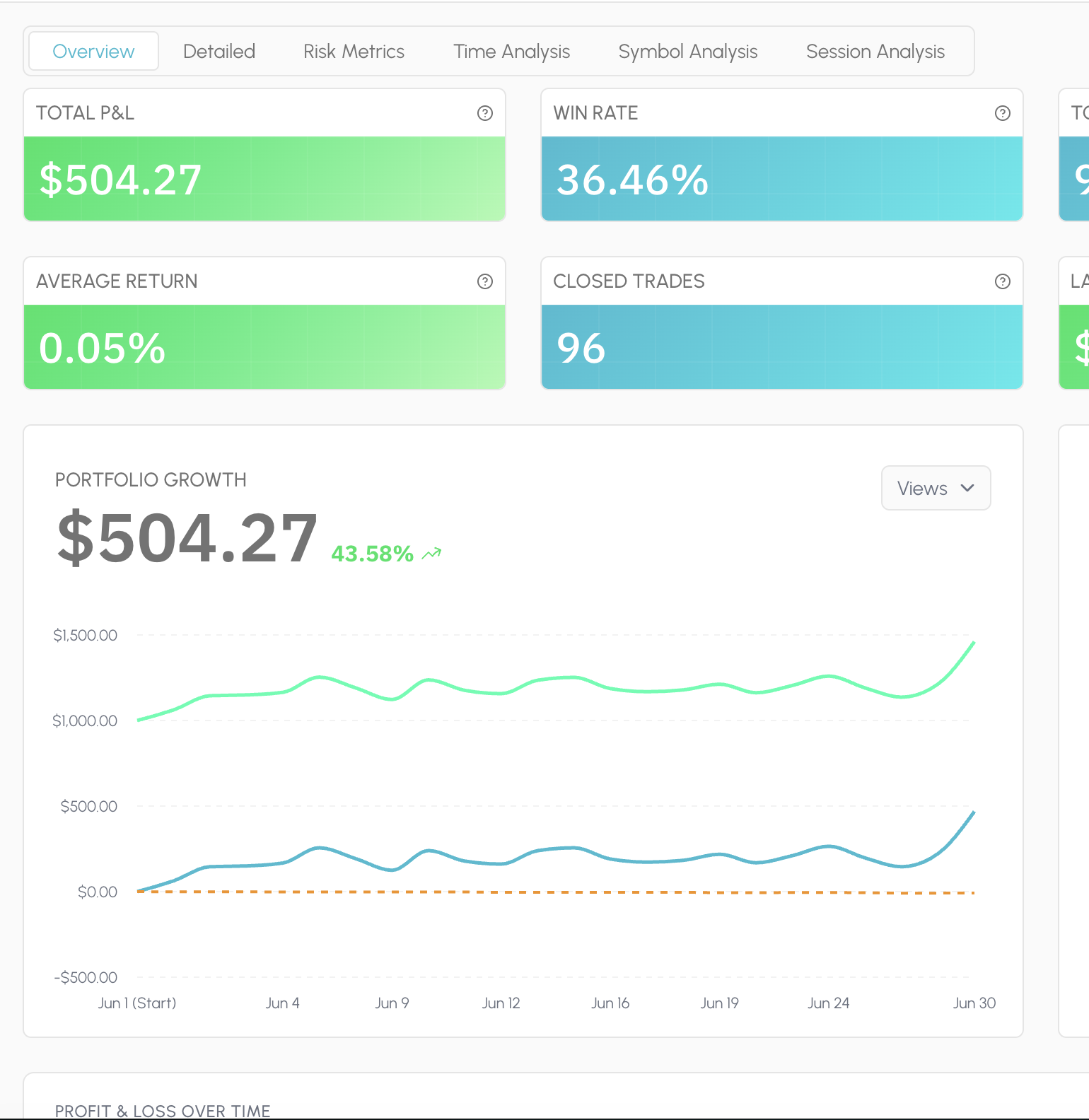
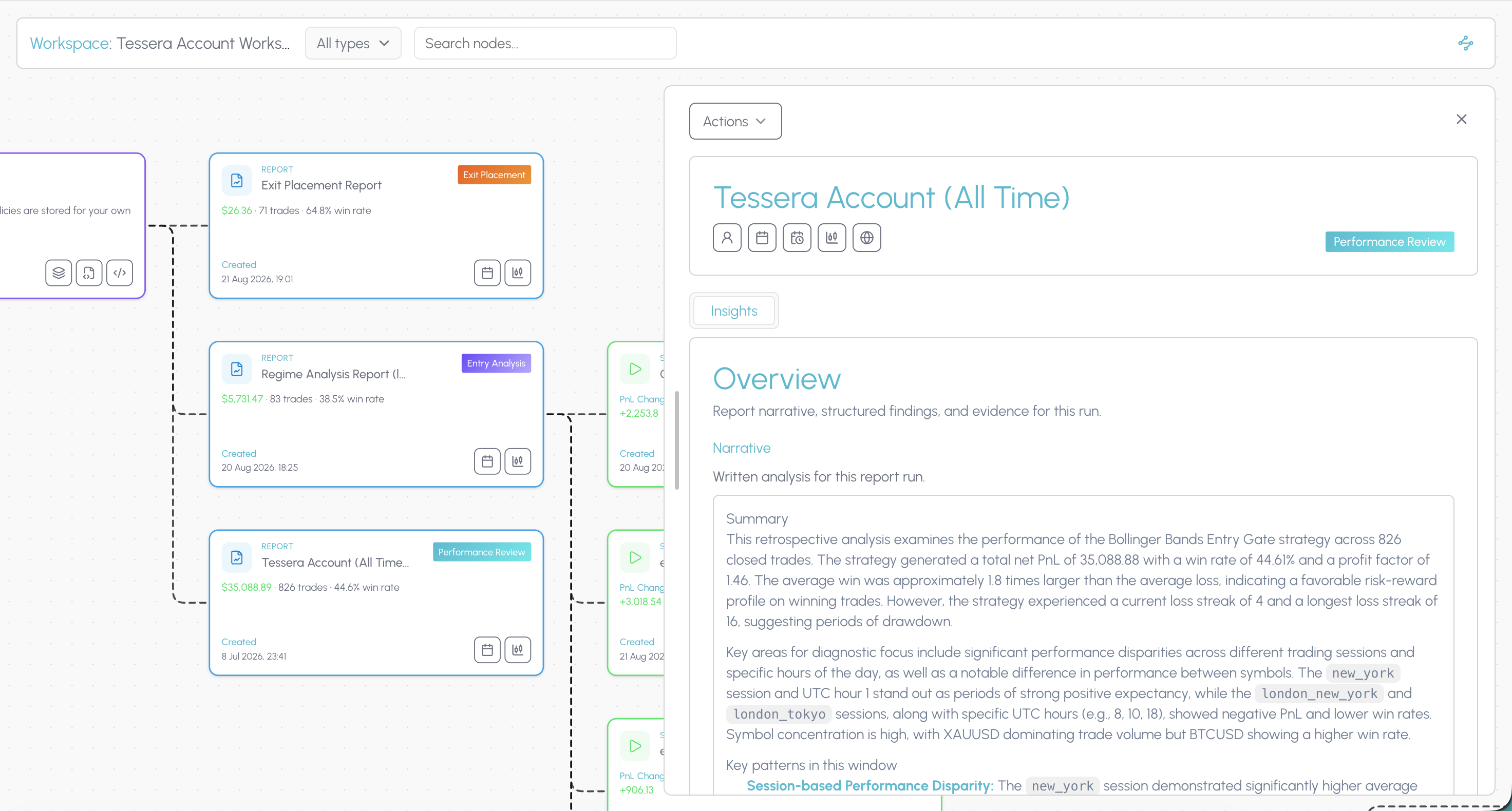
Reports answer a specific question on the same closed history. Performance Review for how a strategy or period actually behaved. Entry Analysis for which conditions at entry separated winners from losers. Exit Placement for whether stops and targets were doing their job.
Condition slices surface the pattern in plain terms: session, trend, volatility, distance to a level, indicator state. You leave with a cohort you can name, not a vague sense that "New York was bad." That cohort is what you take into Trade Review and the simulator next.
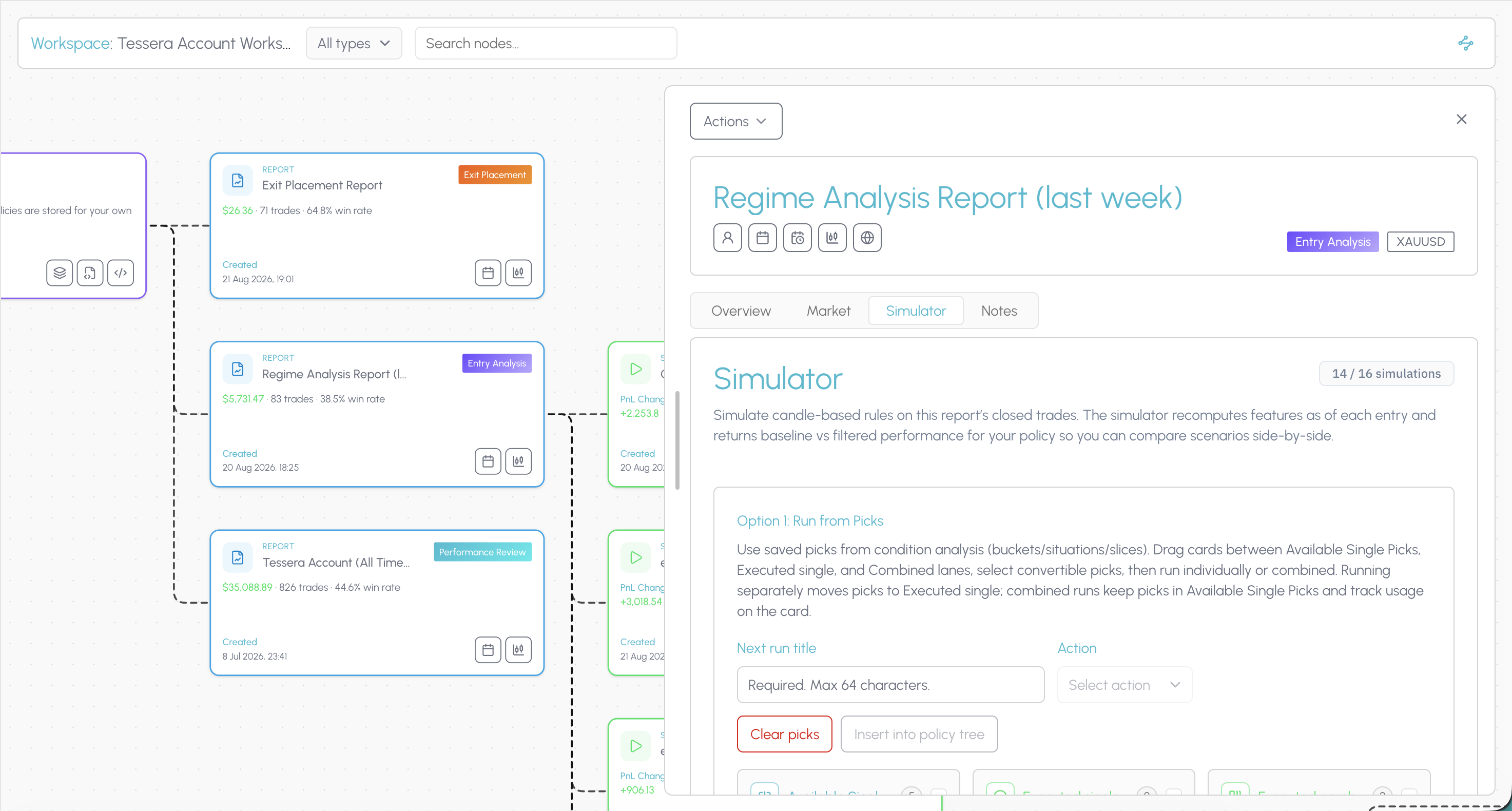
Trade Review puts your fills back on the chart in the price action and regime they happened in. After a report pick or a simulation, it also shows exactly which trades that finding or rule covers, so you are not working it out from a table of ticket IDs.
Use it to confirm the story before you change a rule. If the slice looks wrong on the chart, you catch it here. If it looks right, you have visual proof of the cohort you are about to test.
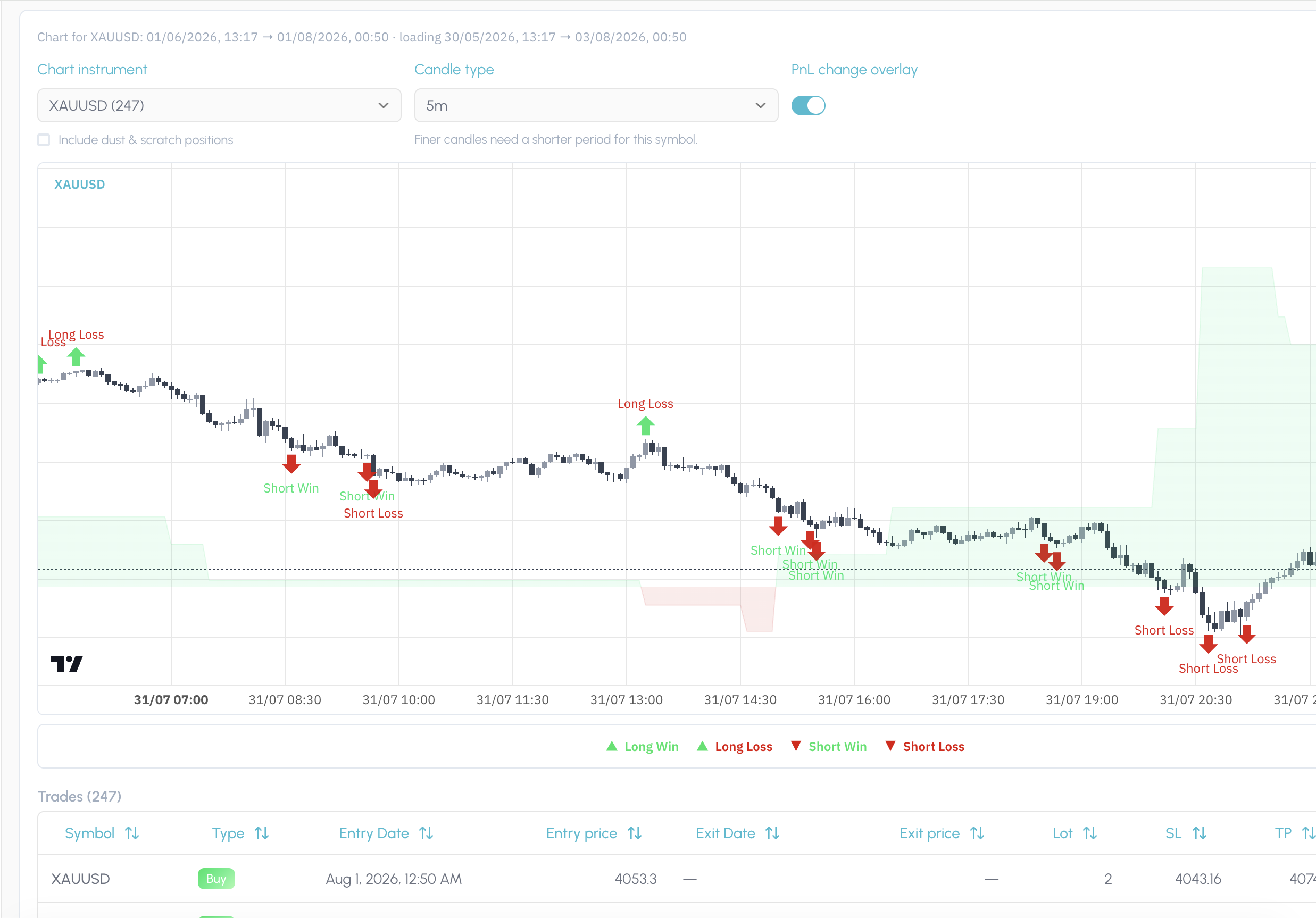
The simulator asks what would have happened if you had traded the same closed history under a different rule. Keep or drop entries by the conditions present when you took them: session, trend, volatility, indicator state. Or leave the entries alone and vary stop loss and take profit distance.
Run one change at a time so you can see what moved. Compare the filtered cohort against the original. If the result holds up, you are ready to save it as a rule rather than leaving the insight in a screenshot folder.
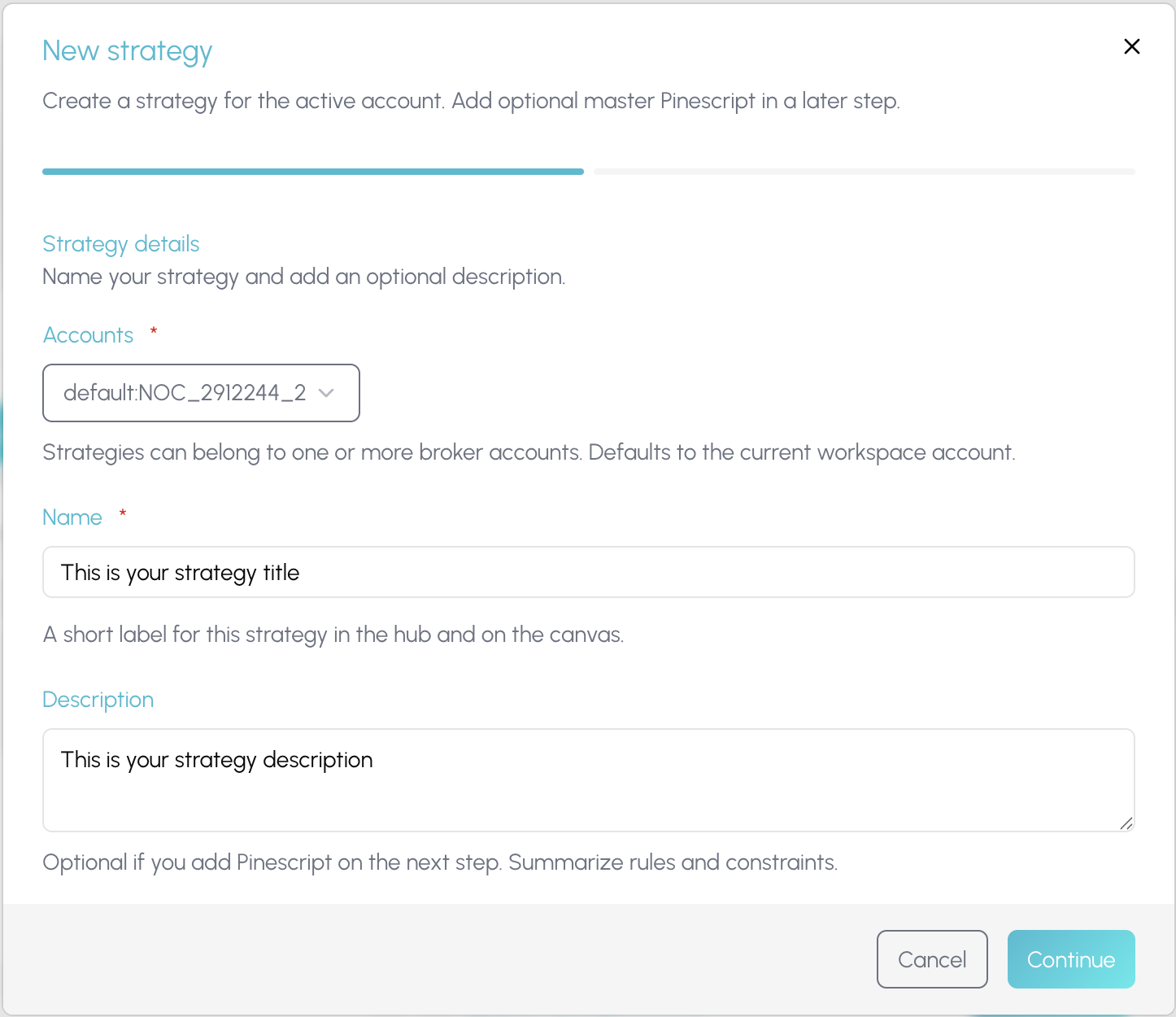
In Tessera, a policy is a versioned rule attached to a strategy: the keep filter, the veto, the exit distance that survived a simulation. It is not a note in a journal and not a half-remembered habit from last month's review.
When something holds up, you save it, name it, and keep it on the strategy so you can return to it, combine it with other rules, and re-test the stack. The point is a rule you can defend, not a feeling that you should "be more selective in New York."
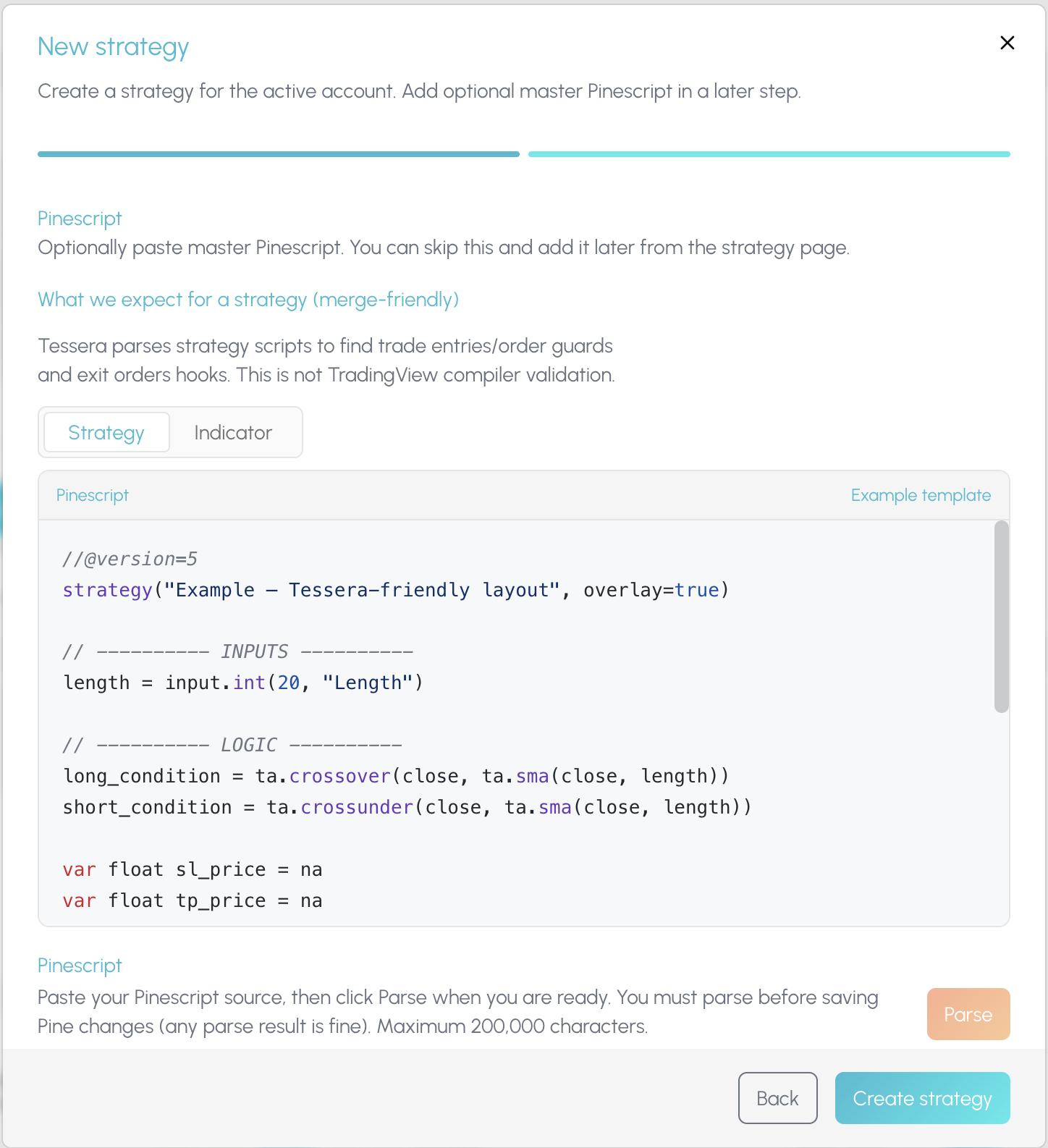
Once a rule is worth forward testing, Policy Pine composes it into TradingView. Merge the rule into a copy of your existing strategy script, or export it as a standalone indicator you paste onto the chart yourself.
Tessera does not auto-push to your TradingView account. You stay in control of what hits the chart. The composed Pine is the bridge from a tested cohort back into live forward testing, with the experiment trail still sitting in Tessera.
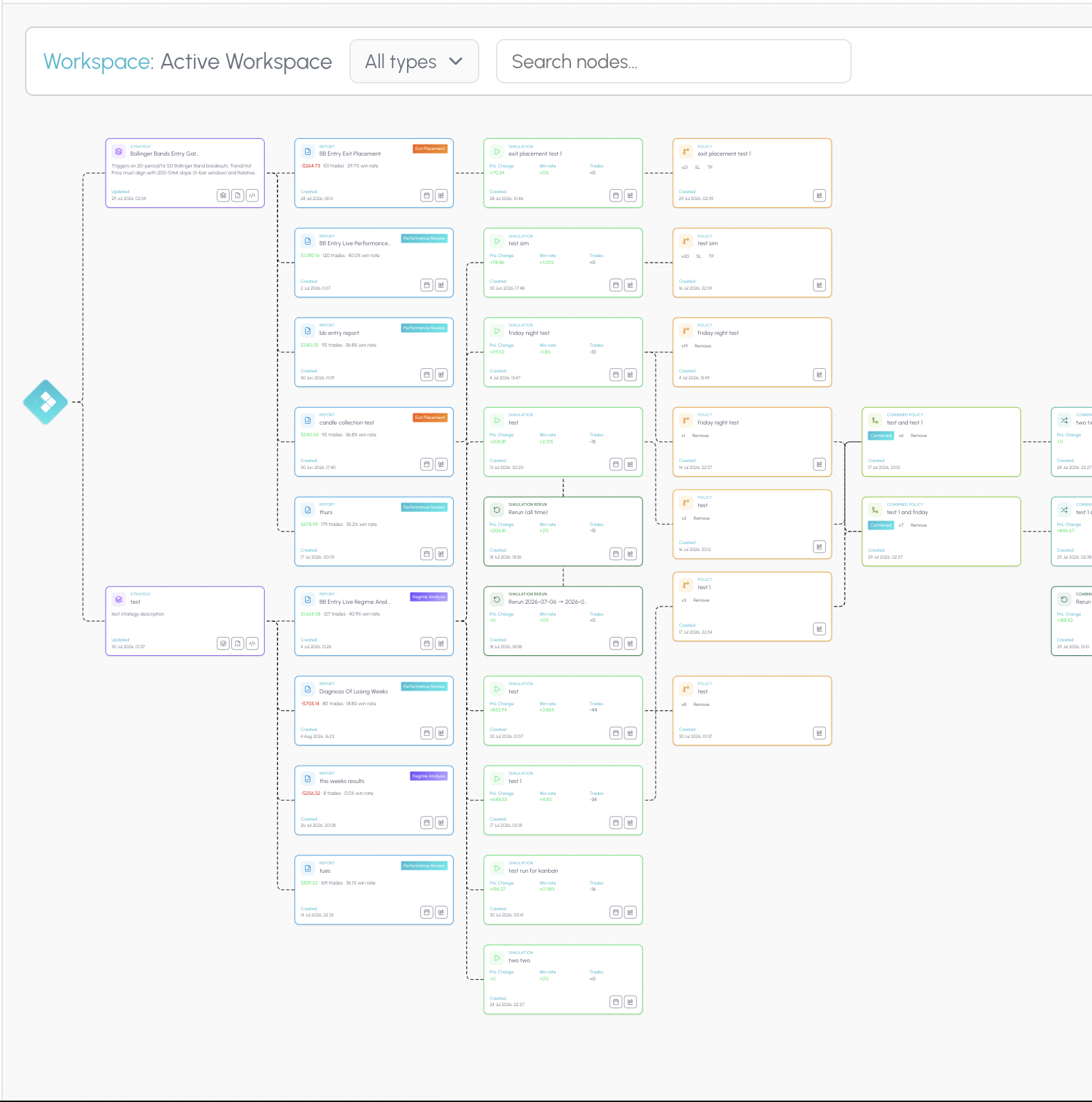
The connected workspace is where the suite stops being a list of tools. The hub shows every strategy, report, simulation and rule you have built. Open a canvas and those pieces become a node graph linked by what produced what.
When a filter improves a cohort, you can still see the Entry Analysis that surfaced it, the simulation that tested it, and the rule you exported, on the same trail. That is how you know whether a change held up across your process, not only whether one review session felt better.
TES can narrate a prepared report when you run one. Tessera does not ship a dedicated tilt score or an automated weekly scan of your whole trade history. Findings are hypotheses, not conclusions. Forward test before you commit size.
Launchpad runs your tested strategy on Binance (spot and futures), Hyperliquid, cTrader or Liquid Brokers. Approve each trade in Telegram, or let it trade inside your limits.
Backtests are not future results, and leveraged trading carries a high risk of loss.
We picked the platforms people most often compare with Pionex that run bots on an exchange account you already hold, and checked prices, plans, bot types and backtesting on each vendor's own site on 24 November 2026. The Pionex facts come from its home page, fee page and bot menus. We didn't open paid accounts with every vendor, so features behind a login weren't tested.
3Commas alternative
Six trading bot platforms compared on price, bots, exchanges and how well you can test a strategy before it trades. Checked 19 November 2026.
Read comparisonBacktrex alternative
Seven Backtrex alternatives compared on building, validation, running live and price. Checked 12 November 2026.
Read comparisonCryptohopper alternative
Six crypto bot platforms compared on price, bot types, exchanges and how well you can test a strategy before it trades. Checked 24 November 2026.
Read comparisonEdgewonk alternative
Seven Edgewonk alternatives compared on price, free tiers, imports and whether they can test a rule change on your own trades. Prices checked November 2026.
Read comparisonLuxAlgo Trade Journal alternative
What the free LuxAlgo trade journal does well, where it stops, and six alternatives. Checked 12 November 2026.
Read comparisonMyfxbook alternative
Myfxbook is free and great for verified MT4 and MT5 track records. These seven alternatives go further on analysis and rule testing. Prices checked November 2026.
Read comparisonTraderSync alternative
Seven TraderSync alternatives compared on price, free tiers, imports and rule testing, with an honest verdict on who each suits. Prices checked November 2026.
Read comparisonTradervue alternative
Tradervue is a clean, long running journal. These seven alternatives go further on price, analysis or rule testing. Prices checked November 2026.
Read comparisonTradesViz alternative
TradesViz is cheap, deep and imports from almost everywhere. Here is when an alternative makes more sense, and which one. Prices checked November 2026.
Read comparisonTradeZella alternative
Seven TradeZella alternatives compared on price, free tiers, imports and backtesting, with an honest verdict on who each suits. Prices checked November 2026.
Read comparisonPionex is a trademark of its respective owner. Tessera is not affiliated with, endorsed by or sponsored by Pionex. Comparisons reflect publicly available information as of 24 November 2026 and may change.
Strategy Lab backtests your idea without code. Launchpad runs it on Binance, Hyperliquid, cTrader or Liquid Brokers. Free plan, no card.