


Edgewonk alternative
Edgewonk Alternatives: 7 Trading Journals Compared
Seven Edgewonk alternatives compared on price, free tiers, imports and whether they can test a rule change on your own trades. Prices checked November 2026.
Read comparisonSeven Backtrex alternatives compared on building, validation, running live and price. Checked 12 November 2026.
Reviewed on TrustPilot
By Hristo Skulev · Updated
Short answer: if you want to describe a strategy in plain English, validate it on unseen data and Monte Carlo, and then run it as a bot, try Tessera's Strategy Lab. If you want to generate thousands of strategies on the desktop with walk-forward testing, StrategyQuant X. If you trade US stocks and want charts, a tester and bots in one subscription, TrendSpider. If you practise by hand on historical charts, FX Replay. If you already write Pine Script, TradingView's Strategy Tester.
Backtrex itself changed in late 2026. It now imports a strategy you've written down (text, Pine Script, MQL5, a document, image or video), turns it into rule blocks with AI and backtests it, and it has moved from lifetime licences to monthly plans. Earlier descriptions of marking trades on a chart for it to infer the rules no longer match its site. Features and prices below were checked on each vendor's own site on 12 November 2026.
| Tool | How you build | Validation | Runs it live | Price from |
|---|---|---|---|---|
| Backtrex (for reference) | Import text, Pine, MQL5, a document, image or video; AI turns it into rule blocks | Sharpe, drawdown, monthly heatmap, its own score; no walk-forward or Monte Carlo on its product pages | No; exports Pine v6, MQL5 and Python | First test free; Pro $49 a month |
| Tessera Strategy Lab | Describe it to TES, the AI strategy coach, or build it without code | Unseen period, Monte Carlo, price noise, costs, other markets, prop-firm account test | Yes: Launchpad on paper, cTrader or Liquid Brokers (paid plans) | Free plan, no card; paid from $39 a month |
| StrategyQuant X | Desktop strategy generator | Monte Carlo and walk-forward matrix (Pro and above) | Code export | $1,290 one-off |
| TrendSpider | No-code tester and AI | Multi-symbol and forward testing | Bots through partner brokers | From $32.94 a month in the first year |
| TradingView | Pine Script (code), AI Copilot add-on | Strategy Tester | Through connected brokers and alerts | Free Basic plan |
| NinjaTrader | Strategy Builder (no-code) or NinjaScript | Walk-forward, Monte Carlo | NinjaTrader futures brokerage | Free to backtest |
| FX Replay | Manual bar replay | Your own practice results | No | Free plan; Pro $35 a month |
Markets. Backtrex covers 17 assets (8 currency pairs, gold, silver, oil, four indices, Bitcoin and Ether), one per backtest, on 5-minute to daily candles.
Validation. Its product pages don't offer walk-forward, Monte Carlo or out-of-sample testing.
Running it live. Backtrex doesn't connect to brokers, so a strategy has to be rebuilt elsewhere to trade. Only its Python export is checked trade by trade.
Pricing change. Lifetime licences are no longer sold. Pro is $49 a month and Max $149.
Strategy Lab is our product. You describe a strategy to TES, the AI strategy coach (including a chart screenshot), or build it from setups, confluences, sessions, entries and exits, and Strategy Lab reads the rules back in plain English before it runs. Backtests run on 1-minute to daily candles across 50 markets with up to 20 years of data, with commission, spread, slippage and swap.
Every backtest holds back the last 30% of the data as an unseen period, and you can add Monte Carlo, price noise, other markets and a prop-firm account test on the same run. Strategies export to TradingView as Pine Script v6 with a self-check that compares trades, or run as a bot through Launchpad on paper or a cTrader or Liquid Brokers account.
Where it falls short: it doesn't import MQL5 or documents, and Launchpad runs only on cTrader and Liquid Brokers. The Free plan includes 15 backtests a week on 5-minute candles and up.
A desktop program that generates strategies with genetic programming, then filters them with robustness tests. Monte Carlo and the walk-forward matrix are on the Pro ($1,490) and Ultimate ($2,900) editions; Starter is $1,290 one-off. It exports code for MetaTrader and other platforms.
Watch for: price, a learning curve, and the risk that mining thousands of strategies finds one that fits the past by chance.
Charts, a no-code tester, AI backtesting and bots in one subscription, from $32.94 a month in the first year with higher renewal prices.
Watch for: no free tier, and it's built around US stocks.
The Strategy Tester is fast and familiar, and TradingView's AI Copilot can now write Pine strategies. Robustness testing is limited.
Watch for: Pine Script is code, and walk-forward or Monte Carlo needs another tool. See TradingView alternatives for backtesting.
The Strategy Builder is point and click and generates NinjaScript; the Strategy Analyzer has walk-forward and Monte Carlo. Backtesting is free.
Watch for: futures only, Windows desktop.
Bar-by-bar replay to practise a setup, with a free plan (2 sessions) and Pro at $35 a month.
Watch for: it tests you, not a rule set, so it can't tell you whether an automated strategy has an edge.
Myfxbook announced a free backtesting tool in August 2026. We couldn't load its site to confirm the details, so check it directly.
We picked the backtesters traders most often compare with Backtrex. Prices and features were checked on each vendor's site on 12 November 2026, in US dollars before tax. Where a site wouldn't load, we say so. Tessera is our product, so read its entry with that in mind.
Run a free Entry Analysis report, then simulate dropping one group of trades from the history you already took.
Tessera is a connected product suite on your closed trades: trade log and statistics, focused reports, a simulator, rules, and Pine export, kept together on one workspace.
Every fill lives in one place: synced from a broker or imported once through Custom CSV with a mapping you can reuse. Attach a market snapshot and a short note when the trade still matters, not as a mood ritual, but as context for later review.
That same history feeds everything else in Tessera. Statistics, reports, simulations and rules all read the closed trades you already took, so you are not stitching exports together every Sunday.
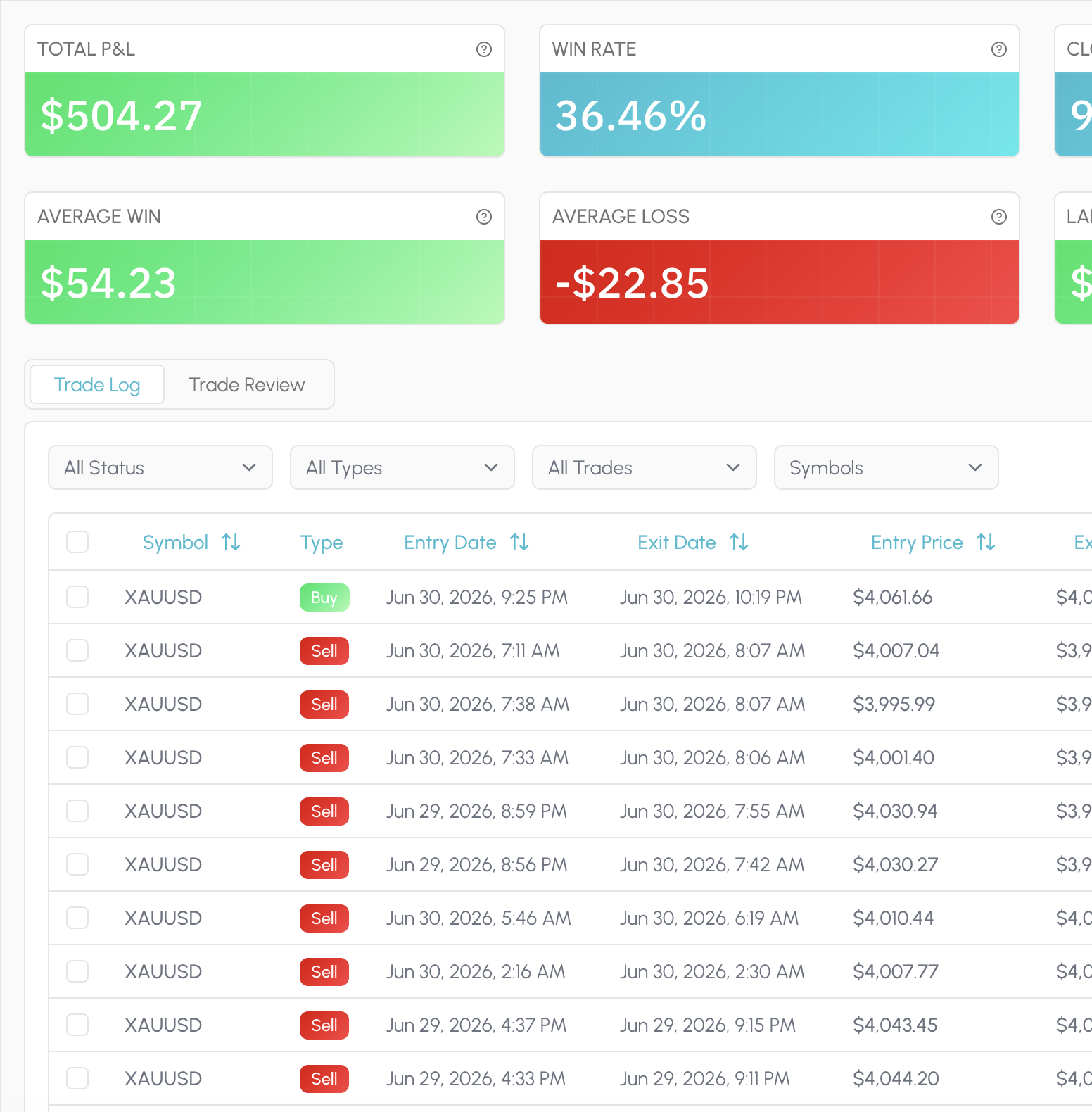
Statistics is the always-on read of your book: PnL, win rate, expectancy, drawdown, sessions, symbols, timing and risk, laid out so you can scan a period and move on. Filter the window and the charts follow the trades you selected.
There is no proprietary Tessera score and no composite grade that flattens your account into someone else's ideal profile. The dimensions stay checkable. When you need a deeper cut than the dashboard, you leave Statistics and run a focused report.
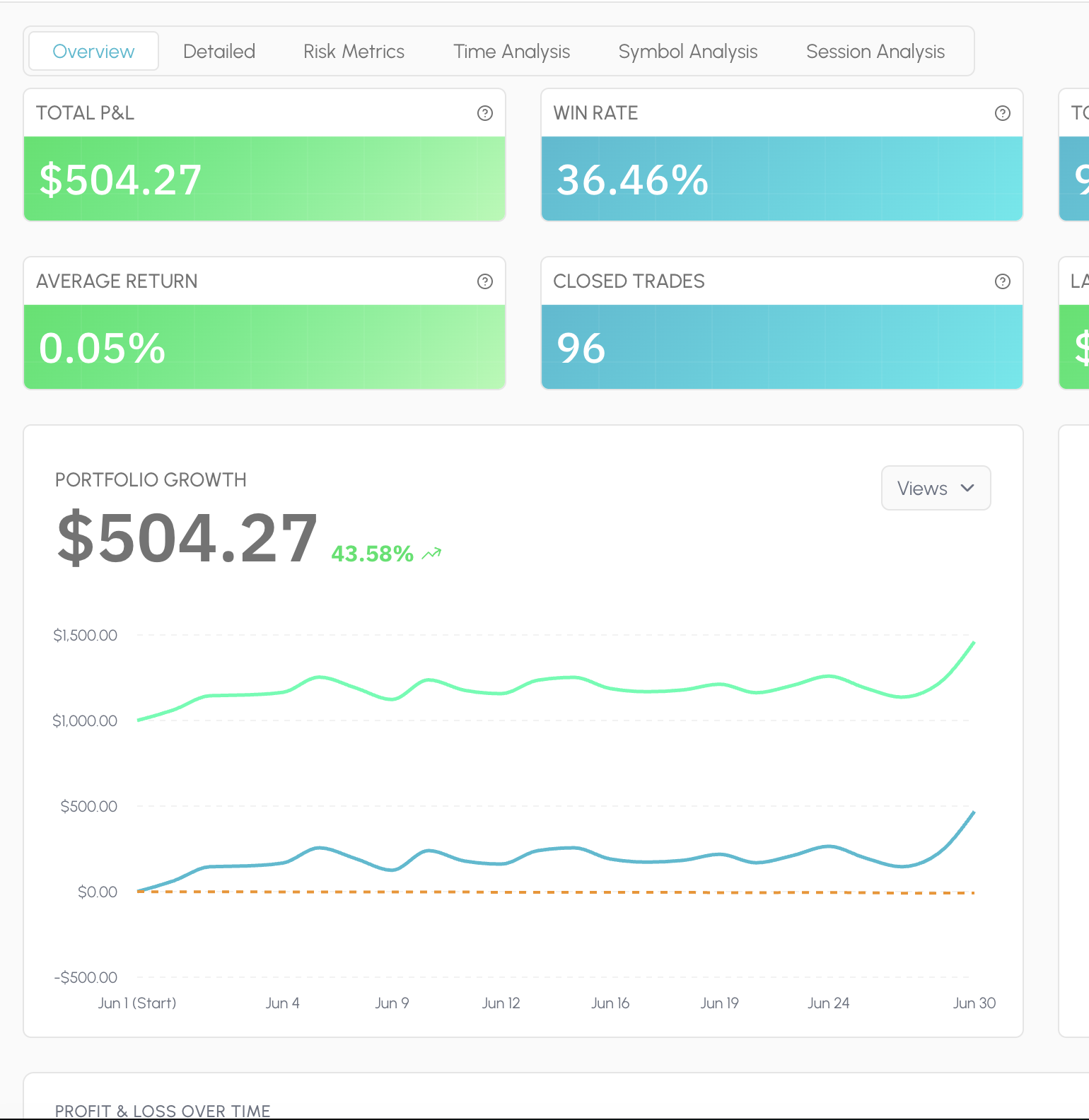
Reports answer a specific question on the same closed history. Performance Review for how a strategy or period actually behaved. Entry Analysis for which conditions at entry separated winners from losers. Exit Placement for whether stops and targets were doing their job.
Condition slices surface the pattern in plain terms: session, trend, volatility, distance to a level, indicator state. You leave with a cohort you can name, not a vague sense that "New York was bad." That cohort is what you take into Trade Review and the simulator next.
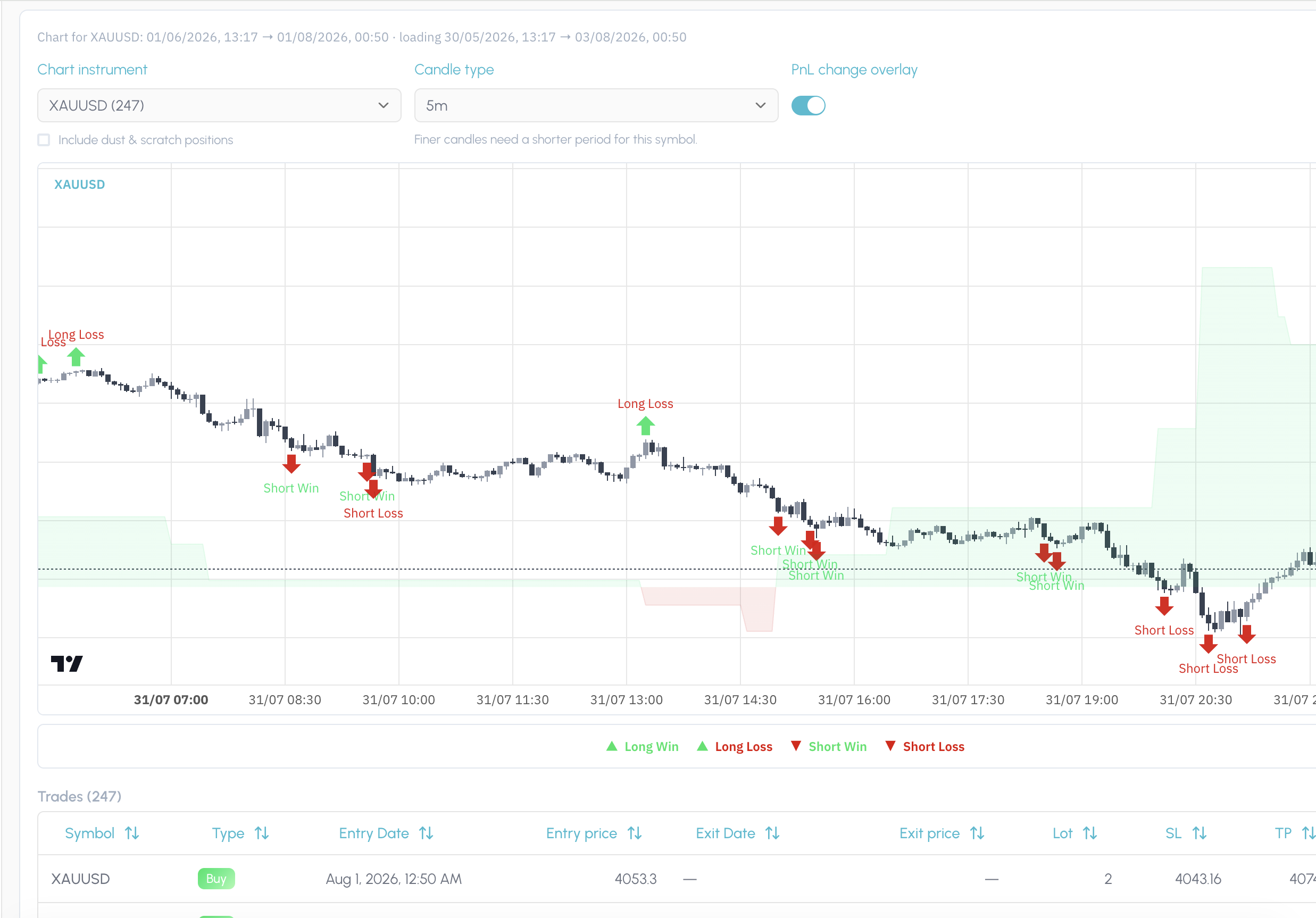
Trade Review puts your fills back on the chart in the price action and regime they happened in. After a report pick or a simulation, it also shows exactly which trades that finding or rule covers, so you are not working it out from a table of ticket IDs.
Use it to confirm the story before you change a rule. If the slice looks wrong on the chart, you catch it here. If it looks right, you have visual proof of the cohort you are about to test.
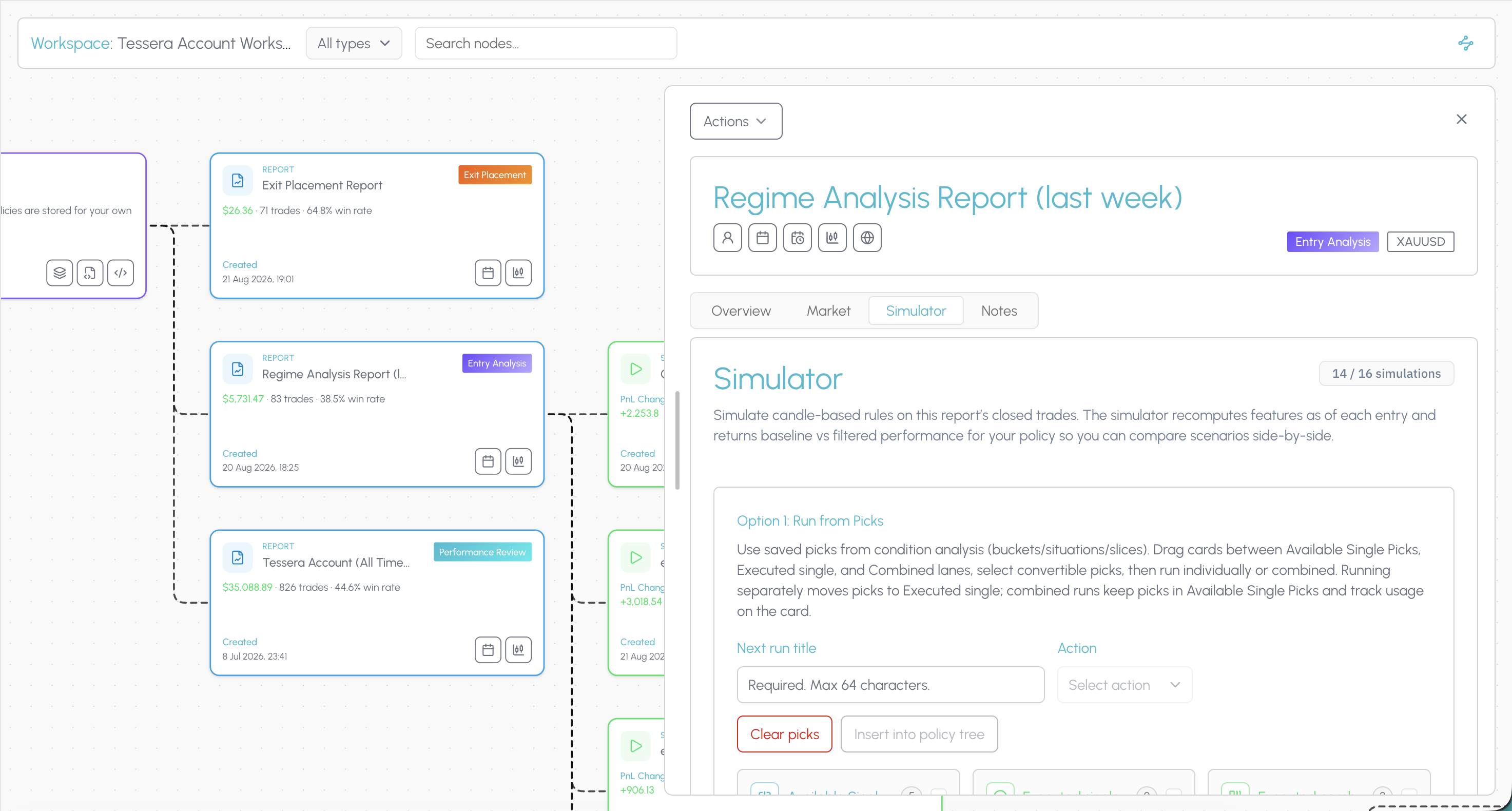
The simulator asks what would have happened if you had traded the same closed history under a different rule. Keep or drop entries by the conditions present when you took them: session, trend, volatility, indicator state. Or leave the entries alone and vary stop loss and take profit distance.
Run one change at a time so you can see what moved. Compare the filtered cohort against the original. If the result holds up, you are ready to save it as a rule rather than leaving the insight in a screenshot folder.
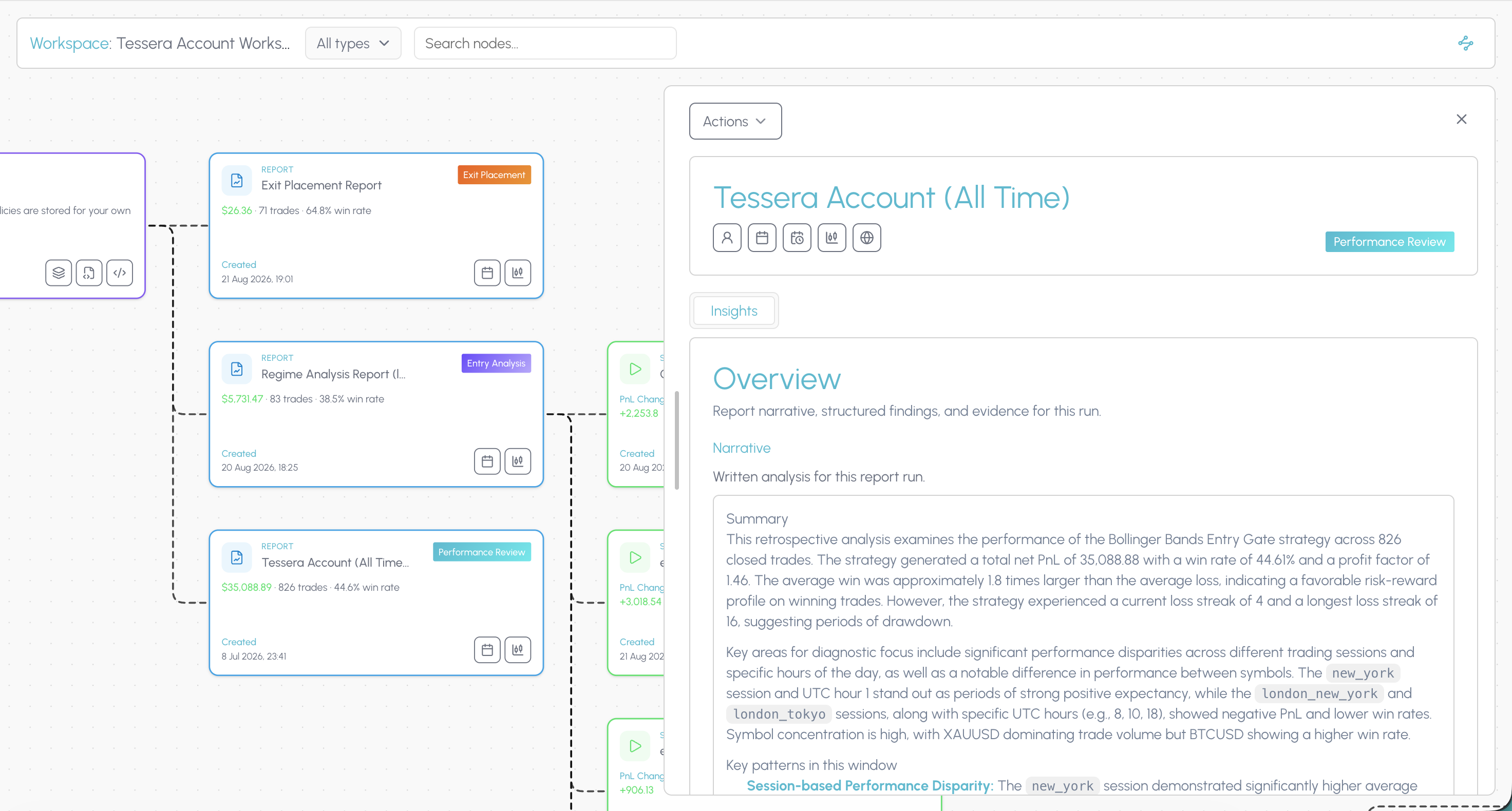
In Tessera, a policy is a versioned rule attached to a strategy: the keep filter, the veto, the exit distance that survived a simulation. It is not a note in a journal and not a half-remembered habit from last month's review.
When something holds up, you save it, name it, and keep it on the strategy so you can return to it, combine it with other rules, and re-test the stack. The point is a rule you can defend, not a feeling that you should "be more selective in New York."
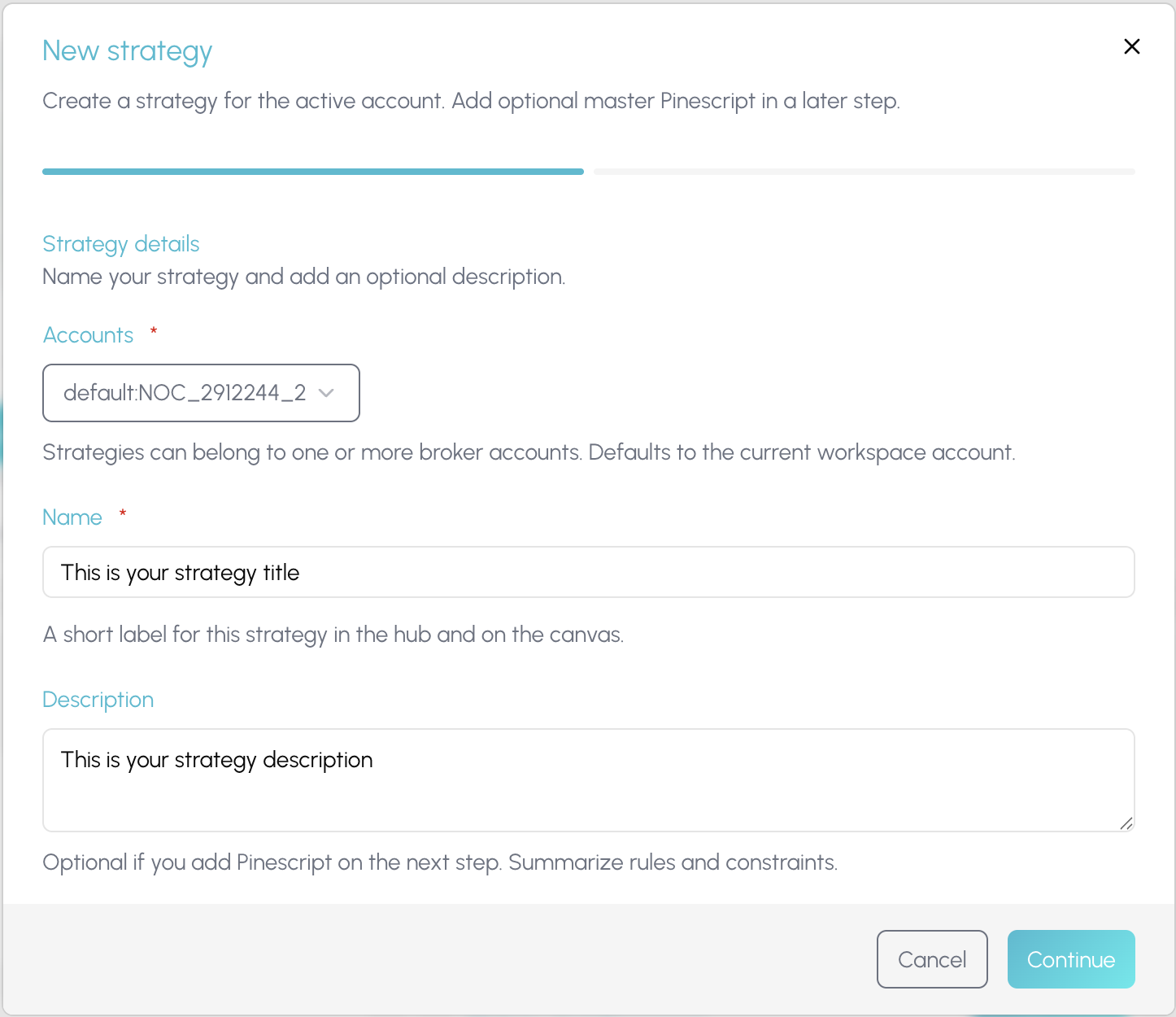
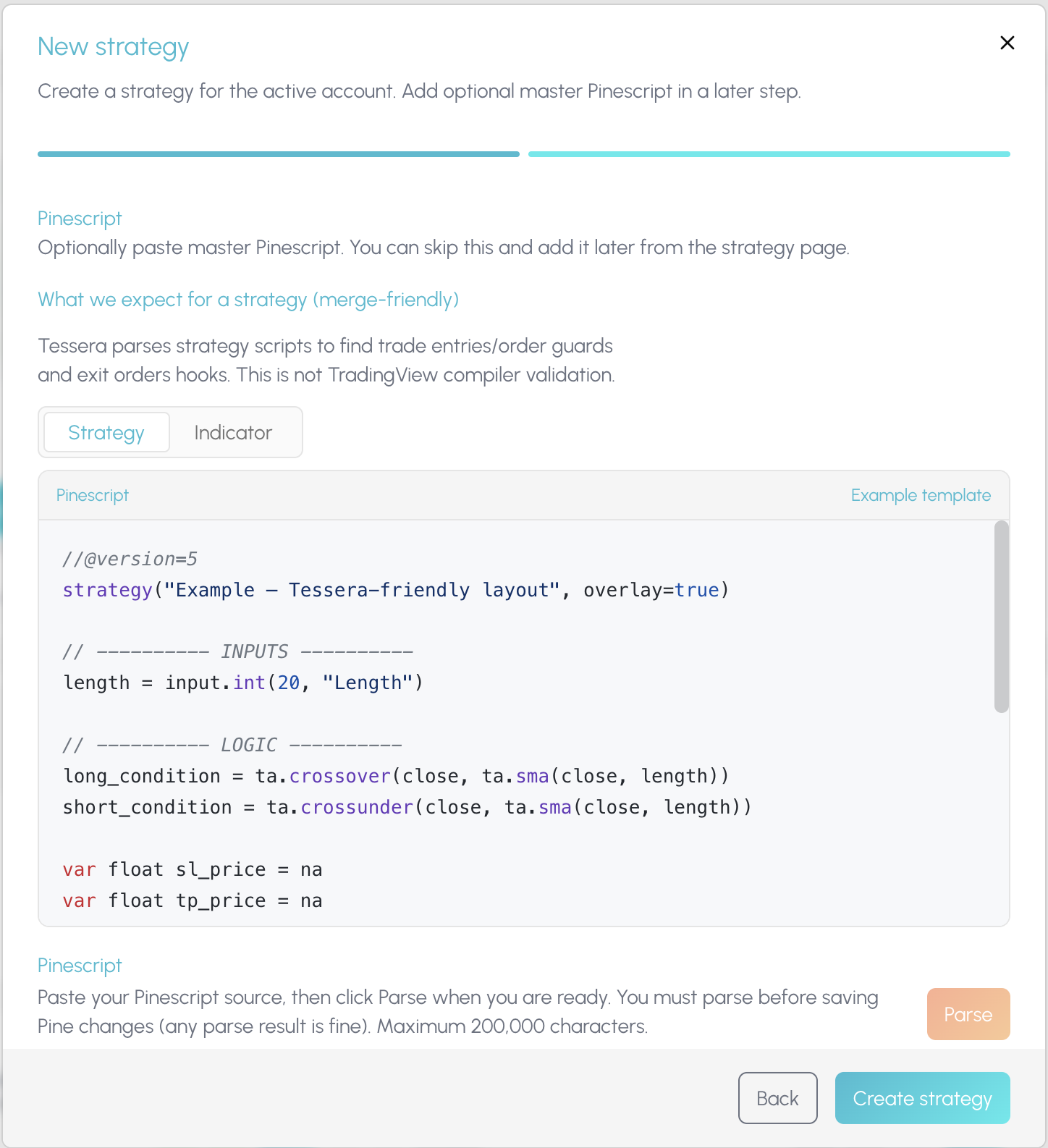
Once a rule is worth forward testing, Policy Pine composes it into TradingView. Merge the rule into a copy of your existing strategy script, or export it as a standalone indicator you paste onto the chart yourself.
Tessera does not auto-push to your TradingView account. You stay in control of what hits the chart. The composed Pine is the bridge from a tested cohort back into live forward testing, with the experiment trail still sitting in Tessera.
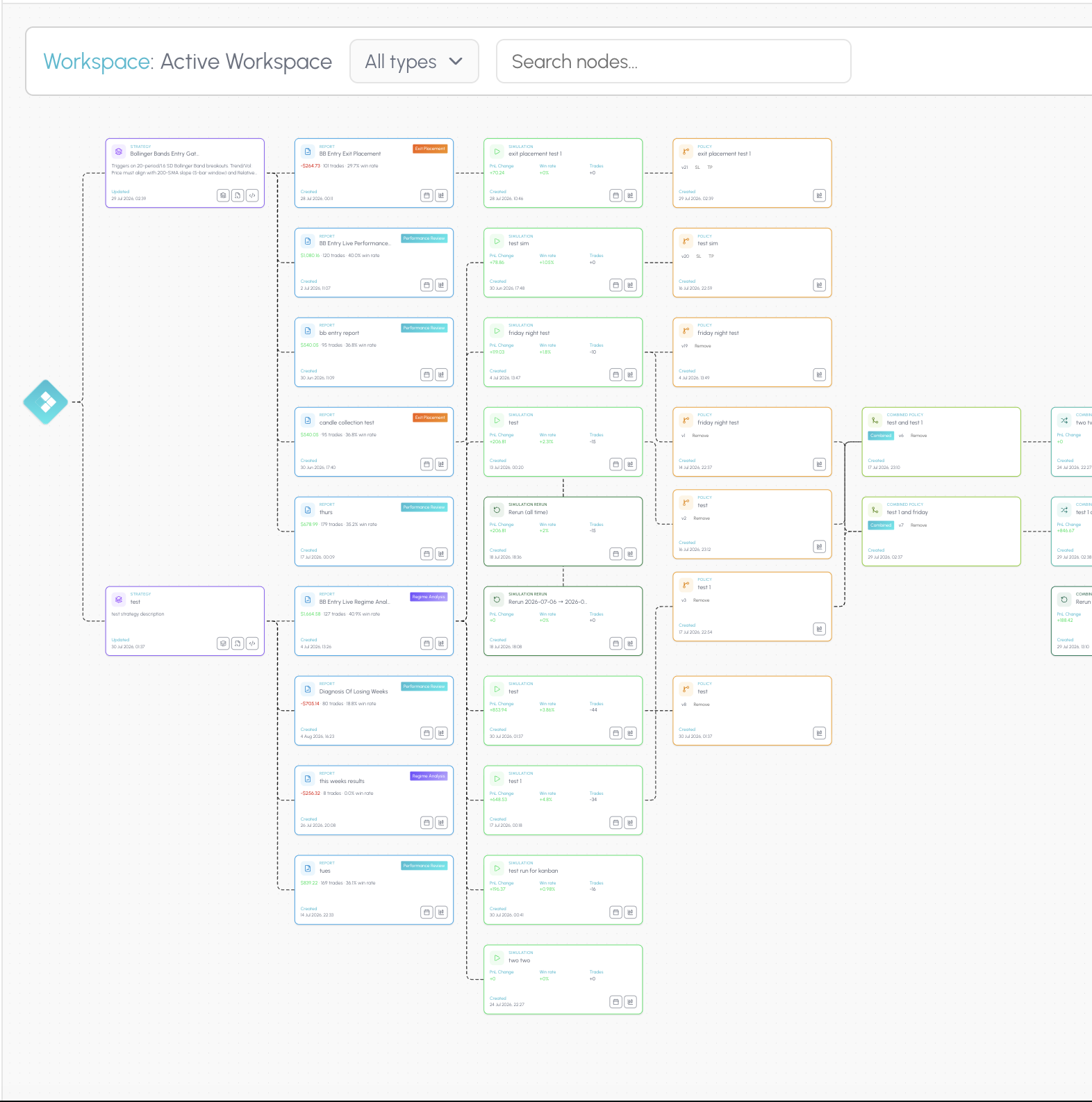
The connected workspace is where the suite stops being a list of tools. The hub shows every strategy, report, simulation and rule you have built. Open a canvas and those pieces become a node graph linked by what produced what.
When a filter improves a cohort, you can still see the Entry Analysis that surfaced it, the simulation that tested it, and the rule you exported, on the same trail. That is how you know whether a change held up across your process, not only whether one review session felt better.
TES can narrate a prepared report when you run one. Tessera does not ship a dedicated tilt score or an automated weekly scan of your whole trade history. Findings are hypotheses, not conclusions. Forward test before you commit size.
Connect your trade log, run focused reports, and test one rule change at a time on trades you already took.
Edgewonk alternative
Seven Edgewonk alternatives compared on price, free tiers, imports and whether they can test a rule change on your own trades. Prices checked November 2026.
Read comparisonLuxAlgo Trade Journal alternative
What the free LuxAlgo trade journal does well, where it stops, and six alternatives. Checked 12 November 2026.
Read comparisonMyfxbook alternative
Myfxbook is free and great for verified MT4 and MT5 track records. These seven alternatives go further on analysis and rule testing. Prices checked November 2026.
Read comparisonTraderSync alternative
Seven TraderSync alternatives compared on price, free tiers, imports and rule testing, with an honest verdict on who each suits. Prices checked November 2026.
Read comparisonTradervue alternative
Tradervue is a clean, long running journal. These seven alternatives go further on price, analysis or rule testing. Prices checked November 2026.
Read comparisonTradesViz alternative
TradesViz is cheap, deep and imports from almost everywhere. Here is when an alternative makes more sense, and which one. Prices checked November 2026.
Read comparisonTradeZella alternative
Seven TradeZella alternatives compared on price, free tiers, imports and backtesting, with an honest verdict on who each suits. Prices checked November 2026.
Read comparisonBacktrex is a trademark of its respective owner. Tessera is not affiliated with, endorsed by or sponsored by Backtrex. Comparisons reflect publicly available information as of 12 November 2026 and may change.
Run a free Entry Analysis report, simulate one filter on your closed history, and see whether the cohort improves before you change how you trade.