


Backtrex alternative
Backtrex Alternatives: 7 Backtesters Compared
Seven Backtrex alternatives compared on building, validation, running live and price. Checked 12 November 2026.
Read comparisonWhat the free LuxAlgo trade journal does well, where it stops, and six alternatives. Checked 12 November 2026.
Reviewed on TrustPilot
By Hristo Skulev · Updated
Short answer: LuxAlgo's trade journal is free on every LuxAlgo plan, including the free one, and its engine is open source under the MIT licence, so you can also host it yourself. It imports a wide range of platform files and syncs read-only from 22 brokers and exchanges, with solid statistics and breakdowns. It doesn't backtest or simulate rule changes, its MAE and MFE are estimates from candles, and the project calls itself an early release. If you need those things, Tessera (rule testing on your own trades, plus a backtester), TradesViz (deep analytics and a simulator) or Edgewonk (discretionary review) are the usual alternatives.
Everything below was checked on LuxAlgo's journal page, its GitHub README and each alternative's own site on 12 November 2026.
| LuxAlgo trade journal | |
|---|---|
| Price | Free on every LuxAlgo plan, including Free; no card |
| Where it runs | Inside LuxAlgo's Vela platform, or self-hosted (Node or Docker, local SQLite) |
| Licence | MIT for the code; LuxAlgo's name and marks are covered separately |
| Broker sync | Read-only, 22 listed in the README, including Hyperliquid, Binance, Bybit, Coinbase, Kraken, IBKR Flex, Topstep, Schwab, TradeStation and tastytrade |
| File imports | 16 formats plus a column mapper, including TradingView paper and strategy exports, MT4 and MT5, NinjaTrader, Tradovate, TopstepX, thinkorswim, TradeZella and Tradervue |
| Statistics | Profit factor, expectancy, R-multiples, streaks, drawdown, an "Edge Score" |
| Breakdowns | Weekday, time of day, hold time, symbol, side, size, tag, mistake and playbook; compare two accounts or periods |
| MAE and MFE | Estimated from candles and fills; not available for options or position reversals |
| Backtesting or rule simulation | None in the journal |
| Maturity | "Early release": APIs and schema may change before 1.0 |
The hosted page lists fewer sync connections than the README (Binance and Bybit by file there), so check your broker on the version you plan to use.
They want to test a change, such as a session filter or a different stop, on the trades they already took. The journal reports results but doesn't simulate changes.
They need exact MAE and MFE rather than candle-based estimates.
They want a backtester and journal in one place, so a strategy's live trades can be compared with its backtest.
They're wary of an early-release schema for years of trade history.
| Tool | Price from | Free tier | Best for | Tests rule changes on your trades? |
|---|---|---|---|---|
| Tessera | Free plan; paid from $39 a month | Yes | Algo and systematic traders | Yes: entry filters and exits replayed on real candles |
| TradesViz | $19.99 a month (Pro) | Yes, stocks only, one account | Data-heavy traders | Partly: stop and target what-ifs; a simulator on Platinum |
| Edgewonk | $35 a month or $197 a year | No; 14-day refund | Discretionary traders working on discipline | Exits only |
| Tradervue | $29.95 a month (Silver) | Yes, limited | Stock and futures traders | No; Gold adds exit analysis |
| TradeZella | $35 a month | No | Day traders who review with replay | No; it backtests on historical charts instead |
| TraderSync | Plans from about $29.95 a month (we couldn't load its site to confirm) | Limited | Traders who want an AI assistant | No |
Tessera is our product. It imports trades by sync (IBKR Flex, OANDA, cTrader, Binance, Liquid Brokers) or by file (MT4 and MT5 reports, Tradovate, NinjaTrader, Hyperliquid, the TradingView Strategy Tester export and any CSV), and breaks results down by session, weekday, time of day, volatility and symbol. The simulator replays entry filters and stop and target changes on the trades you actually took, using real candles, so you can see what a rule change would have done before you adopt it.
It also includes Strategy Lab, a no-code backtester with an unseen period, Monte Carlo and prop-firm tests, and Launchpad, which runs Strategy Lab strategies as bots on cTrader or Liquid Brokers (paid plans). Every trade comes back to the journal to compare with the backtest.
Where it falls short of LuxAlgo's journal: fewer synced brokers and exchanges, it isn't open source, and statistics and reports are on paid plans. The Free plan includes the trade log for one account (last 30 days).
Very wide import support, deep statistics and a free stocks-only plan. The Platinum simulator replays any symbol on any date and has a prop-challenge mode.
$35 a month or $197 a year, with MT4 and MT5 sync and a weekly "Edge Finder" scan. Built for discretionary traders working on discipline.
Silver is $29.95 a month and Gold $49.95; MAE, MFE and exit analysis are on Gold.
From $35 a month, with bar-by-bar replay, playbooks and, on Pro and Ultra, AI backtests described in plain English (beta). See TradeZella alternatives.
A full journal with an AI assistant and market replay. We couldn't load its pricing page on 12 November 2026; reviews list plans from about $29.95 a month.
We picked the journals traders most often compare with LuxAlgo's. Features were checked on LuxAlgo's journal page and GitHub README and on each vendor's own site on 12 November 2026. Where a site wouldn't load, we say so. Tessera is our product, so read its entry with that in mind.
Run a free Entry Analysis report, then simulate dropping one group of trades from the history you already took.
Tessera is a connected product suite on your closed trades: trade log and statistics, focused reports, a simulator, rules, and Pine export, kept together on one workspace.
Every fill lives in one place: synced from a broker or imported once through Custom CSV with a mapping you can reuse. Attach a market snapshot and a short note when the trade still matters, not as a mood ritual, but as context for later review.
That same history feeds everything else in Tessera. Statistics, reports, simulations and rules all read the closed trades you already took, so you are not stitching exports together every Sunday.
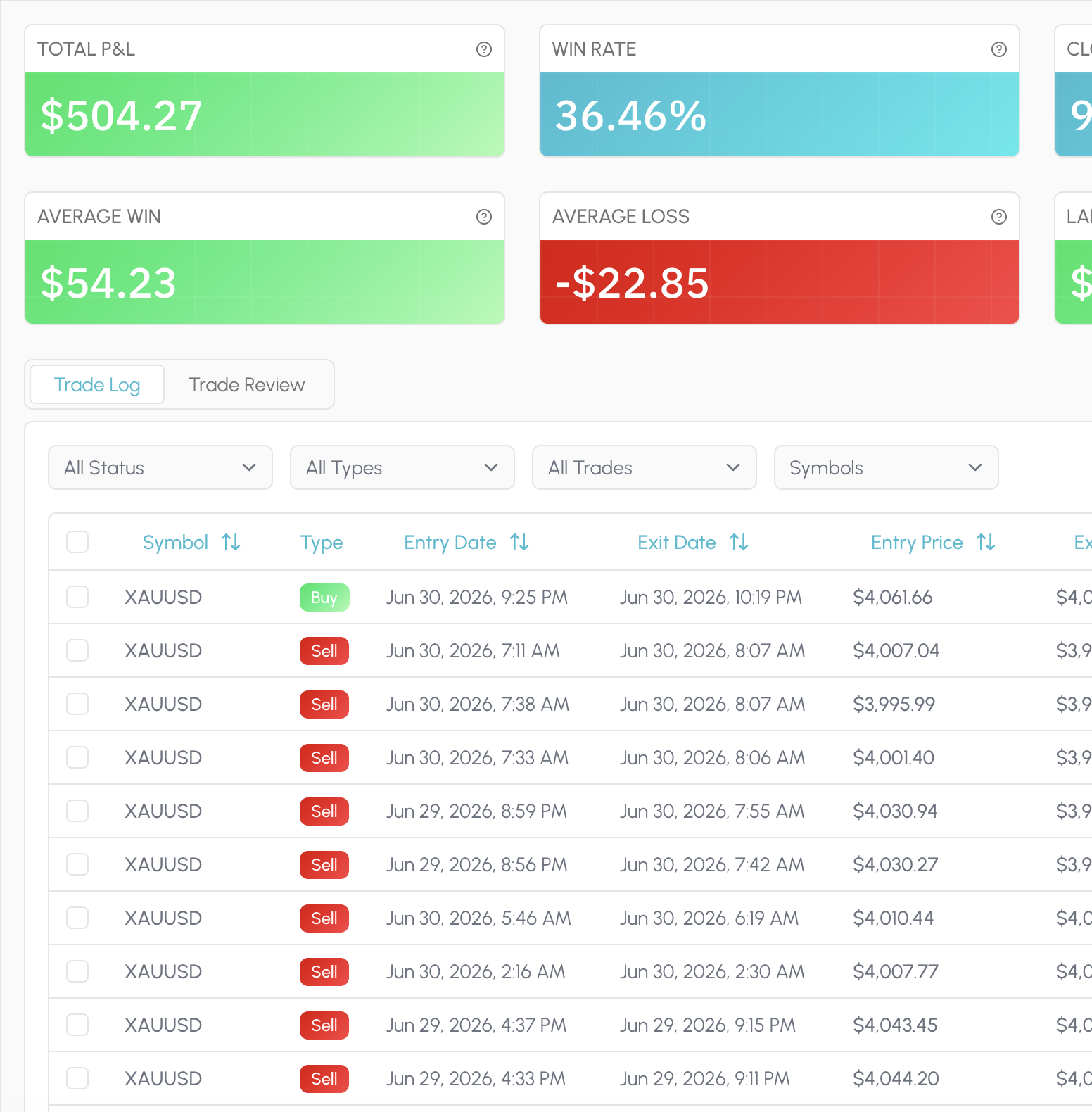
Statistics is the always-on read of your book: PnL, win rate, expectancy, drawdown, sessions, symbols, timing and risk, laid out so you can scan a period and move on. Filter the window and the charts follow the trades you selected.
There is no proprietary Tessera score and no composite grade that flattens your account into someone else's ideal profile. The dimensions stay checkable. When you need a deeper cut than the dashboard, you leave Statistics and run a focused report.
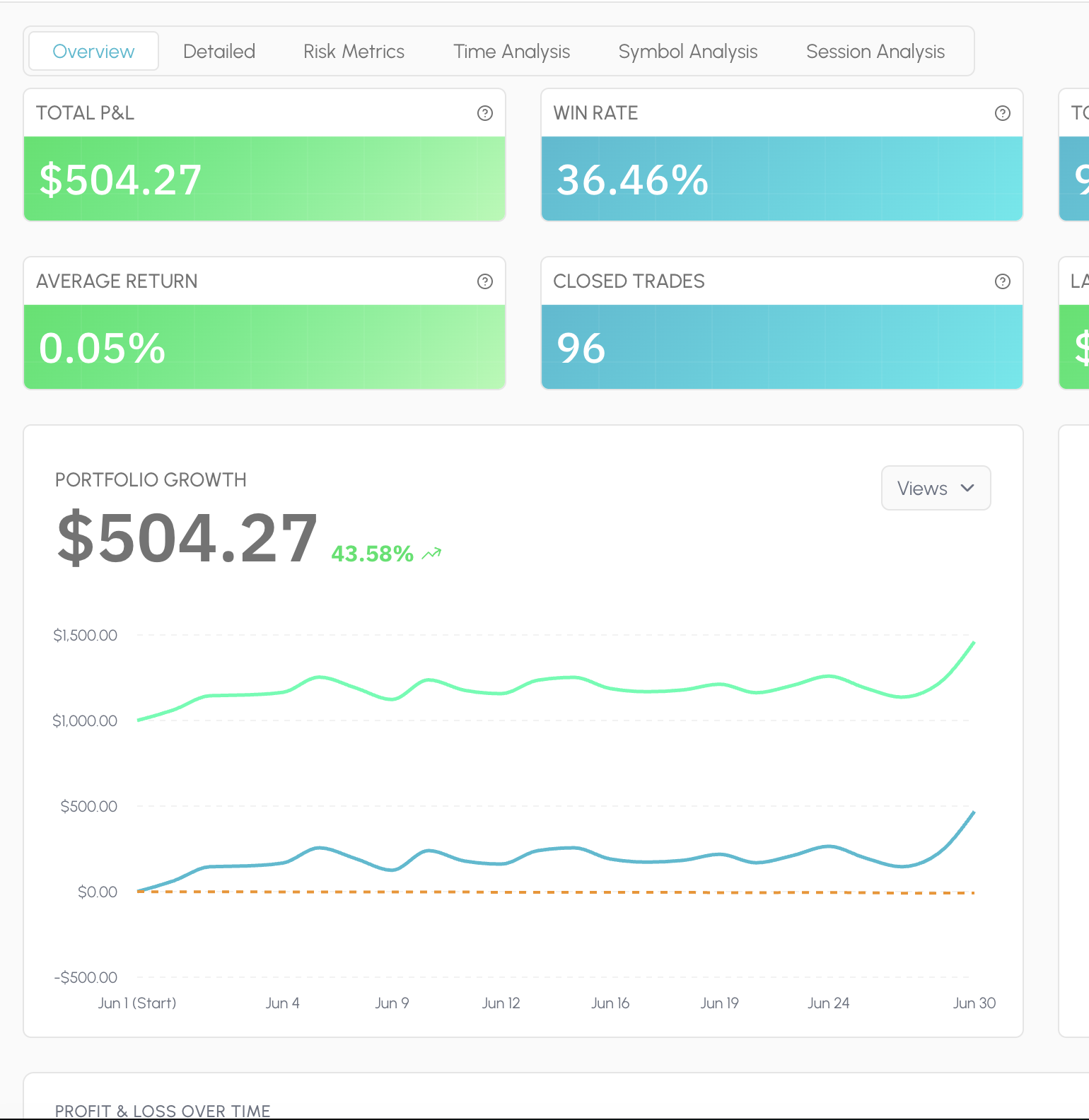
Reports answer a specific question on the same closed history. Performance Review for how a strategy or period actually behaved. Entry Analysis for which conditions at entry separated winners from losers. Exit Placement for whether stops and targets were doing their job.
Condition slices surface the pattern in plain terms: session, trend, volatility, distance to a level, indicator state. You leave with a cohort you can name, not a vague sense that "New York was bad." That cohort is what you take into Trade Review and the simulator next.
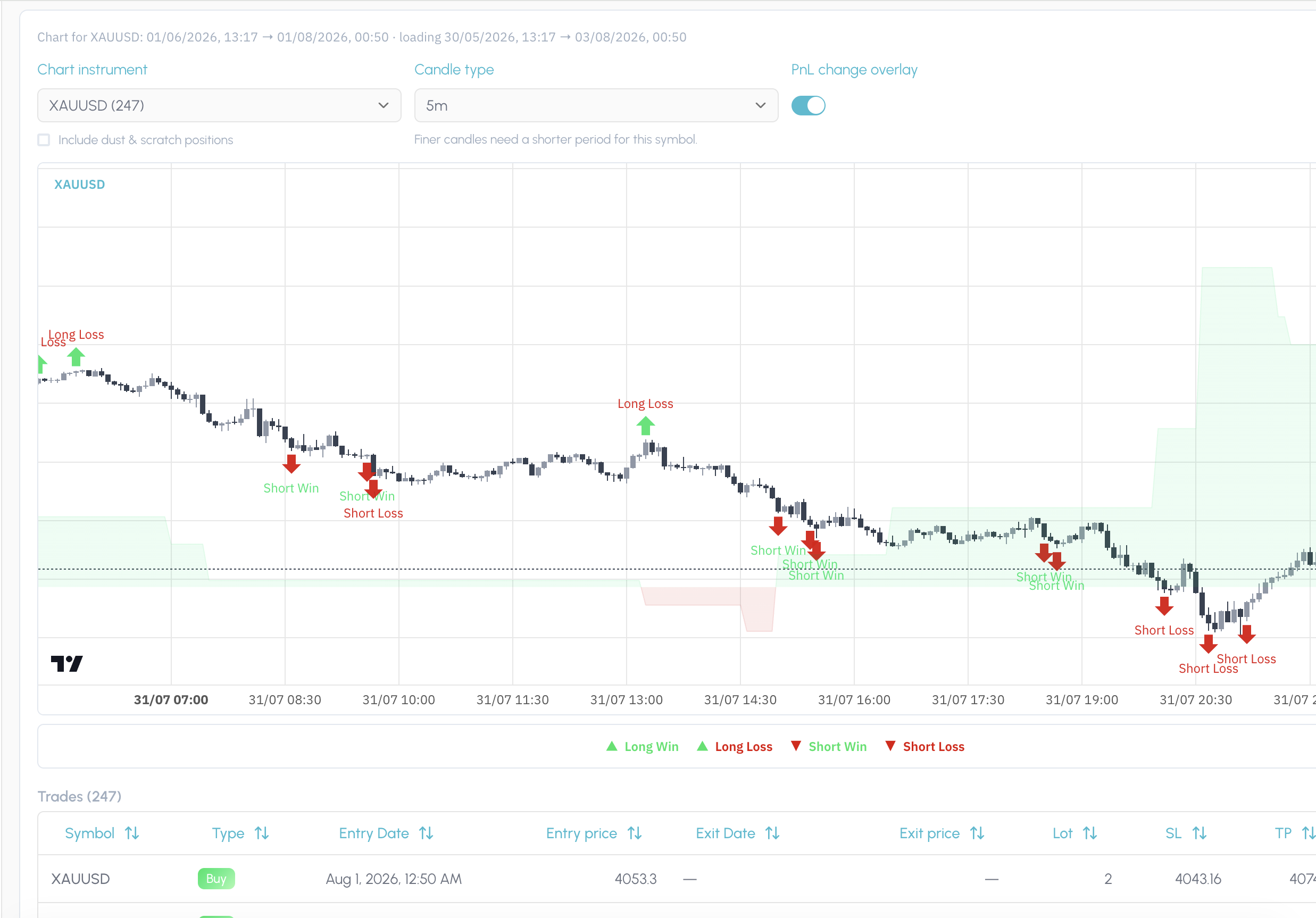
Trade Review puts your fills back on the chart in the price action and regime they happened in. After a report pick or a simulation, it also shows exactly which trades that finding or rule covers, so you are not working it out from a table of ticket IDs.
Use it to confirm the story before you change a rule. If the slice looks wrong on the chart, you catch it here. If it looks right, you have visual proof of the cohort you are about to test.
The simulator asks what would have happened if you had traded the same closed history under a different rule. Keep or drop entries by the conditions present when you took them: session, trend, volatility, indicator state. Or leave the entries alone and vary stop loss and take profit distance.
Run one change at a time so you can see what moved. Compare the filtered cohort against the original. If the result holds up, you are ready to save it as a rule rather than leaving the insight in a screenshot folder.
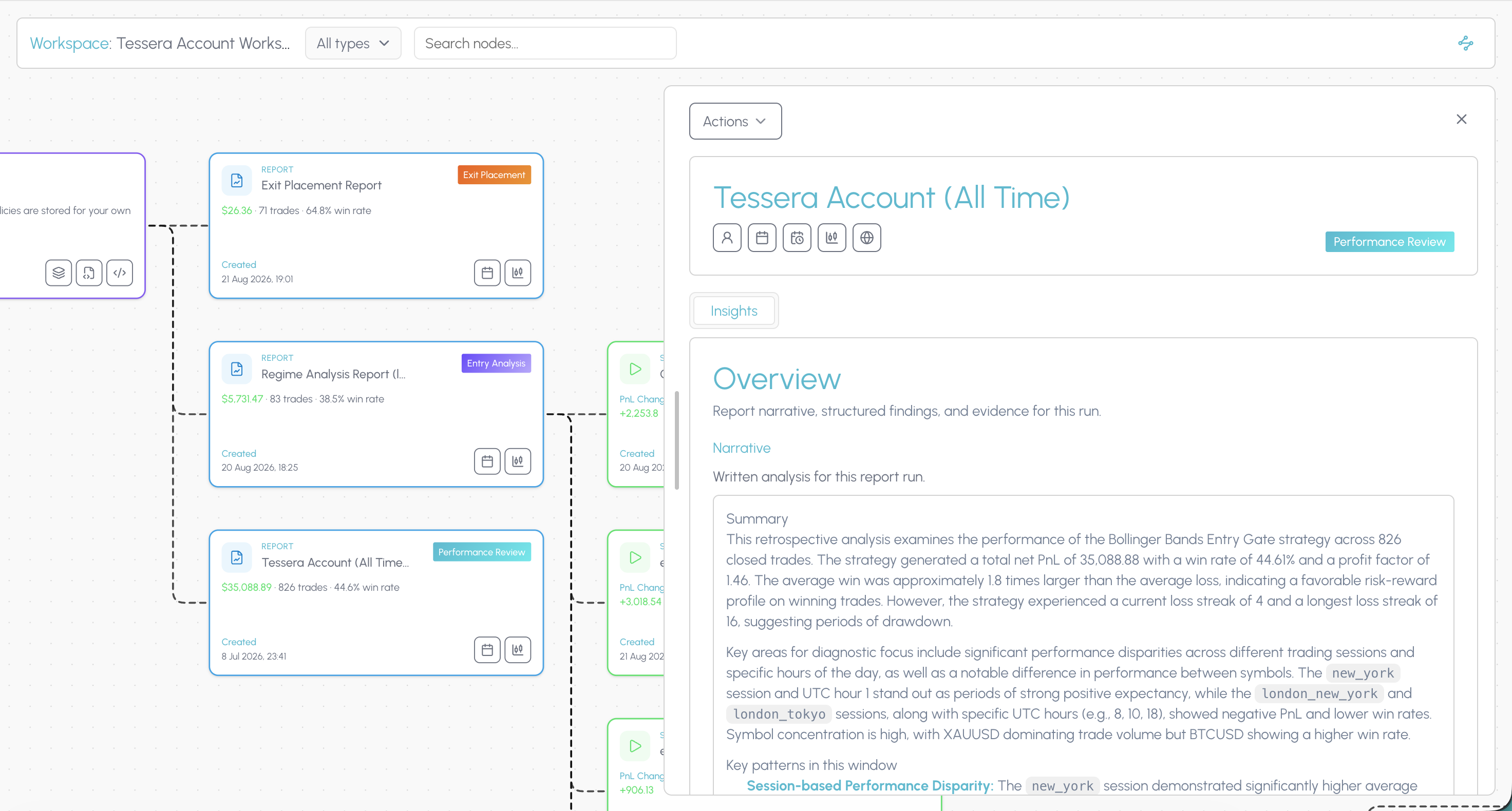
In Tessera, a policy is a versioned rule attached to a strategy: the keep filter, the veto, the exit distance that survived a simulation. It is not a note in a journal and not a half-remembered habit from last month's review.
When something holds up, you save it, name it, and keep it on the strategy so you can return to it, combine it with other rules, and re-test the stack. The point is a rule you can defend, not a feeling that you should "be more selective in New York."
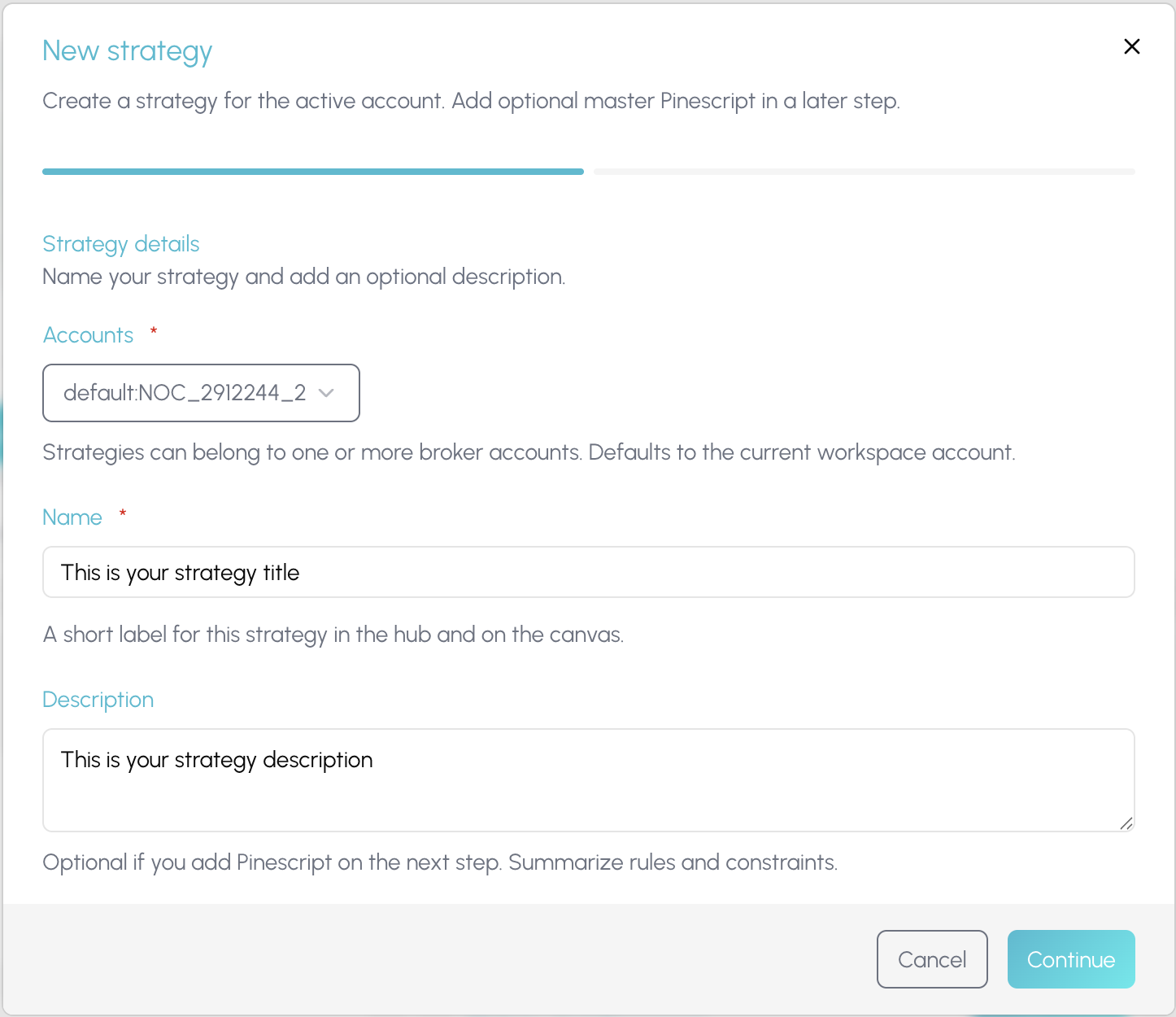
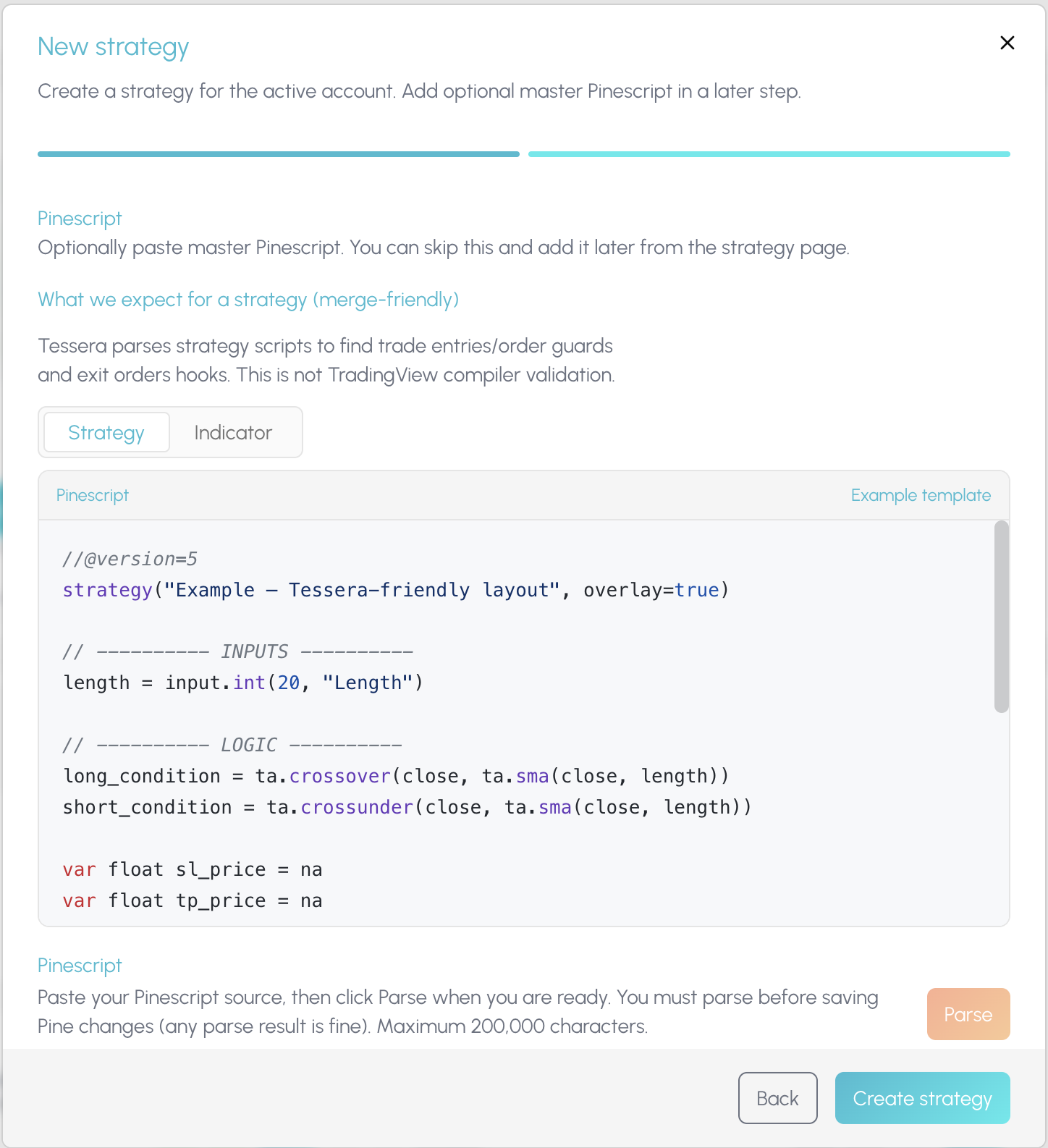
Once a rule is worth forward testing, Policy Pine composes it into TradingView. Merge the rule into a copy of your existing strategy script, or export it as a standalone indicator you paste onto the chart yourself.
Tessera does not auto-push to your TradingView account. You stay in control of what hits the chart. The composed Pine is the bridge from a tested cohort back into live forward testing, with the experiment trail still sitting in Tessera.
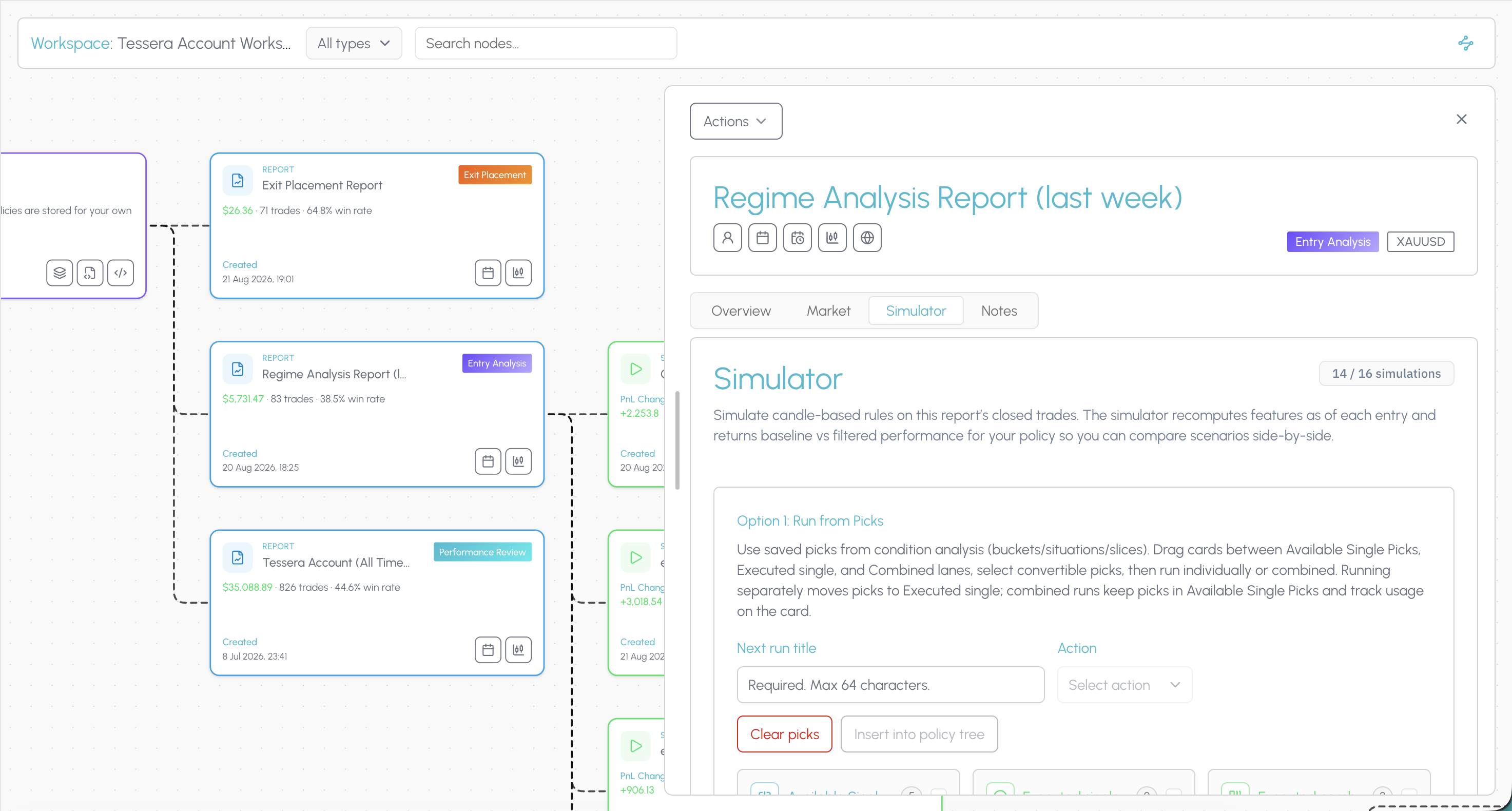
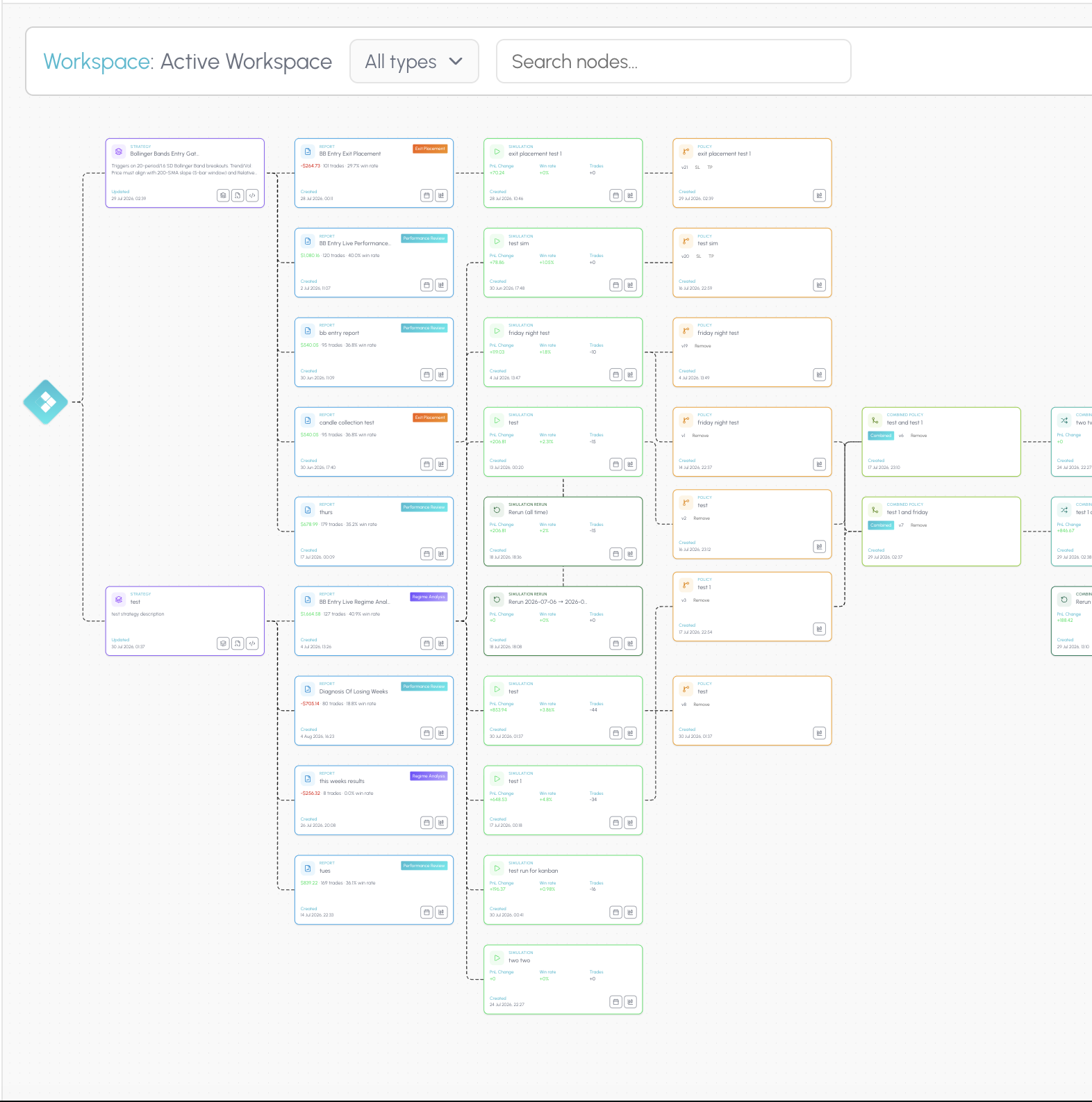
The connected workspace is where the suite stops being a list of tools. The hub shows every strategy, report, simulation and rule you have built. Open a canvas and those pieces become a node graph linked by what produced what.
When a filter improves a cohort, you can still see the Entry Analysis that surfaced it, the simulation that tested it, and the rule you exported, on the same trail. That is how you know whether a change held up across your process, not only whether one review session felt better.
TES can narrate a prepared report when you run one. Tessera does not ship a dedicated tilt score or an automated weekly scan of your whole trade history. Findings are hypotheses, not conclusions. Forward test before you commit size.
Connect your trade log, run focused reports, and test one rule change at a time on trades you already took.
Backtrex alternative
Seven Backtrex alternatives compared on building, validation, running live and price. Checked 12 November 2026.
Read comparisonEdgewonk alternative
Seven Edgewonk alternatives compared on price, free tiers, imports and whether they can test a rule change on your own trades. Prices checked November 2026.
Read comparisonMyfxbook alternative
Myfxbook is free and great for verified MT4 and MT5 track records. These seven alternatives go further on analysis and rule testing. Prices checked November 2026.
Read comparisonTraderSync alternative
Seven TraderSync alternatives compared on price, free tiers, imports and rule testing, with an honest verdict on who each suits. Prices checked November 2026.
Read comparisonTradervue alternative
Tradervue is a clean, long running journal. These seven alternatives go further on price, analysis or rule testing. Prices checked November 2026.
Read comparisonTradesViz alternative
TradesViz is cheap, deep and imports from almost everywhere. Here is when an alternative makes more sense, and which one. Prices checked November 2026.
Read comparisonTradeZella alternative
Seven TradeZella alternatives compared on price, free tiers, imports and backtesting, with an honest verdict on who each suits. Prices checked November 2026.
Read comparisonLuxAlgo Trade Journal is a trademark of its respective owner. Tessera is not affiliated with, endorsed by or sponsored by LuxAlgo Trade Journal. Comparisons reflect publicly available information as of 12 November 2026 and may change.
Run a free Entry Analysis report, simulate one filter on your closed history, and see whether the cohort improves before you change how you trade.