

Claude Code and OpenClaw Trading Bots: What the Tutorials Leave Out (and How to Check Yours)
Claude Code can often build a trading bot in an afternoon, but it can't tell you if it has an edge. What tutorials skip, and how to check yours.
By Tessera Trades · Updated · 14 min read
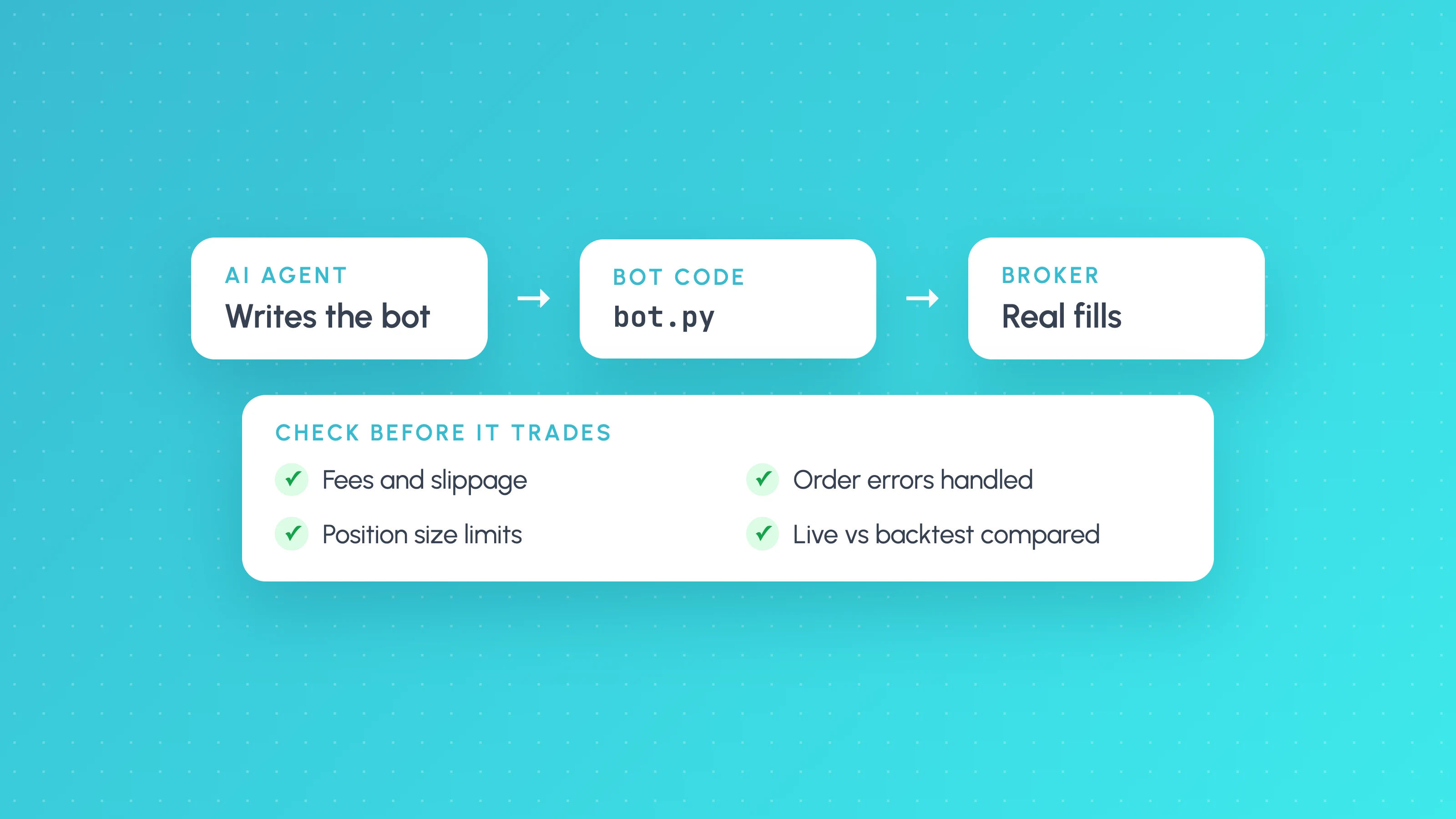
Yes, Claude Code can build a working trading bot: it can write the Python, connect it to an exchange API and backtest it, often in an afternoon. What it can't do is tell you whether the bot has an edge, and the build tutorials rarely test that. Whether a Claude trading bot makes money depends on the strategy, its costs and how it behaves on live fills, so the only reliable answer comes from checking its real trades.
This guide covers what people are building, the failure modes the tutorials skip, what the published Claude trading experiments actually showed, and a checklist for validating a bot before and after it goes live.
*Trading involves risk of loss. Nothing here suggests that an AI-built bot, or any bot, will be profitable.*
Claude Code, OpenClaw and Claude skills: what each one is
These names get mixed together in videos and posts, so it helps to separate them.
- Claude Code is Anthropic's agentic coding tool. Its documentation describes it as a tool that reads your codebase, edits files, runs commands and integrates with your development tools, in the terminal, an IDE, the desktop app or the browser. For a trading bot, that means it writes and runs the code. It is not a trading product and has no strategy of its own.
- OpenClaw is a separate, open-source project, not made by Anthropic. Its GitHub page describes it as an AI assistant that runs on your own computer, works with hosted and local model providers (Claude among them), and is MIT-licensed. It launched in 2025 as Clawdbot and, according to Infosecurity Magazine, was renamed Moltbot after Anthropic requested a name change, then OpenClaw at the end of January 2026. Unlike Claude Code, it is designed to run as an always-on assistant on your machine.
- Skills are folders of instructions Claude follows for a specific task. Claude Code's skills documentation defines them as folders containing a
SKILL.mdfile. OpenClaw has its own skills, shared through a registry called ClawHub.
What people are building
Most "Claude trading bot" projects fall into three groups:
| Type | Typical stack | Where it usually goes wrong |
|---|---|---|
| Python bots on crypto exchanges | Python, exchange REST and WebSocket APIs (Binance, Hyperliquid and others) | Backtest without fees or slippage; API keys with too many permissions |
| Pine Script strategies | TradingView Strategy Tester, alerts to a broker | Lookahead and repainting; default zero commission |
| Prediction market bots | Python against the Polymarket API | Fees and thin edges; profit screenshots instead of fill records |
For Pine Script specifically, our guides to Claude for Pine Script and connecting Claude to TradingView cover the setup. The rest of this guide applies to all three.
What the published experiments actually showed
The large profit figures shared on social media are self-reported and come with no fill history. A few builders have published their method and results in full, and those are more useful.
A held-out data test. In an October 2026 post on DEV, a developer let Claude in Claude Code search for a USD/JPY daily strategy on ten years of data (April 2015 to April 2025), with the last 20% (from April 2023) hidden until the end. The agent stopped after 13 of an allowed 30 runs, saying more searching would mostly add selection bias. Its chosen 50-day breakout stayed positive on the hidden period, but per-trade Sharpe roughly halved (0.127 to 0.065), swap and carry costs were not included, and the author notes the model may have seen that price history in training. The agent itself declined to call it a working strategy.
A one-week live test. A writer gave Claude a small intraday budget on an Indian broker in October 2026. Claude's 58-day backtest of a gap-fade strategy showed a 53% win rate. Live, two of five days won and the result was about a 23% loss on ₹1,000 of capital after charges. Charges ran at roughly ₹13 to ₹14 a day, and on one trade the author entered 6 shares instead of the 5 Claude specified. The author is clear that five days proves nothing either way.
A production Polymarket bot. The author of Polyphemus, a Python bot built with Claude Code that grew to more than 36,000 lines, says it traded real money in early 2026 and "has not found a strategy that makes money after fees". Early bugs and ungated changes cost about $1,300, and a dry-run audit caught a bug that would have traded the wrong assets. The bot has run in dry-run mode only since May 2026.
None of these shows that Claude is bad at writing trading code. They show that well-written code and a profitable strategy are separate questions. For the wider evidence on bots, see do AI trading bots work.
Six failure modes the tutorials skip
1. Lookahead in the backtest
An AI-written backtest can use information that wasn't available when the trade was taken: today's close to decide today's entry, a higher-timeframe value before that bar finished, or an indicator computed over the whole dataset. In Pine Script, TradingView's repainting documentation warns that request.security() with lookahead_on and no offset returns future data on historical bars. In Python, the equivalent is usually a missing .shift(1). Ask Claude to point to the line where each signal becomes known, then check it yourself.
2. No costs, or the wrong costs
Generated backtests often start with zero fees and zero slippage. Bots that trade often live or die on these, as both the intraday test and the Polymarket bot above show. Use your venue's actual fee tier, add spread and slippage, and re-run.
3. Logged trades are not real fills
Many bots record the price they *wanted* (the signal price or last trade) rather than the price they *got*. A log can show a profit while the account shows a loss. Partial fills, rejected orders, rate limits and reconnects are where the two drift apart. The only trades that count are the fills in your exchange or broker history.
4. Overfitting through repeated prompting
Asking Claude to "improve the strategy" twenty times is a parameter search, even if it doesn't look like one. Each run that you keep because it looked better adds selection bias, which is exactly why the agent in the DEV test stopped early. Keep a period the AI never sees, count how many variants you tried, and read our guide to checking whether a backtest is overfit.
5. API keys and third-party code
A trading bot holds keys that can move money, so the code around it matters as much as the strategy.
- Key permissions. Binance's API key guidance strongly recommends against enabling anything beyond reading without IP restrictions, and an IP restriction is mandatory before withdrawal permission can be enabled. A trading bot should never need withdrawals.
- Skills and plugins. Claude Code's skills documentation warns that a skill's
allowed-toolsfield can pre-approve tools, and that shell commands written into a skill can run before Claude sees its content, so review any skill you didn't write. On the OpenClaw side, Infosecurity Magazine reported in February 2026 that 386 malicious skills on ClawHub posed as crypto trading automation tools, using names such as ByBit and Polymarket, and stole exchange API keys, wallet private keys and passwords. OpenClaw's own README notes that tools run on the host for the main session unless you configure sandboxing. - Fake tutorials. In September 2026, Crypto Briefing reported TRM Labs' finding that nine near-identical YouTube tutorials for a "Claude" arbitrage bot led viewers to deploy a wallet drainer through fake compiler sites, taking 274.6 ETH (about $517,000) from 224 wallets between February and August. TRM found no Anthropic product or AI functionality in the code. A tutorial that asks you to fund a contract to "start" a bot is a red flag.
6. No risk limits outside the strategy
Tutorials rarely add the controls that stop a bug from becoming a large loss: a maximum position size, a daily loss limit, a cap on orders per minute, and a kill switch that flattens and stops the bot. Put these in code that Claude's strategy changes can't touch, and test that each one actually triggers.
Claude Code trading skills: what they cover
Several public skill collections promise backtesting or trading research. As of 2026-10, here is what their own pages say:
| Skill or collection | What it does | What to check before relying on it |
|---|---|---|
| tradermonty/claude-trading-skills | Several dozen Claude Code skills for market analysis, screening, trade planning and strategy research; says it is not designed for fully automated trading | Its backtest-expert skill asks for realistic costs (commission plus conservative slippage), walk-forward testing and at least 30 trades (100+ preferred), and calls for a lookahead audit when results look too good. Make sure Claude actually applies them |
| backtesting-trading-strategies (jeremylongshore/claude-code-plugins-plus-skills) | Eight built-in strategies, performance metrics and parameter grid search | Its listing leads with grid search, and walk-forward analysis appears only in its examples file (as of 2026-10). Run any grid search against a held-out period, and check the signal code for lookahead yourself |
| ClawHub (OpenClaw skills) | Community registry, including trading skills | Hundreds of malicious trading skills were found there in February 2026. Read the code and run it isolated, with no real keys |
A skill that tells Claude to check for costs and overfitting is useful. It still produces a backtest, and a backtest is a claim to check, not a result.
Checklist before going live
- Read the signal code for lookahead. Every input to a decision must be known at decision time.
- Set real costs. Your fee tier, spread and a slippage assumption, then re-run.
- Hold out data. Keep a recent period the AI never saw, and test on it once.
- Count the trades. Fewer than about 100 in the backtest is not enough to judge an edge.
- Lock down keys. Trade-only permissions, IP-restricted, no withdrawals, stored outside the repo and outside anything an agent or skill can read.
- Add hard limits. Position size, daily loss, order rate and a kill switch, each tested.
- Run on a testnet or in dry-run. Binance's Spot testnet uses virtual balances and generally the same filters and rate limits as live, but it resets roughly monthly without notice. Hyperliquid's testnet faucet gives 1,000 mock USDC to wallets that have deposited on mainnet. Testnet fills won't match live liquidity, so treat this stage as a test of the code, not of the edge.
- Start small. Size the first live period so that losing all of it is acceptable.
The longer version of these checks is in our guide to testing a strategy ChatGPT or Claude wrote.
A no-code alternative
If you would rather not write or maintain code, Tessera's Strategy Lab takes a different route. You describe the strategy in plain English to TES, its AI strategy coach, and it builds the rules and runs the backtest, the unseen-period check and the robustness tests. TES proposes every change and you confirm it; it can't save a strategy, export Pine or place a trade by itself. A strategy built there can then run on Launchpad (paid plans), on paper or on a cTrader or Liquid Brokers account. How to create a trading bot without coding walks through the steps. Your strategy, your settings and your risk.
How to track your Claude trading bot's performance
Once the bot is trading, stop reading its own logs and work from the exchange's records. A bot's log says what it meant to do; the fills say what happened. Most "Claude trading bot results" posts on Reddit or GitHub skip this step, which is why a screenshot of a good week tells you very little: do AI trading bots actually work? looks at what the published experiments found when someone did measure.
- Log every fill. Record each fill with timestamp, symbol, side, size, price, fee and the order ID, and have the bot log the signal price and time that triggered it. Keep the signal price: without it you can't measure slippage.
- Export or sync the exchange's history. Use the exchange's trade history as the record of truth, not the bot's log. Every order the bot thinks it placed should match a fill, with the same size and a price you can explain; gaps are bugs.
- Journal it and break it down by condition. Load the fills into a journal and split results by session, weekday, time of day, volatility and symbol. A bot that is flat overall can lose in one condition and make money in another, and that is often the first thing worth fixing, provided each slice has enough trades.
- Check it against the backtest. Run the backtest over the same dates the bot traded live and compare trade by trade: missing trades, extra trades, and the per-trade gap between signal price and fill price. The usual causes are covered in why a strategy works in backtest but not live.
- Wait for a minimum sample. Don't judge the bot on a week. Aim for at least 100 live trades before drawing conclusions about the overall edge, and more before trusting any single slice; how many trades you need explains why. A bot that trades a few times a week needs months.
- Decide in advance when to turn it off. Write the stop rules down before going live, so you aren't deciding while it's losing. Reasonable triggers are a drawdown larger than the worst the backtest showed, average slippage well above your cost assumption, fills that don't reconcile with the bot's orders, or behaviour the strategy can't explain, such as trading outside its session. Hitting one means pause, investigate, and ask Claude to fix the cause, not to tweak parameters until the recent losses disappear.
Steps 2 to 4 are where Tessera fits. Tessera doesn't run a bot you build with Claude Code: it analyses the trades that bot has already taken. (Tessera's own bot, Launchpad, only runs strategies built in its Strategy Lab, on paper or on cTrader and Liquid Brokers accounts, and not on Binance. Your strategy, your settings and your risk.) It syncs live trade history from Binance Spot (as well as Liquid Brokers, Interactive Brokers, OANDA and cTrader), imports Hyperliquid history, TradingView Strategy Tester exports, MetaTrader, NinjaTrader and Tradovate files, and accepts a custom CSV for anything else. The reports break the bot's results down by session, weekday, time, volatility and symbol, and the simulator replays a stop, target or filter change on the trades the bot actually took, using real candles, before you ask Claude to change the code. To see the breakdown on your bot's own trades, run the free Entry Analysis report; no card is needed.
Testing a Claude trading bot on Binance
For a bot on Binance, a practical sequence is: build and debug against the Spot testnet, move to a small live allocation with a trade-only, IP-restricted key, then connect a separate read-only key to whatever you use for analysis. A read-only key can read history but cannot trade or withdraw, so the analysis side never needs more access than that. The same applies to Hyperliquid: test on its testnet first, then analyse the mainnet fills.
If you want to see what a condition breakdown looks like before connecting anything, upload a TradingView Strategy Tester export, a MetaTrader or Tradovate report, or a Hyperliquid trade history CSV for a free Entry Analysis report, with no card needed.
Frequently asked questions
- Can Claude Code build a trading bot?
- Yes. Claude Code can write the strategy logic, the exchange connection, the order handling and a backtest, and it can run and debug that code. It can't tell you whether the strategy has an edge after costs, so treat its backtest as a starting point to verify, not as evidence.
- Does a Claude trading bot actually make money?
- There is no general answer, because the model writes the code and you supply the strategy. The builders who have published full results, including a Polymarket bot that has not found a strategy that makes money after fees, show that working code and a profitable strategy are different things. Judge your bot on its real fills over enough trades, not on a backtest or a screenshot.
- How do I check if my AI-built trading bot works?
- Check the code for lookahead, add real fees and slippage, keep a period the AI never saw, and run it on a testnet or in dry-run. Once it is live, reconcile its orders against the exchange's fills, compare them with the backtest over the same dates, and break the results down by session, weekday and volatility.
- What is OpenClaw, and is it the same as Claude?
- No. OpenClaw is an open-source AI assistant that runs on your own computer and can use Claude or other models; it isn't an Anthropic product. It was previously called Clawdbot and then Moltbot. If you use it for trading, be careful with third-party skills, since hundreds of malicious trading skills were found in its ClawHub registry in early 2026.
- Are Claude trading skills safe to install?
- Treat a skill like any other code you run with access to your machine. Read it, check what tools it pre-approves, and never let it near API keys with trading or withdrawal permissions until you have. Skills that encourage costs, walk-forward tests and lookahead checks are helpful, but they don't replace checking the results yourself.
- How do I track my Claude trading bot's results?
- Work from the exchange's fills, not the bot's log. Record every fill with its signal price, reconcile fills against the bot's orders, compare live trades with the backtest over the same dates, and break results down by session, time of day and volatility. Wait for at least 100 live trades before judging the overall edge, and set stop rules in advance, such as a drawdown beyond the backtest's worst.
- Are Claude trading bot results on Reddit and GitHub reliable?
- Treat them as anecdotes. A screenshot or a repository rarely shows the full trade history, the costs paid, the sample size or what happened after the post. The only results that tell you whether a bot works are its own fills over enough trades, compared with the backtest.
- Should I give a Claude trading bot withdrawal permissions?
- No. A trading bot only needs permission to read and to trade, and Binance requires an IP restriction before withdrawals can be enabled at all. Keep trading keys IP-restricted, store them outside your repository, and use a separate read-only key for analysis tools.
Keep reading
 AI and Pine Script
How to Test a Trading Strategy ChatGPT or Claude Wrote
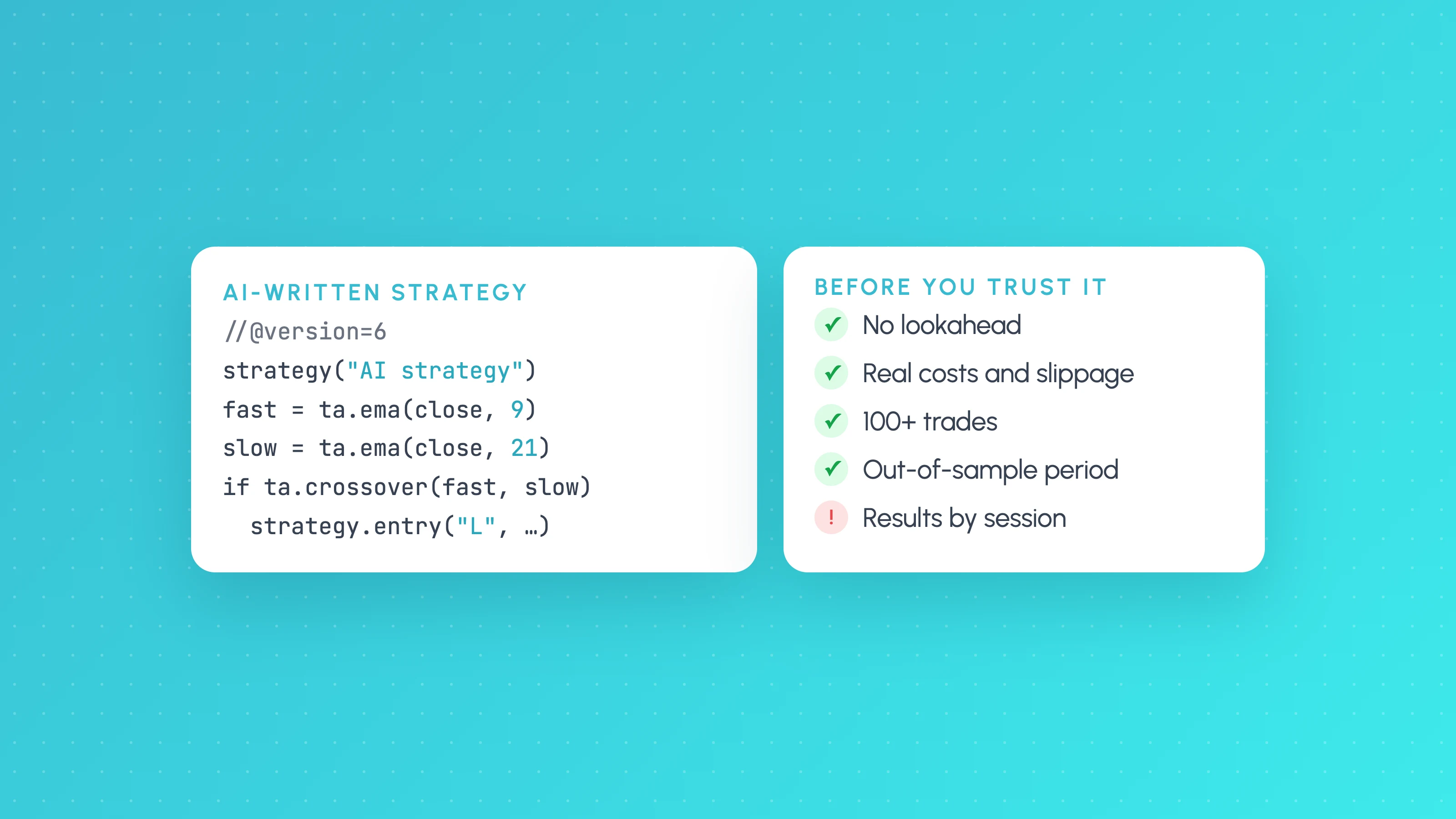
A step-by-step way to check an AI-written Pine Script strategy: catch lookahead and repainting, set realistic costs, test out of sample and by market condition.
 AI and Pine Script
Do AI Trading Bots Actually Work? What the Live Results Show (2026)
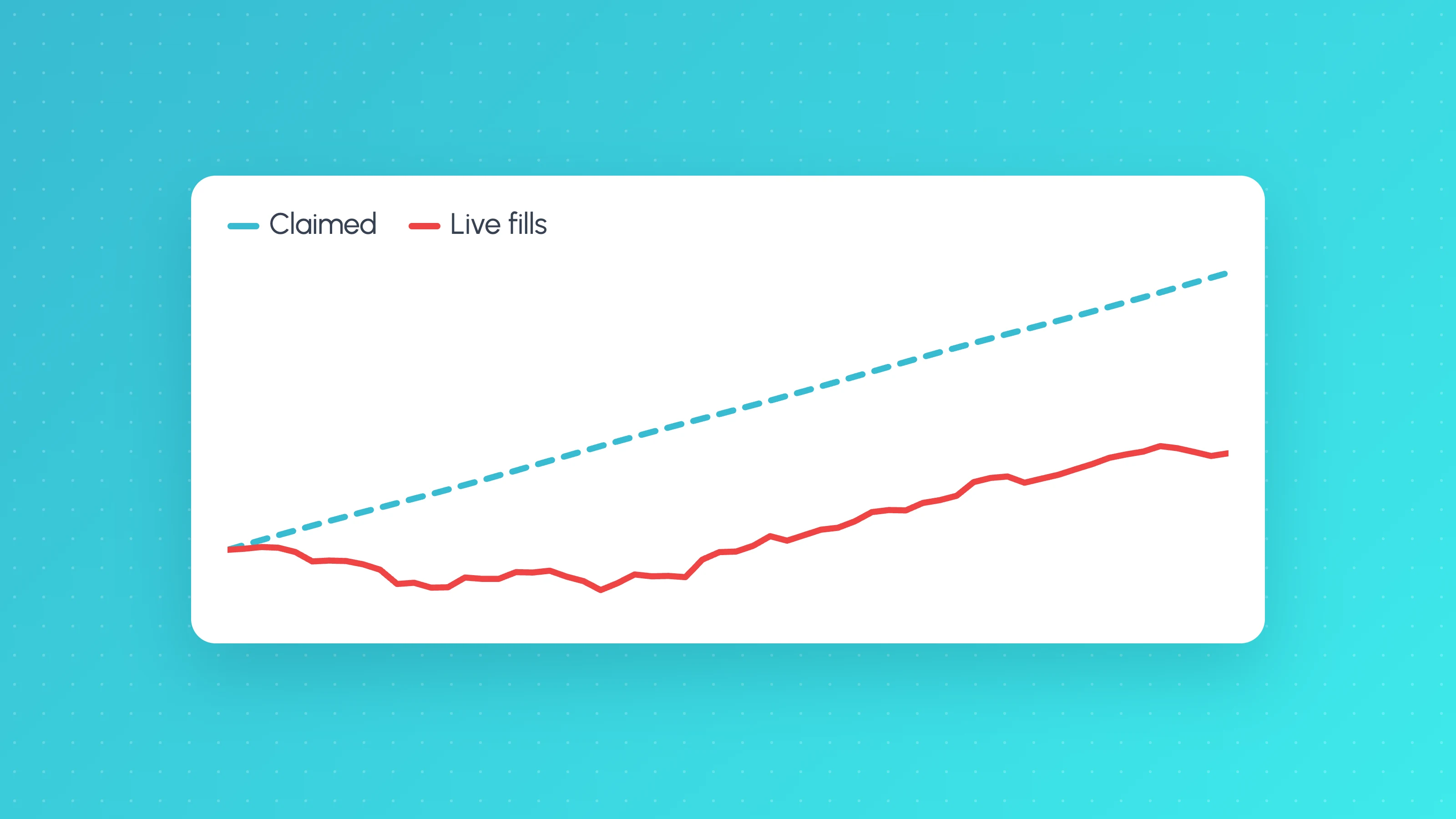
Do AI trading bots work? In public live tests most lost money, and regulators warn about AI bot scams. See the evidence and how to judge any bot's record.
 TradingView backtests
Why Does My Strategy Work in Backtest but Not Live?
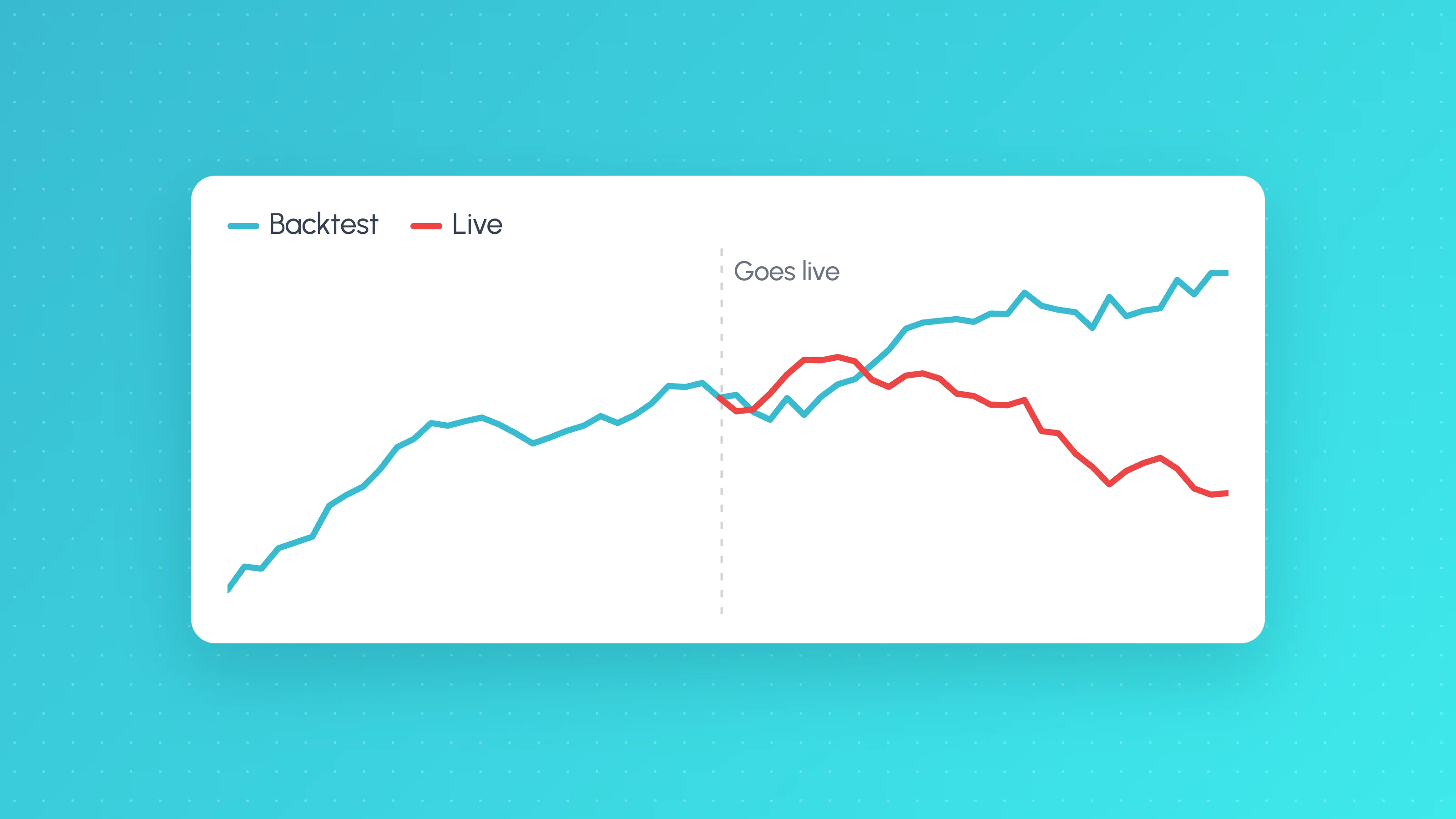
Why a TradingView strategy works in backtest but not live: costs, fill assumptions, repainting, gaps, data, alert delays and overfitting, with a check for each.