

TradingView to cTrader: 3 Ways to Turn a TradingView Strategy Into a cTrader Bot
How to move a TradingView strategy to cTrader: rewrite it as a cBot, bridge alerts with a webhook, or rebuild and run it without code. What each route needs.
By Hristo Skulev · Updated · 6 min read
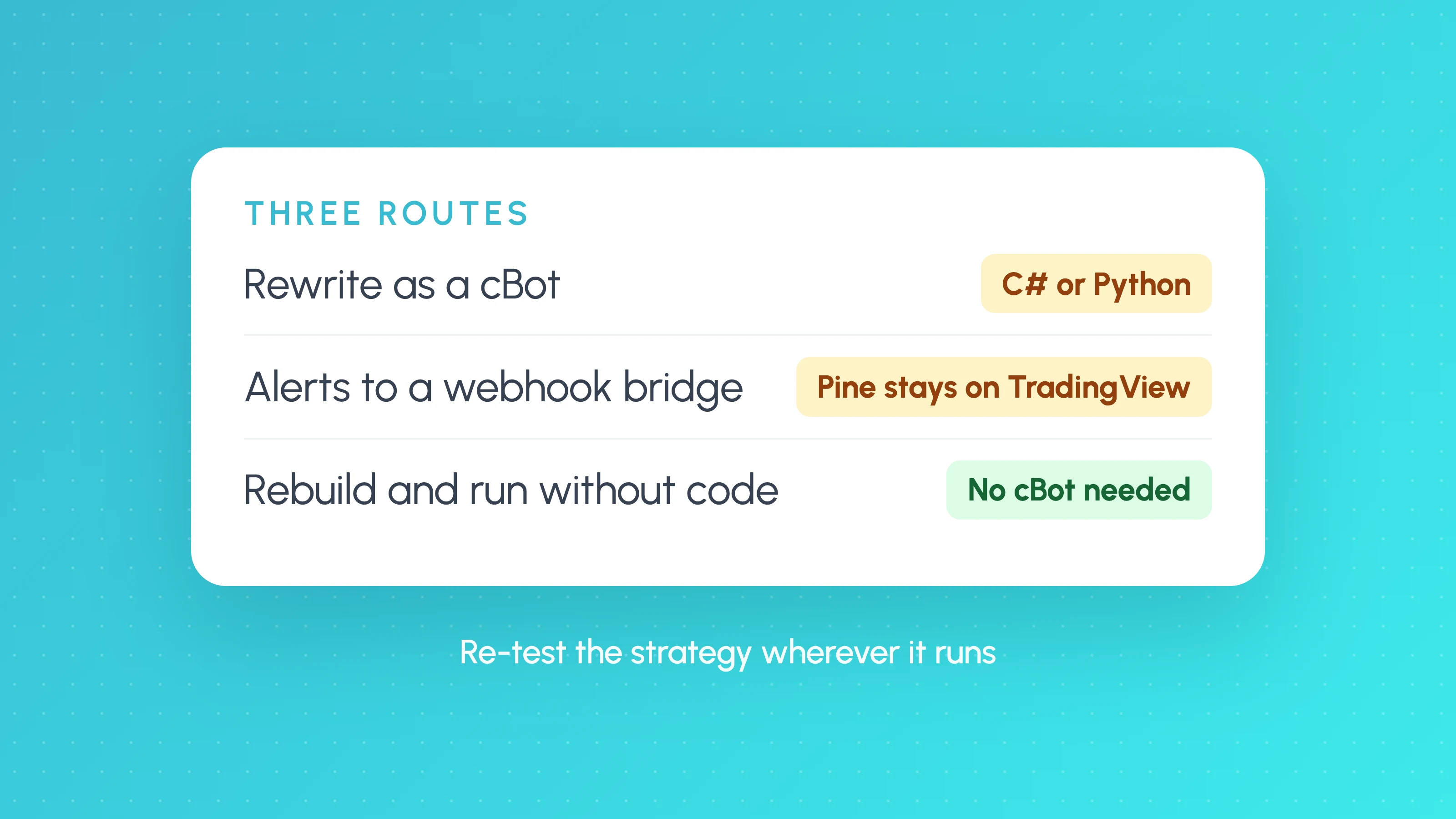
TradingView strategies can't run on cTrader directly. Pine Script only runs on TradingView, and cTrader's bots, called cBots, are written in C# or Python. To trade a TradingView strategy on a cTrader account automatically, you have three options:
- Rewrite it as a cBot and run it inside cTrader.
- Send TradingView alerts to a webhook bridge that places the orders on cTrader.
- Rebuild the rules on a platform that runs them on cTrader for you, without code.
Each one moves your strategy, but none of them moves your backtest. A Pine strategy that looked good in TradingView's Strategy Tester has to be re-checked wherever it ends up, because fills, costs and data differ.
The three routes compared
| Rewrite as a cBot | Alerts to a webhook bridge | Rebuild and run without code | |
|---|---|---|---|
| Coding needed | Yes, C# or Python | Some: alert messages in Pine, bridge settings | No |
| Where the logic runs | cTrader (your PC, a VPS or cTrader's cloud) | TradingView's alert servers | The platform's servers |
| Who places the order | The cBot | The bridge, through your cTrader account | The platform, through your cTrader account |
| Backtest you can trust | cTrader's backtester, plus your own checks | Still TradingView's Strategy Tester | The platform's backtest, plus its checks |
| Main risk | Translation errors between Pine and C# | Alerts out of sync with the script; bridge downtime | The rebuilt rules don't match the original |
Route 1: rewrite the strategy as a cBot
cTrader's automation side is called cTrader Algo. Its help centre describes a cBot as code written in C# or Python against the cTrader Algo API, with methods that run when the bot starts, on every tick, when a candle closes and when it stops.
To move a Pine strategy across, you translate each part by hand or with an AI coding assistant:
- Indicators. Pine's built-in
ta.functions need cTrader equivalents. Check that the settings match exactly; small differences in how a moving average or ATR is seeded change signals. - Entries and exits. Pine's
strategy.entry()andstrategy.exit()become order calls. Stop and target logic, partial closes and trailing stops all need writing out. - Timing. Pine strategies usually act on the candle close. In cTrader, put that logic in the method that runs when a new candle forms, not on every tick, or the bot will trade more often than the backtest did.
- Sessions and time zones. Pine uses the exchange's time zone by default. Check the time zone your cTrader account and data use, or session filters will shift.
Then backtest the cBot in cTrader with your broker's costs and compare the trades with TradingView's list. Expect some differences from data feeds and fills; a large difference usually means a translation error.
This route gives you full control and a cBot you own. It also leaves you hosting and monitoring the bot. Our guide to Claude and Codex for trading bots covers what AI coding assistants get wrong in this kind of translation.
Route 2: TradingView alerts to a webhook bridge
Here the strategy stays in TradingView. You add an alert_message to each order in your Pine strategy, create an alert on it with a webhook URL, and a third-party bridge receives each message and places the order on your cTrader account. Our guide to automating a Pine Script strategy walks through the alert and webhook setup step by step.
Two things to know before you choose it:
- The alert doesn't follow your edits. TradingView's alert documentation says a running alert keeps the version of the script it was created with. Change the script or its inputs and you must delete and recreate the alert.
- The bridge holds your account access. It places orders on your behalf, so check its security, its permissions and what happens if it goes down while you have a position open.
Your backtest is still TradingView's Strategy Tester, so the usual caveats apply: fills on the bar close, optimistic intrabar assumptions and costs you entered yourself. See why backtests and live results differ.
Route 3: rebuild the rules and run them on cTrader without code
The third route skips Pine and cBots. You rebuild the strategy's rules on a platform that backtests them and then sends orders to your cTrader account through cTrader's own sign-in.
This is how Tessera works:
- Rebuild the rules in Strategy Lab. Describe the strategy to TES, the AI strategy coach, in plain English: the setup, entry, stop, target and session. You can add up to two chart screenshots. TES builds the strategy and runs the backtest. Strategy Lab doesn't import Pine Script code, so describe the rules rather than pasting the script.
- Compare it with your TradingView results. Check the trade count, win rate and average trade against your Strategy Tester list. If they're far apart, a rule was read differently; ask TES to adjust it. Strategy Lab can also export the strategy as Pine Script v6, so you can run both versions side by side on TradingView to check they take the same trades.
- Check that the result holds up. Every backtest gets an unseen-period verdict, a first-half against second-half check and a costs check. The robustness report adds Monte Carlo, price noise and a test on other markets. See how to tell if a backtest is overfit.
- Run it on cTrader with Launchpad. Sign in with cTrader, choose a demo or live account, and run the strategy on Paper first, then Copilot (you approve each trade on Telegram), then Autopilot (it trades inside your daily loss, trade count and hours limits). Orders go to cTrader as market orders with the stop and target attached at the broker.
What this route doesn't do: it doesn't produce a cBot file, and TradingView alerts can't trigger Launchpad. The strategy runs from Strategy Lab's rules, not from your Pine script.
Strategy Lab is free to start with no card. Launchpad is on paid plans from $39 a month; see pricing. For the full walkthrough of the cTrader side, see build a cTrader bot without coding.
Which route should you use?
- You code, or want a cBot you own: rewrite it as a cBot.
- Your strategy depends on Pine features you can't describe as plain rules, such as a complex custom indicator: keep it in TradingView and use a webhook bridge.
- You don't code and want the strategy tested before it trades: rebuild it and run it without code.
Whichever route you choose, run it on a cTrader demo account first and compare the live trades with the backtest before you trade real money.
Running it on a cTrader prop firm account
Several prop firms offer cTrader accounts. Whether a bot, a bridge or a third-party platform may trade one is the firm's rule. FundedNext, for example, doesn't allow EAs (Expert Advisors, trading bots for MetaTrader) on its cTrader CFD accounts, while FTMO allows algorithmic trading within its limits. Read the firm's automation terms and ask support in writing first. Our guide to prop firm trading bots covers the rules that most often fail a bot.
Frequently asked questions
- Can I connect TradingView to cTrader?
- Not natively for automated trading. You can rewrite the strategy as a cBot, send TradingView alerts to a third-party webhook bridge that trades your cTrader account, or rebuild the rules on a platform that runs them on cTrader for you.
- Can I convert Pine Script to a cBot automatically?
- There's no official converter. AI coding assistants can draft a C# or Python translation, but you need to check every indicator setting, entry and exit, and compare the cBot's backtest trades with TradingView's.
- Do TradingView alerts work with cTrader?
- Only through a third-party bridge that receives the webhook and places the order on your cTrader account. Webhook alerts need two-factor authentication on your TradingView account, and an alert keeps the script version it was created with.
- Will my TradingView backtest results be the same on cTrader?
- Rarely exactly. Data feeds, spreads, commission and how fills are modelled all differ. Re-backtest on the new platform with your broker's costs, then paper trade before going live.
- Can I run a TradingView strategy on cTrader without coding?
- Yes, if you rebuild its rules on a no-code platform that trades cTrader accounts. Tessera's Strategy Lab rebuilds the strategy from a plain-English description and Launchpad runs it on your cTrader account.
Keep reading
 Algo trading
How to Build a cTrader Trading Bot Without Coding
Build a cTrader trading bot without coding: what cTrader Algo and cBots need, then a no-code route from strategy to backtest, demo account and live trading.
 AI and Pine Script
How to Automate a Pine Script Strategy (and Check TradingView Takes the Same Trades)
How to automate a Pine Script strategy: the alert and webhook route, its repainting and fill caveats, and how to check live trades match the backtest.
 TradingView backtests
Why Does My Strategy Work in Backtest but Not Live?
Why a TradingView strategy works in backtest but not live: costs, fill assumptions, repainting, gaps, data, alert delays and overfitting, with a check for each.